


So, you want to use popular music in your YouTube videos? It’s a common goal, but the reality is a lot trickier than just dropping in your favorite track. Using copyrighted music without permission can get your video demonetized, muted, or even blocked entirely. Even worse, it could lead to a strike against your channel.
To avoid these headaches, you first have to understand the system you're up against.
The Reality of Using Copyrighted Music on YouTube
Let's get one thing straight: navigating YouTube using copyrighted music is like walking through a minefield. So many creators fall for common myths—like the "10-second rule" or thinking that a simple credit in the description box is enough. It’s not.
The truth is that almost every piece of popular music is protected, and YouTube has a powerful, automated system in place to police it.
This system is called Content ID. Think of it as a super-smart digital detective that scans every single video uploaded to the platform. It compares the audio in your video to a massive database of copyrighted works. When it finds a match, it automatically applies the rules set by the song's owner.

What Happens When Content ID Finds a Match
A Content ID match doesn't automatically mean your video gets taken down. In fact, that's pretty rare. The copyright holder actually has a few different options, and their decision directly affects your video and your channel's standing.
Here’s a quick rundown of what can happen when YouTube's system flags copyrighted music in your video.
Potential Outcomes of Using Copyrighted Music
| Outcome | What It Means for Your Video | Impact on Monetization |
|---|---|---|
| Monetization Claim | Your video stays up, but ads are placed on it. | All ad revenue goes directly to the copyright owner. |
| Video Block | Your video is made unviewable. | You can't earn any money from a video that no one can watch. |
| Geo-Block | The video is blocked only in certain countries. | You lose monetization potential from viewers in those specific regions. |
| Muting | The audio containing the copyrighted music is silenced. | Your video is unwatchable or has a poor user experience, killing revenue. |
| Takedown & Strike | The video is removed, and a copyright strike is issued. | Three strikes can lead to channel termination. Monetization is at risk. |
The key thing to remember is that these aren't punishments you can just argue away (unless you have a valid license). This is the system working exactly as designed.
The Scale of Automated Enforcement
The sheer volume of these automated claims is staggering. In just the first half of 2023, YouTube's Content ID system flagged an incredible 2.2 billion videos.
But here’s an interesting twist: about 90% of those flagged videos were allowed to stay on the platform. Why? Because the owners chose to monetize them instead of taking them down. This tells us that while using copyrighted music is a huge risk to your revenue, it won't always get your content deleted.
The bottom line is this: you’re playing in someone else's sandbox. The music owners set the rules for their property, and YouTube's system enforces them instantly and automatically. Relying on "fair use" is a massive gamble, as it's a complex legal defense that often has to be settled in a court of law.
For creators who want to skip the monetization grind and the copyright risks that come with it, starting with a channel that's already in the YouTube Partner Program can be a smart move. You can learn more about the benefits by checking out this guide on getting a monetized YouTube channel.
Content ID Claims vs. Copyright Strikes Explained
Seeing a copyright notification pop up for one of your videos can make your heart sink. It's a common fear for creators, but it’s crucial to understand that not all notifications are the same. In fact, knowing the difference between a Content ID claim and a copyright strike is probably the most important thing you can learn to protect your channel. One is a routine bump in the road; the other is a serious threat to everything you’ve built.
Think of a Content ID claim as an automated flag. It’s not a person pointing a finger at you, but YouTube’s massive digital fingerprinting system doing its job. This system constantly scans uploads for audio and video that match its huge database. When it finds a match—say, a pop song in your travel vlog—it automatically applies the rules set by the copyright owner.
What Happens with a Content ID Claim
Once a claim is placed on your video, the rights holder has already decided what they want to happen next. You’re just seeing their policy play out.
Here are the three most common outcomes:
- They monetize your video. This is by far the most frequent result. The owner simply places ads on your video, and they collect all the revenue. Your video stays up, but you don't earn a penny from it.
- They track your video. Sometimes, owners just want data. They’ll let your video stay up (and maybe even let you keep the monetization), but they’ll collect viewership stats to see how their music is being used.
- They block your video. In some cases, the owner will make your video unavailable, either worldwide or in specific countries where they own the rights.
So, if you use a well-known song, expect a claim. It’s annoying to lose the revenue, but it doesn't put your channel in bad standing.
The Dangers of a Copyright Strike
Now, a copyright strike is a whole different beast. This isn't an automated system; it's a formal, legal takedown request filed by a copyright owner under the Digital Millennium Copyright Act (DMCA). Someone has manually submitted a complaint saying you've used their content without permission. This is serious.
Copyright enforcement is a massive global effort. Just to give you an idea of the scale, in the first half of 2023 alone, YouTube's automated systems generated 6 million removal requests. That’s separate from the manual DMCA notices that lead to strikes. If you want to dive deeper into the legal side, it helps to understand the full DMCA Takedown process.
A copyright strike is far more severe than a claim because it directly impacts your channel's health and your ability to monetize. YouTube has a "three strikes" policy, and you really don't want to test it.
A Content ID claim affects a single video. A copyright strike affects your entire channel. Knowing the difference is crucial for long-term success.
The Three Strikes Rule Explained
The consequences for copyright strikes get worse with each one you receive. It's a system designed to remove repeat offenders from the platform, and it works like this:
- First Strike: This is your official warning. You'll have to go through YouTube's "Copyright School" to prove you understand the rules. The strike stays on your account for 90 days.
- Second Strike: If you get another strike within that same 90-day window, the penalties ramp up. You’ll be blocked from uploading anything for two weeks.
- Third Strike: A third strike within 90 days is game over. Your channel will be permanently terminated. All your videos are deleted, and you’re banned from creating new channels.
This system can feel unforgiving, especially when you're just starting out. For creators who want to bypass the initial risks of building from the ground up, an aged YouTube channel can provide a more established foundation.
To put it simply: treat claims as a financial problem you need to manage, but treat strikes as an existential threat to your channel.
How to Legally Find Music for Your YouTube Videos
Finding the right music for your videos can feel like walking through a minefield of copyright claims. One wrong step, and you could lose your monetization or even get a channel strike. But it doesn't have to be that way. The smartest approach is to know exactly where to get your music before you even start editing.
Let's break down the best places to find great, legal soundtracks for your content, from totally free options to professional-grade libraries.
https://www.youtube.com/embed/ZQQBbnABT4Y
Royalty-Free Music Libraries
First off, let's clear up a common misconception. "Royalty-free" doesn't actually mean free. What it means is you pay once—either a one-time fee or a monthly subscription—and you can use the music forever without paying ongoing royalties for every play or view. For a YouTuber, this is a game-changer. It offers total peace of mind.
Some of the biggest players in this space are:
- Epidemic Sound: A fan favorite for a reason. Their library is massive, the quality is top-notch, and a single subscription covers you across YouTube, Instagram, and more.
- Artlist: If you're going for a more cinematic or polished feel, Artlist is fantastic. Their curated library is trusted by filmmakers and professional creators.
- Soundstripe: This is a great all-in-one toolkit. Soundstripe offers a huge library of music, sound effects, and even stock video footage under one subscription.
When you sign up and link your YouTube channel to these services, they automatically whitelist your videos. This means YouTube's Content ID system knows you have the right license, and you'll never see a copyright claim for that music.
The YouTube Audio Library
What if you're just starting out or your budget is tight? YouTube has your back.
Tucked away in your YouTube Studio is the YouTube Audio Library, a treasure trove of thousands of music tracks and sound effects. And the best part? Every single one is completely free to use in your monetized videos.
This is, without a doubt, the safest option available. For creators, understanding the ins and outs of adding music to your YouTube videos without copyright claims is a crucial skill, and this library is the perfect starting point. Since YouTube provides the music, you are 100% guaranteed to never get a copyright claim. You might not find the latest pop hit, but you'll find an incredible variety of genres and moods perfect for any background track.
Understanding Creative Commons Licenses
Another great place to find unique, free music is through Creative Commons (CC). This is a licensing framework where artists willingly share their work for others to use, as long as you follow their specific rules. It's a fantastic middle ground between strict copyright and the public domain.
But here’s the catch: "Creative Commons" isn't one single license. It's a family of different licenses, and you absolutely have to follow the terms of the specific one attached to a song.
Here are the ones you'll see most often:
- Attribution (CC BY): This is the most flexible. You can use the music however you want, even commercially, but you must credit the original artist in your video description.
- Attribution-ShareAlike (CC BY-SA): You have to give credit, and if you alter or remix the track, your new creation has to be shared under the exact same license.
- Attribution-NoDerivs (CC BY-ND): This means you have to give credit, but you can't change the music at all. No remixes, no cutting it up.
- Attribution-NonCommercial (CC BY-NC): You must give credit, but you can only use the music in videos that you are not monetizing.
Crucial Tip: If you run a monetized YouTube channel, you have to steer clear of any music with a "NonCommercial" (NC) tag. Always triple-check the license terms on sites like Free Music Archive or ccMixter before you hit download.
Comparing Music Licensing Options for YouTubers
So, which path is right for you? It really comes down to your budget, your content style, and how much time you want to spend managing things like attribution. A high-energy gaming channel has very different needs than a cinematic travel vlog.
To make it a bit clearer, I've put together a simple table comparing the main options.
| Music Source | Typical Cost | Key Benefit | Best For |
|---|---|---|---|
| Royalty-Free Libraries | $15-$30/month subscription | High-quality, diverse catalog and zero copyright worries. | Serious creators who want professional sound without the hassle. |
| YouTube Audio Library | Completely Free | Guaranteed safety from claims and seamless integration. | Beginners, creators on a budget, or for simple background music. |
| Creative Commons | Free (with attribution) | Access to unique, independent music you won't find elsewhere. | Creators willing to carefully manage attribution to find original tracks. |
| Direct Licensing | $100s to $1,000s+ | Ability to use a specific, famous song. | High-budget productions or brands where a certain song is essential. |
Ultimately, choosing a legitimate music source is one of the most important decisions you'll make as a creator. It protects your channel, your income, and your peace of mind.
For more strategies on building a sustainable and successful channel, our team at MonetizedProfiles is always sharing new insights. You can find more helpful articles over on the MonetizedProfiles blog. By making smart choices about your music, you're building your channel on a foundation that’s built to last.
See a Song's Copyright Rules Before You Upload
What if you could know exactly what would happen if you used a specific song before you ever dropped it into your video editor? No more uploading a video only to have your fingers crossed, hoping it doesn't get hit with a copyright claim.
YouTube actually has a tool for this, and it’s one of the most useful features for creators, yet it's often overlooked. It's called the Music Policies directory, and it's tucked away inside the YouTube Audio Library. Think of it as a crystal ball that shows you the future of your video if you use a popular, copyrighted song. A quick search here can save you hours of editing a video that's doomed to be blocked or demonetized.
Finding the Music Policies Directory
Getting there is easy. From your YouTube Studio dashboard, just click on "Audio Library" in the menu on the left. At the top of the next screen, you’ll see a few tabs—the one you're looking for is "Music policies."
This is where the magic happens. You'll see a simple search bar where you can punch in the name of a song or artist. Making this a regular part of your workflow is a game-changer.
What Do the Policy Results Mean?
Once you search for a song, YouTube will lay out its specific usage policy. These rules can be wildly different from track to track, so you need to know what you're looking at.
Let's say you're a gaming creator putting together a highlight reel and you think a big rock anthem would be perfect. You search for it in the directory and see the policy: "Ads can appear on your video." That tells you everything.
Here’s a breakdown of the common results you’ll see:
- Ads can appear on your video: This is the most frequent outcome. The copyright owner is okay with you using their music, but they'll run ads on your video and collect 100% of that ad revenue. Your video stays up, but you won't make a dime from it.
- This song isn't available for use: This is a hard stop. If you see this message, using the song will almost certainly get your video muted, or worse, blocked entirely. Steer clear of these tracks.
- Viewable worldwide, but can't be monetized: Functionally, this is very similar to the "ads can appear" policy. The song is usable, but you can't monetize the video it's in.
A word of warning: Policies can be location-specific. A song might be fine to use in the United States but completely blocked in Canada. Always take a moment to check for any geographic restrictions, especially if you have an international audience.
Knowing this information upfront lets you make a strategic choice. If your goal for a particular video is pure engagement and you don't care about the ad revenue, a song that allows ad-sharing might be a perfectly fine trade-off. But if monetization is your priority, you’ll know instantly to look for an alternative.
A Real-World Example
Imagine you run a travel vlog and you've just captured some stunning drone footage of a coastal sunset. You have a specific, dreamy indie pop song in mind that would fit the vibe perfectly.
Instead of spending the next three hours painstakingly editing your footage to the beat of the music, you take two minutes to check the Music Policies directory. You type in the song title and find out it's blocked in half of Europe and the revenue will be claimed by the copyright holder everywhere else.
Boom. You instantly know that using this song would slash your video's reach and kill its earning potential. Armed with that knowledge, you can pivot right away, find a great track from a royalty-free library, and save yourself a ton of time and a massive headache. This simple check turns the gamble of youtube using copyrighted music into a calculated decision.
So, you got that dreaded email: “A copyright owner claimed some content in your video.”
Deep breath. Your first instinct might be to panic, but this isn't a strike against your channel. It’s usually just YouTube’s automated Content ID system flagging a piece of music. Think of it less as a punishment and more as a notification. You’ve got options.
Honestly, the easiest path is sometimes to do nothing. If you threw a popular song in a video just for fun and don't care about making money from that specific upload, you can just let the claim stand. The video stays live, the artist gets paid from any ads that run on it, and you move on. For creators focused on engagement over income for a particular video, this is a perfectly fine strategy.
But if you need that video to be monetized, it’s time to roll up your sleeves and head into YouTube Studio.
Quick Fixes with YouTube Studio's Built-In Tools
You don't have to delete and re-upload. YouTube gives you a few surgical tools right inside the claim details page to sort this out. They're designed to remove the problem content while leaving the rest of your video intact.
Here are your go-to choices:
- Trim out segment: This is your best friend if the copyrighted song was only in one specific part of your video, like an intro sequence or a short montage. Just snip that section out, and the claim disappears.
- Replace song: If the music was playing in the background for a while, you can swap it with a track from the free YouTube Audio Library. It's a lifesaver for generic background music that isn't perfectly timed to the visuals.
- Mute song: This option is clever. It attempts to remove only the claimed music, leaving your voiceover or other original audio untouched. It works best when the song is on a distinct audio layer and doesn't heavily overlap with your own sound.
Using these tools is the fastest way to resolve a claim and get your monetization turned back on. Once the edits process, you're good to go.
Of course, the best way to deal with claims is to avoid them in the first place. A little research upfront can save you a huge headache later.
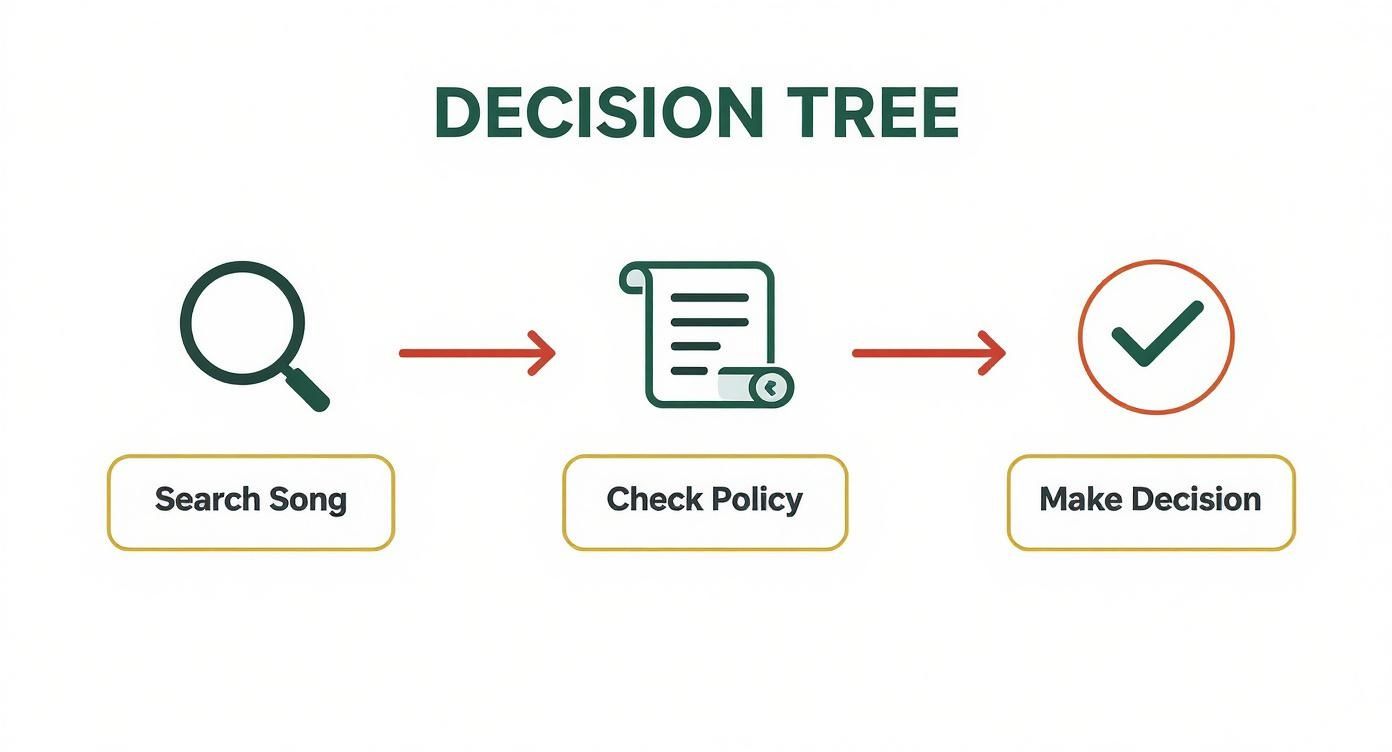
Following a process like this before you publish means you won't have to rely on these corrective tools nearly as often.
How to File a Formal Dispute
What if the claim is just plain wrong? Maybe you paid for a license from a site like Epidemic Sound, or you’re absolutely certain your use of the clip falls under fair use. This is when you file a dispute. It's your chance to formally tell the copyright holder, "Hey, I have the right to use this."
When you file a dispute, you need to be professional and provide evidence. A vague "this isn't fair" won't get you anywhere. State your case clearly and be ready to back it up.
You can't dispute a claim just because you disagree with it. You have to pick from one of YouTube's valid reasons:
- I have a license: You have proof you paid for the rights to use the music. This is the most common and strongest reason for most creators.
- It's in the public domain: The copyright has expired, making the music free for public use. You'll need to be sure about this one.
- Fair use: Your work is transformative—think commentary, criticism, news reporting, or parody. Be careful here; fair use is a complex legal concept, not a magic wand.
- Original content: The system made a mistake and flagged your own original music.
When you submit the dispute, you’ll need to write a short, direct explanation. If you have a license, say something like, "I have a valid license to use this track, purchased from Artlist.io under license number [Your License Number]."
The claimant then has 30 days to respond. They can release the claim, uphold it, or—in a worst-case scenario—issue a formal takedown request. While you wait, YouTube holds all the revenue from that video in a separate account. If the claim is released, that money is all yours.
Got Questions About YouTube & Music Copyright? Let's Clear Things Up.
Even when you think you know the rules, there are always those tricky gray areas and persistent myths about using music on YouTube that can trip you up. Let’s tackle some of the most common questions I hear from creators.
Think of this as your quick-reference guide for those "what if..." moments that can make you hesitate before hitting "publish."
"What If I Don't Monetize My Video?"
This is probably the biggest misconception out there. The truth? Whether you monetize your video or not has zero impact on copyright law. The rights holder owns the music, period. Your intention to make money (or not) doesn't change that fact.
You can still get an automated Content ID claim or a manual copyright strike with ads turned off. The system is built to protect the intellectual property itself, not just the potential revenue.
"Can I Use a Song if I Give Credit in the Description?"
Nope. Simply crediting the artist in your video description won’t get you off the hook. While it's a nice gesture, legally, it's like saying "this car isn't mine" while you're driving it off the lot—it doesn't grant you permission.
A credit line offers no legal protection against a copyright claim. To use a song properly, you either need a license or your use must fall under a specific legal exception like fair use.
The only time giving credit actually matters is when you're using music under a Creative Commons (CC) license that specifically requires attribution (like CC BY). In that scenario, you’re fulfilling the terms of the license, not just being polite.
"What's the Difference Between 'Copyright-Free' and 'Royalty-Free'?"
People throw these terms around as if they mean the same thing, but they're worlds apart. Getting this right is crucial for keeping your channel safe.
- Copyright-Free: This means the music is in the public domain. The copyright has expired, or the creator has completely waived their rights. You can use it however you want, no strings attached.
- Royalty-Free: This is a licensing model. You pay a one-time fee or a subscription to a service (like Epidemic Sound or Artlist) for the legal right to use the music. You don't pay ongoing royalties for every view, but the music is absolutely still protected by copyright.
For almost every creator out there, royalty-free music is the practical, safe solution for getting quality tracks for your videos.
"But What About Fair Use?"
Ah, fair use. It's a legal doctrine that allows limited use of copyrighted material without permission for things like commentary, criticism, news reporting, or parody. The key word here is limited.
Fair use isn't a right you can just claim; it's a legal defense. That means it’s something you argue in a court of law, where a judge weighs a complicated set of four factors. Relying on fair use on YouTube is a massive gamble. If the rights holder disagrees with your interpretation, they can still take your video down, and you’d be facing a legal battle to prove your case. For most creators, it’s a risky and unpredictable path.
Navigating YouTube's copyright system is a real challenge, but building your channel on a solid, legal foundation is the only way to play the long game. For creators looking to skip the initial grind, MonetizedProfiles offers a secure path forward. We provide fully monetized YouTube channels, grown organically and ready for your content, so you can focus on creating without the early-stage hurdles. You can learn more about our ready-made channels here.


