


Staying anonymous online is more than just using a VPN or an incognito tab. It's a whole mindset. You have to build a clean separation between your real-world identity and your online activities, using specific tools and, more importantly, consistent habits. It’s about creating a sterile digital environment for your anonymous persona.
Why Staying Anonymous Online Matters

The idea of being truly anonymous online seems almost quaint now, a throwback to the internet's wild west days. Today, almost everything you do is tracked, analyzed, and sold. This isn't just about getting creepy ads—it’s a real problem for anyone, but especially for content creators building a brand around a persona that isn't their real self.
All that data tracking allows companies and data brokers to build incredibly detailed profiles on you. They know your habits, your interests, and even what you're vulnerable to. That data can be sold, stolen in a breach, or handed over to authorities, creating a direct link from your "anonymous" project right back to your front door.
The Shrinking Space for Privacy
More and more, the internet wants to know who you really are. Services that used to be wide open now demand ID verification and "real name" policies. This puts creators who need anonymity for their safety or their art in a really tough spot. All it takes is one data breach on a single platform to expose the real person behind a carefully built online identity.
This isn't just a feeling; it's a documented trend. Globally, internet freedom has actually declined for the 15th year in a row. Governments are pushing for stricter surveillance and identity rules that make genuine anonymity harder than ever.
The consequences of this erosion are very real and personal:
- Personal Safety: Anonymity is your first line of defense against doxxing, stalking, and online harassment, which are all-too-common risks for creators.
- Creative Freedom: It gives you the space to tackle controversial or sensitive topics without worrying about blowback on your personal or professional life.
- Brand Integrity: If you run a faceless channel or a brand built on mystery, your anonymity is the business. Getting deanonymized could completely shatter your audience's trust.
Let’s be clear: the point of digital anonymity isn’t about doing something shady. It’s about taking back control of your personal information and building a solid boundary between your public work and your private life.
Taking Proactive Control
Learning how to stay anonymous online is a defensive strategy. You're essentially building a digital fortress to protect your personal life, your work, and sometimes even your physical safety. The techniques in this guide are all about giving you the operational security (opsec) you need to operate safely in this environment.
If you're looking for an even more in-depth look at this topic, there's a fantastic resource that goes into even greater detail. It’s a comprehensive practical guide to staying anonymous online and serves as a great companion to what we'll cover here.
Building Your Secure Digital Foundation
Before you even think about creating an anonymous persona, you have to build a clean, sterile environment to operate from. Think of it like a digital cleanroom. Any trace of your real identity—your personal data, browsing habits, device fingerprints—is a contaminant that can link your new persona directly back to you.
The core principle here is strict separation. You absolutely cannot mix your personal and anonymous activities on the same device or operating system. One simple mistake, like checking your personal Gmail in your anonymous browser, can unravel everything you've worked to build. The goal is to erect a solid wall between your real self and your online persona, and that wall starts with your hardware and software.
Isolating Your Operations
The best way to enforce this separation is by using dedicated hardware or virtualization. Each has its pros and cons, but either one is infinitely better than just firing up an incognito window on your main computer.
- Dedicated Device: This is the gold standard, especially if the stakes are high. Go buy a cheap, used laptop—pay with cash—and use it only for your anonymous work. This creates a physical air gap, ensuring no files, cookies, or leftover account data from your personal life can ever cross over.
- Virtual Machine (VM): For most people, this is the more practical and affordable route. Using free software like VirtualBox or paid options like VMware, you can run a completely separate, sandboxed operating system right on your current computer. It’s like having a disposable "computer inside your computer."
The great thing about a VM is that once you have it set up perfectly, you can take a "snapshot." If you ever feel like it's been compromised or cluttered with tracking data, you just revert to that clean snapshot. Instantly, you’re back to a fresh, sterile workspace without touching your main machine.
Choosing and Hardening Your Operating System
Your choice of OS is a critical, foundational decision. Mainstream systems like Windows and macOS are designed for convenience, not privacy. They are notoriously chatty, constantly sending telemetry and tracking data back to Microsoft and Apple.
For real anonymity, you need to look at privacy-first, open-source alternatives.
- Tails is an incredible OS designed to be "amnesic." It runs entirely from a USB stick and is engineered to leave zero trace on the computer you use it on. When you shut down, it’s like you were never there.
- Qubes OS is another fantastic choice that takes security to the next level by using compartmentalization. It isolates every aspect of your digital life into its own secure VM, so a compromise in one area can't affect the others.
If those sound a bit too advanced, a "hardened" version of Linux is a solid middle ground.
Key Takeaway: Your operating system is the bedrock of your entire setup. Using an OS that actively spies on you is like building a fortress on quicksand. You need a system that was built from the ground up to respect your privacy.
Configuring Your Privacy-First Browser
Your web browser is your gateway to the internet, but a standard browser acts more like a two-way mirror. It leaks an incredible amount of information that can be combined to form a unique "browser fingerprint"—your screen resolution, installed fonts, plugins, and so much more.
The Tor Browser is the undisputed champion here. It's specifically designed for anonymity, routing your connection through a global network of volunteer relays that makes tracing you back incredibly difficult. It also comes pre-configured to block trackers and standardize your browser fingerprint, helping you blend into the crowd of other Tor users.
If Tor isn't right for your needs, a heavily modified and "hardened" version of Firefox is a viable alternative. This means diving into the advanced settings and installing a few essential privacy extensions.
- uBlock Origin: This is way more than an ad blocker. It’s a wide-spectrum content blocker that kills trackers, malware domains, and other invasive scripts before they can even load.
- NoScript: This extension is your best defense against browser-based attacks. It blocks all scripts (like JavaScript) by default and lets you decide, on a site-by-site basis, which ones to trust. Since most tracking and exploits rely on scripts, this is a game-changer.
This careful, deliberate setup process is non-negotiable for anyone serious about building a business as a faceless creator. For more deep dives into creating and running anonymous online brands, check out the guides and strategies on the MonetizedProfiles blog. The foundation you lay down now is what will keep your projects secure and viable for the long haul.
4. Mastering Your Network Privacy
Think of your IP address as the digital return address for your internet connection. Every website you visit, every server you ping, sees it. If you don't hide it, you're essentially handing over your location on a silver platter, which is the fastest way to get deanonymized.
Getting your network privacy right isn't optional; it's fundamental.
You absolutely cannot trust your Internet Service Provider (ISP) to have your back. They see every unencrypted site you visit, and in many places, they're legally required to keep records of your activity. This data is a goldmine—it can be sold to marketers, handed over to governments, or swiped in a data breach.
Choosing Your Cloaking Device: VPNs vs. Tor
So, how do you actually hide that IP address? Your two best tools are a Virtual Private Network (VPN) and The Onion Router (Tor). They both boost your privacy, but they work in very different ways and are meant for different situations.
If you want to really dig into the mechanics of hiding your IP, this Practical Guide to Hiding Your IP Address is an excellent resource.
A VPN is like a private, encrypted highway for your internet traffic. It sends everything through a server owned by the VPN company, so websites see the VPN's IP address, not yours. It’s perfect for everyday privacy, getting around region-locked content, and staying safe on public Wi-Fi.
Tor, on the other hand, is built for serious anonymity. It bounces your connection through a worldwide network of volunteer-run relays, wrapping your traffic in multiple layers of encryption (hence the "onion" name). This makes tracing the connection back to you incredibly difficult.
Here's the bottom line: A VPN helps protect you from your ISP snooping on you. Tor helps protect you from the websites you visit. With a VPN, you're trusting the provider not to log your data. With Tor, you don't have to trust anyone; the system is designed to be trustless.
What Makes a VPN Trustworthy?
Not all VPNs are created equal. Since you're putting a massive amount of trust in one company, you have to be picky. Let's get one thing straight: free VPNs are almost always a bad idea. If you're not paying with money, you're paying with your data.
Here’s what to look for in a solid, paid VPN service:
- A Strict No-Logs Policy: The provider needs to state, in no uncertain terms, that they don't log your traffic, IP address, or connection times. Even better, look for companies that have paid for an independent, third-party audit to prove it.
- Company Jurisdiction: Where is the company legally based? Steer clear of providers headquartered in countries part of intelligence-sharing groups like the 5/9/14 Eyes alliances. Privacy-friendly locations like Switzerland or Panama are much safer bets.
- Key Security Features: A kill switch is non-negotiable. This feature instantly cuts your internet if the VPN connection drops, preventing your real IP from leaking out by accident.
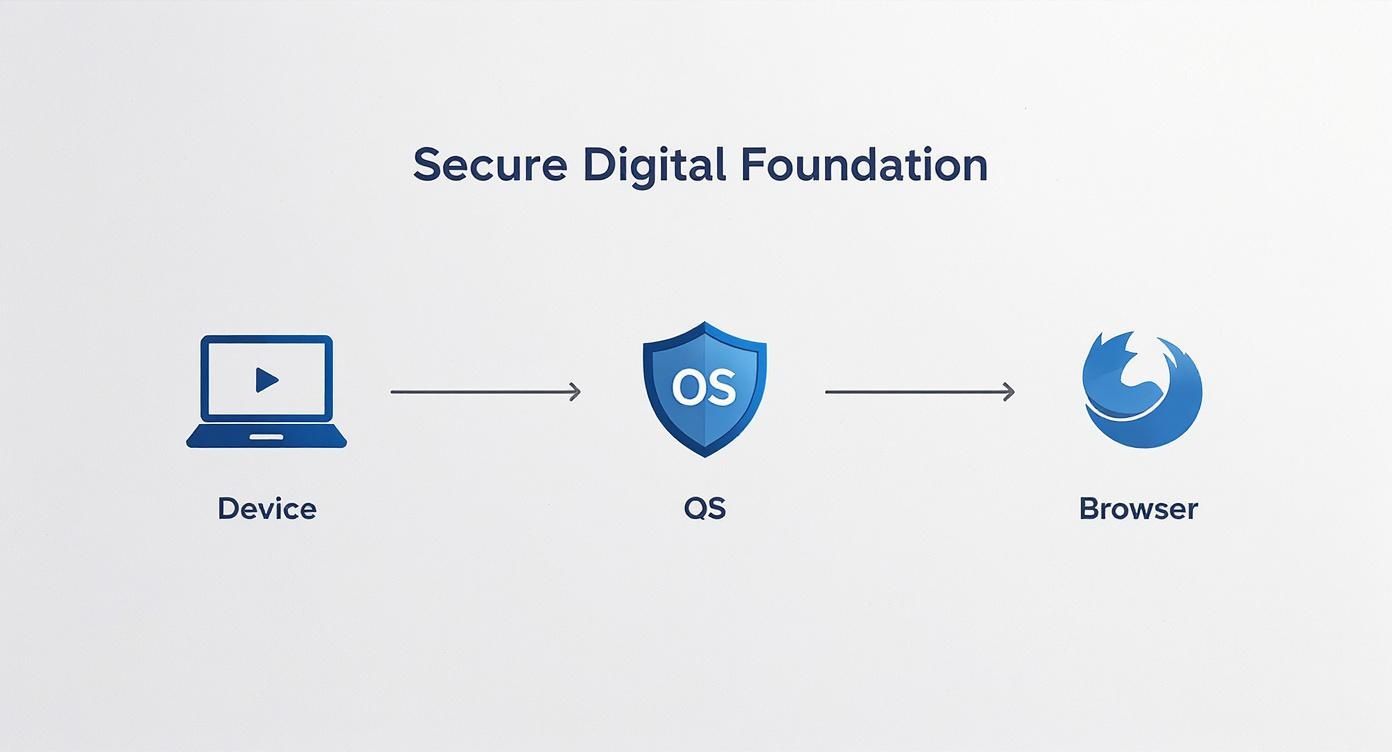
As you can see, your network privacy tools are only as strong as the foundation they're built on. A secure device and operating system are the first lines of defense.
VPN vs. Tor: A Quick Comparison
Deciding between a VPN and Tor depends entirely on your threat model and what you're trying to accomplish. Here’s a simple breakdown to help you choose the right tool for the job.
| Feature | VPN (Virtual Private Network) | Tor (The Onion Router) |
|---|---|---|
| Primary Goal | Privacy and security from snoops (like your ISP or on public Wi-Fi). | Maximum anonymity and censorship circumvention. |
| Speed | Generally fast, with some speed loss due to encryption. | Significantly slower due to the multi-relay routing process. |
| Ease of Use | Very simple. Usually just a one-click "connect" button. | A bit more involved, often requiring the dedicated Tor Browser. |
| Trust Model | You must trust the VPN provider not to log or sell your data. | Trustless design. No single relay knows your origin and destination. |
| Best For | Everyday browsing, streaming, securing public Wi-Fi. | Whistleblowers, journalists, activists, or anyone needing extreme anonymity. |
Ultimately, a VPN is great for enhancing your day-to-day privacy, while Tor is the specialized tool you pull out when your personal safety and anonymity are on the line.
When To Use a VPN vs. When To Use Tor
It’s not about which one is "better" but which one is right for the task at hand. You wouldn't use a sledgehammer to hang a picture frame.
Go with a VPN when:
- You need good speeds for things like streaming or downloading large files.
- You're on an untrusted network (think coffee shop or airport Wi-Fi).
- You just want to get around simple geo-blocks for content.
Use the Tor network when:
- Anonymity is your #1 priority, and you can live with much slower speeds.
- You're a creator or journalist handling highly sensitive information where exposure could have serious real-world consequences.
- You need to access
.onionsites, which only exist on the Tor network.
For the most paranoid among us, some people will connect to a VPN first and then connect to the Tor network. This is called VPN-over-Tor. It hides the fact that you're using Tor from your ISP, adding one more layer to the onion. It's an advanced technique, but it provides an incredibly strong defense for those who absolutely cannot afford to be identified.
Creating and Managing an Anonymous Persona
Now that your digital fortress is built, it's time for the fun part: creating the character you'll be online. This isn't just about picking a cool-sounding name. Building and maintaining an anonymous persona is a serious exercise in operational security (opsec), where every detail matters.
Think of it like being a novelist, but for your own safety. You're creating a new character from scratch—name, email, backstory, the works. The golden rule is that nothing about this persona can ever touch your real life. The goal is a solid, believable identity that leaves zero breadcrumbs leading back to you.
It’s a creative process, but it demands absolute discipline.
Crafting Your Digital Ghost
First things first, you need to generate the basic building blocks of your new identity. It's critical to do all of this from inside your secure environment (your dedicated device or VM). This prevents any accidental digital "fingerprints" from your personal life from contaminating your new persona.
Here’s your starter kit:
- A Unique Pseudonym: Don't just pick a common name or something related to your favorite movie. Use a random name generator to create something totally disconnected from you, your family, or your real interests. Before you commit, do a quick search to make sure the name isn't already tied to a real person. You don't want that kind of confusion.
- A Secure, Anonymous Email: Your email is the master key to your online accounts, so choose wisely. A service like ProtonMail is a fantastic option. It’s based in privacy-conscious Switzerland and offers end-to-end encryption. When you sign up, give them nothing real. No real name, and definitely no recovery email that links back to you.
- A Non-Identifying Profile Picture: Absolutely never use a photo of yourself, your pet, or your home. Instead, get creative. Use an AI image generator to create a unique avatar, find a cool public domain image, or just go with an abstract design. Keep this visual consistent across all your platforms to build recognition for your persona, not for you.
The Discipline of Staying Anonymous
Creating the persona is easy. The real challenge—and where most people slip up—is maintaining it day after day. One mistake can connect your anonymous world to your real one, and all your hard work is gone in an instant. This is where opsec becomes a daily habit.
Beyond the political sphere, online anonymity is a vital shield against privacy invasion and malicious actors. As explained by Australia's eSafety Commissioner, these technologies limit data collection and protect users from tracking, profiling, and even stalking or scams. This is especially important for more vulnerable groups.
To keep that shield up, you need to live by a strict set of rules.
Key Takeaway: The unbreakable rule of persona management is to never cross the streams. Your anonymous activities and your personal life must exist in completely separate universes. Don't use your personal laptop for persona work, don't mention your real-life favorite sports team, and never, ever log into a personal account from your secure setup.
Building a Believable Backstory
To make your persona feel genuine without giving away personal details, sketch out a simple but consistent backstory. It doesn't need to be a novel, but it provides guardrails for your online interactions and stops you from accidentally dropping real-life clues.
Think about these elements for your character:
- General Location: Pick a large, generic city far from where you actually live. Maybe even in a different country.
- Plausible Interests: Give your persona a couple of hobbies that align with your content but aren't your actual hobbies. If you're an avid hiker in real life, perhaps your persona is into urban exploration photography.
- Consistent Voice: Develop a specific writing style or "voice." This practice, known as stylometry, helps differentiate your anonymous content from anything else you might have written online, making it much harder for someone to link your accounts through linguistic patterns.
This level of detail is what separates a flimsy disguise from a truly resilient anonymous identity. It’s not about being deceptive; it’s about building a robust digital shield so you can create and operate safely.
Getting Paid Without Getting Doxxed
Let's be honest: money is the ultimate paper trail. For anyone trying to keep a low profile online, financial transactions are almost always the weakest link in their security chain. Following the money is one of the oldest and easiest ways to connect an online persona to a real person, and it can undo all your hard work in a heartbeat.
If you're going to monetize an anonymous project, you have to treat every single dollar with the same level of suspicion you'd give a sketchy email attachment. You need a system that puts a clean break between the cash flow and your real name and bank accounts. The good news is, there are ways to do this, though each comes with its own set of trade-offs.
The Problem with Crypto
When people hear "anonymous payments," their minds usually jump straight to crypto. But this is a classic rookie mistake, because not all cryptocurrencies are private. Using a coin like Bitcoin, where every transaction is public and traceable, is a huge and surprisingly common error.
Every single Bitcoin transaction is carved into a public ledger forever. Sure, your name isn't stamped on it, but advanced analysis can easily link wallets to exchanges. And those exchanges? They almost certainly have your real identity thanks to Know Your Customer (KYC) laws.
This is exactly why privacy coins exist.
- Monero (XMR) is widely considered the gold standard for truly anonymous transactions. It’s built from the ground up with privacy tech like ring signatures and stealth addresses that hide the sender, receiver, and amount. It’s incredibly tough to trace.
- Zcash (ZEC) is another solid choice that offers "shielded" transactions. If you use them correctly, they are completely private. The catch is that Zcash also allows for transparent, public transactions, so you have to be vigilant about only using its privacy features.
My Takeaway: When you need real financial privacy in the crypto world, just use Monero. Its privacy features are on by default, which means you can't accidentally send a traceable payment. It removes the human error factor.
Turning Physical Cash into Digital Freedom
Sometimes the old ways are the best. Physical cash is king when it comes to anonymity—it's untraceable and leaves no digital footprint. The trick, of course, is getting that untraceable cash into a form you can use online.
One of the most reliable methods I've seen involves prepaid debit cards.
Here's how it works: you walk into a regular retail store and buy a prepaid debit card or a generic gift card (like a Vanilla Visa) with cash. Make sure you check the activation fees and any spending limits first.
Then, when you go to activate the card online, do it from your secure, clean setup—your virtual machine or dedicated device. Use the details from your anonymous persona, never your real information.
Just like that, you have a card you can use to pay for your VPN, private email, and any other services you need. This method creates a firewall between you and your online activities. The only connection is a simple cash purchase at a random store, which is completely disconnected from who you are.
How to Actually Monetize Anonymously
Receiving money is where things get really tricky. Direct bank transfers or services like PayPal are completely off the table since they are directly tied to your legal identity. So, how do you collect revenue from ads or get support from your audience?
- Accept Privacy Coins: The simplest, most direct route is to accept payments or donations in Monero. You just need to set up a wallet, post the address for your followers, and the funds come straight to you. There's no middleman who can link the payment back to you.
- Use an Intermediary: If you're a creator on a platform like YouTube, direct monetization can be a minefield of identity verification. One clever workaround is to acquire a channel that has already passed these checks. Looking into getting a pre-monetized YouTube channel can be a good starting point, as it creates an operational buffer between the platform's payment system and your personal bank account.
- Get Paid in Gift Cards: Another creative tactic is to ask supporters to send you gift cards for major retailers like Amazon. You can use these to buy supplies, or even trade them for crypto on certain peer-to-peer exchanges.
Handling payments requires discipline. There are no shortcuts. Every financial move has to be deliberate and well-planned to make sure the money you earn doesn't end up costing you your anonymity.
Avoiding the Hidden Dangers That Expose You

Even after you've set up all the right tools, true anonymity is a game of inches. A single, tiny mistake can unravel everything. This is where operational security—opsec—shifts from a one-time setup to a daily habit.
The biggest threats usually aren't sophisticated hackers. They’re the small, invisible data leaks you create without even realizing it. These digital breadcrumbs are everywhere. Learning to spot and erase them is what makes an anonymous identity resilient, not just a fragile disguise.
The Ghosts in Your Files
Every photo you take, document you write, or video you record contains hidden data called metadata (or EXIF data). This isn't just harmless file info; it can include the exact GPS coordinates where a photo was taken, the make and model of your phone, and the precise time it happened.
Uploading a file without scrubbing this data first is like pinning a map to your front door.
Imagine you're running an anonymous account about urban exploration. You post a killer photo of an old factory, but you forget to remove the metadata. Anyone can download that image, check the EXIF, and instantly know the location, the time you were there, and that you used an iPhone 14 Pro. That's a lot of information to give away.
Before you upload anything, get in the habit of scrubbing it clean.
- For Windows: You can do this without any extra software. Just right-click the file, go to "Details," and click "Remove Properties and Personal Information."
- For Mac: The built-in Photos app can remove location data, but for a more thorough scrub, a tool like ImageOptim is a much better bet.
- For Mobile: Apps like Metapho (iOS) or Photo EXIF Editor (Android) let you strip this data right on your device before you even move the file to your secure machine.
Key Takeaway: Treat every single file as a potential security risk. Never assume it's "clean." The habit of scrubbing metadata is a non-negotiable part of knowing how to stay anonymous online.
Your Words Can Betray You
Did you know that your writing style is as unique as a fingerprint? This is the science behind stylometry, a technique where AI analyzes linguistic patterns—like your vocabulary, sentence length, and even common typos—to identify you.
If your "anonymous" persona writes just like you do on your personal social media, an algorithm can easily connect the dots. You have to consciously develop a different voice.
- Use different slang or phrasing than you normally would.
- Consciously vary your sentence structure.
- Adopt a more formal or casual tone.
You don't need to create a whole new character, but you do need to break the linguistic habits that make you, you.
This kind of vigilance is critical, because the consequences of being deanonymized are getting more severe. Citizens in at least 57 out of 72 countries studied have been arrested for things they've said online. Authoritarian regimes have mastered using surveillance to punish dissent, showing a direct link between a lack of privacy and real-world harm.
Leaky Browsers and Digital Fingerprints
Even with a solid VPN and the Tor Browser, your web browser can still leak identifying information. Two of the biggest culprits are WebRTC leaks and browser fingerprinting.
WebRTC is a technology that lets your browser handle voice and video calls. The problem is, it can expose your real IP address, completely bypassing your VPN. A good privacy-focused browser will have WebRTC disabled, but you should always use a leak test tool to be sure.
Browser fingerprinting is even sneakier. Websites collect dozens of data points about your browser setup: screen resolution, installed fonts, plugins, language, and more. All these data points combined create a "fingerprint" that is often unique enough to track you across the internet, even if you clear your cookies.
This is exactly why using a browser like Tor is so important. It's designed to make its users look the same by standardizing these settings, effectively giving everyone a similar, non-unique fingerprint. It helps you blend into the crowd. For a more detailed look at what data we handle and why, you can review our guidelines on user privacy at https://monetizedprofiles.com/privacy-policy.
At MonetizedProfiles, we understand the operational security needs of faceless content creators. Our pre-monetized accounts provide an essential buffer, helping you build your brand and earn revenue without ever linking your personal identity to your platform. Start building your anonymous presence safely.


