


If you're asking how much YouTube pays for 1,000 views, the short answer is usually somewhere between $2 and $12. But that's just a ballpark. The real answer is a lot more nuanced, and understanding why that number can swing so wildly is the key to earning more.
How Much Do YouTubers Really Make Per 1000 Views
Let’s get right to it. There's no single, magic number for YouTube earnings. The average payout is a helpful starting point, but your results will be unique to your channel.
A video with 100,000 views, for instance, could earn anything from $120 to $800 just from ads. A viral hit that pulls in 1 million views? That could mean a payday between $1,200 and $6,000. That massive gap shows just how much things like your audience, niche, and content style really matter.
To get a real grip on your channel's financial health, you need to understand the two metrics that actually control your income: RPM and CPM.
Your Take-Home Pay vs Advertiser Cost
Think of RPM (Revenue Per Mille) as your bottom line—it’s the number you should really care about. It represents your total earnings for every 1,000 video views, and that's after YouTube takes its cut. This is the cash that actually hits your pocket.
On the flip side, you have CPM (Cost Per Mille). This is what advertisers pay to show their ads 1,000 times on your videos. Think of it as the gross revenue before YouTube takes its 45% share. Because of this split, your RPM will always be lower than your CPM.
Key Takeaway: RPM is your true north. It bundles revenue from ads, Super Chats, channel memberships, and more, then divides it by your total views. If you want to grow your income, your goal should be to increase your RPM.
To give you a better sense of what these numbers look like in practice, here’s a quick breakdown of potential ad earnings at different view counts. If you're just starting out, remember it can take a while to get monetized. Some creators speed up the process by using an aged YouTube channel to start earning faster.
Estimated YouTube Earnings at Different View Milestones
This table provides a quick look at potential ad revenue based on average RPM ranges for total video views.
| Total Views | Low-End RPM ($2) | Mid-Range RPM ($5) | High-End RPM ($12) |
|---|---|---|---|
| 10,000 | $20 | $50 | $120 |
| 100,000 | $200 | $500 | $1,200 |
| 500,000 | $1,000 | $2,500 | $6,000 |
| 1,000,000 | $2,000 | $5,000 | $12,000 |
As you can see, even with the same number of views, your total earnings can vary dramatically. It all comes down to the factors that influence your channel's specific RPM.
Understanding RPM vs. CPM: The Two Sides of Your YouTube Paycheck
To really get a handle on how your channel makes money, you need to look past the big view counts and learn the language of YouTube monetization. Two metrics are central to this story: RPM and CPM. They sound alike, but they tell you very different things about your earnings.
Think of CPM (Cost Per Mille) as the price tag an advertiser is willing to pay to show their ads 1,000 times on your videos. It’s the starting point—the gross amount of money coming into the system before you see a dime.
But you don't get to keep that whole amount. YouTube is the platform, the host, and the matchmaker, and they take a 45% cut of that ad revenue for their services. What’s left is your share.
This is where the money trail begins. Advertisers pay, and that money flows through the system to you.
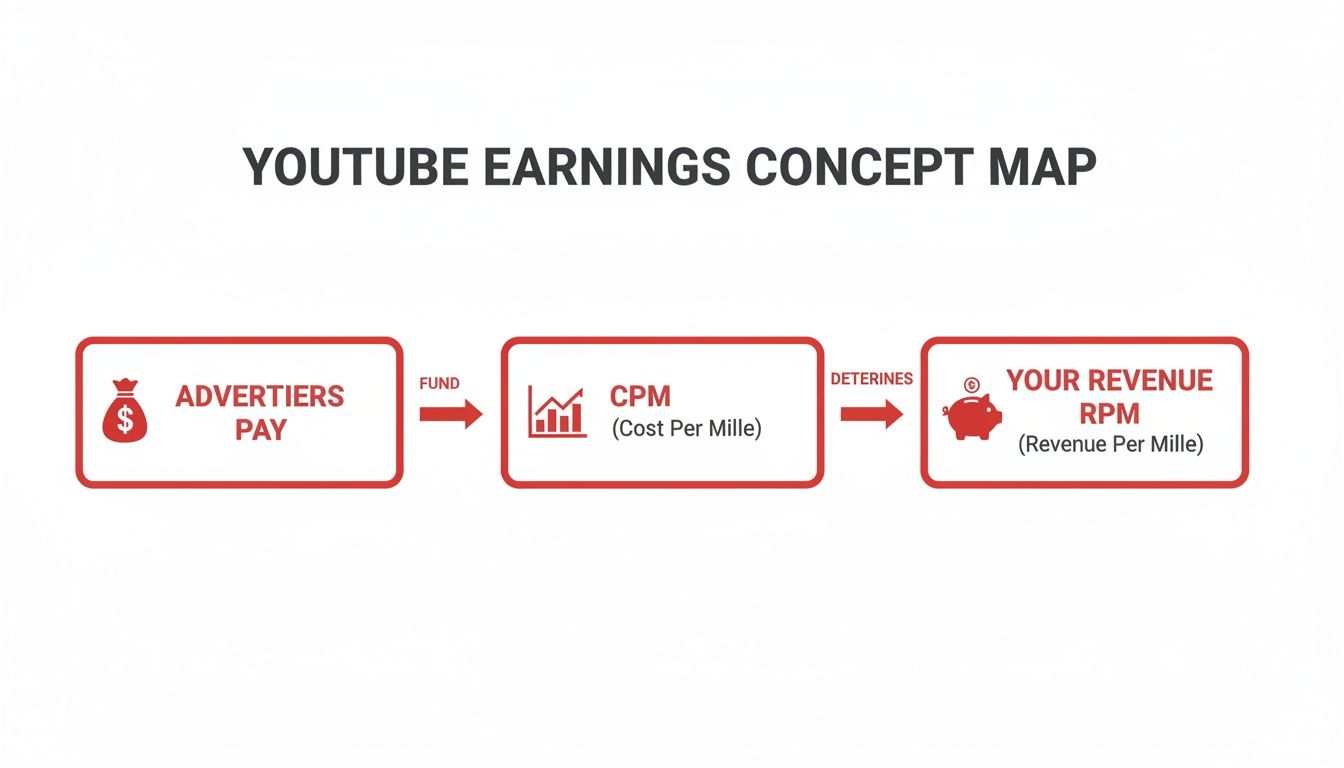
As you can see, the CPM is the initial bid from advertisers. After YouTube takes its cut and other factors come into play, we're left with your actual earnings, which we measure with RPM.
RPM: The Metric That Actually Matters
This brings us to the number you should be obsessed with: RPM (Revenue Per Mille). This is your actual take-home pay for every 1,000 views your videos get. It’s the bottom line.
Unlike CPM, which is just about ad money, RPM is a much bigger picture. It bundles together all the ways you earn money on the platform:
- Ad Revenue (your share after YouTube's cut)
- Channel Memberships
- Super Chats & Super Stickers
- YouTube Premium Revenue
Because RPM includes everything, it gives you the truest sense of your channel’s financial health. It answers the one question every creator has: "For every 1,000 views I get, how much am I really making?"
How to Calculate Your RPM
You can find your RPM right inside your YouTube Studio analytics, but knowing the formula behind it helps you connect your content strategy to your bank account. It’s surprisingly simple.
RPM = (Total Revenue / Total Views) x 1,000
Let’s run through a quick example. Say your channel earned a total of $500 last month from a combination of ads, memberships, and Super Chats. During that same time, you got 100,000 total views.
-
Step 1: First, divide your total revenue by your total views.
$500 / 100,000 views = $0.005 per view. -
Step 2: Now, multiply that number by 1,000 to get your RPM.
$0.005 x 1,000 = $5.
Boom. Your RPM is $5. This means that, on average, you earned $5 for every 1,000 views across your entire channel that month. This single number is your North Star. If you want to grow a more profitable channel, your goal is to make that RPM number go up.
Why Your Earnings Fluctuate So Wildly
Ever had that moment of whiplash when you check your analytics? One video is pulling in a small fortune, while another with almost the same number of views barely buys you a cup of coffee. This isn't just random luck—it's the result of some powerful forces working behind the scenes. Your YouTube revenue per 1000 views is a living, breathing number, and it changes based on who is watching, what they're watching, and even when they're watching it.
Getting a handle on these factors is the first real step toward taking control of your income. Instead of being confused by the ups and downs, you can start making smarter decisions that actually boost your bottom line.

Your Audience’s Location Matters Most
If there's one thing that moves the needle more than anything else, it's geography. Think about it: advertisers set their budgets based on where they can find customers with spending power. A viewer in a country with a high cost of living and strong consumer habits, like the United States or the United Kingdom, is gold to an advertiser.
This is why 1,000 views from the U.S. can easily earn ten times more than 1,000 views from a country with a less developed ad market. Advertisers are simply willing to pay a lot more to get their products in front of people who are more likely to buy.
Why This Happens: It all comes down to basic economics. A business selling expensive software will pour its marketing budget into North America and Western Europe because that’s where the most profitable customers are. Your channel’s earnings are a direct reflection of where global ad money is flowing.
The Power of Your Content Niche
Right behind location is your content niche. The topic of your videos basically decides which advertisers show up to the party. If you run a channel about personal finance or new tech, you’re going to attract advertisers with very deep pockets—think investment firms and software giants. They sell high-ticket items and are happy to pay a premium to reach a laser-focused audience.
On the flip side, niches like entertainment, comedy, or gaming often see lower RPMs. These channels can rack up millions of views, but their advertisers are usually selling lower-cost consumer products and just don't have the same ad budgets to work with.
- High-Value Niches: Finance, Technology, Real Estate, Marketing.
- Lower-Value Niches: Gaming (general), Vlogs, Pranks, Entertainment.
This doesn't mean you can't get rich making gaming videos. It just means you'll need a much bigger audience to make the same amount of money as a smaller, highly-specialized finance channel.
Seasonal Trends and Ad Spending
Your earnings also follow a pretty predictable calendar, all tied to when people shop. Advertisers open their wallets wide during key shopping seasons, and that directly pumps up your RPM.
The biggest surge always happens in the fourth quarter (Q4), from October to December. It's all about Black Friday and the holiday rush. During this time, it's common to see RPMs jump by 20-40% as companies fight for every last customer. But then comes the hangover: the first quarter (Q1), from January to March, is usually the slowest period as everyone’s ad budgets reset.
The Impact of Ad Types
Finally, the kinds of ads that run on your videos make a big difference. YouTube gives you a few options, and each one is valued differently by advertisers:
- Skippable In-Stream Ads: These are the classic ads you can skip after five seconds. They're the most common.
- Non-Skippable In-Stream Ads: Shorter (15-20 seconds) but powerful because the viewer has to watch the whole thing. Advertisers love these.
- Bumper Ads: Super short, 6-second ads that are also non-skippable.
- Display Ads: The simple banner ads that show up next to your video on a desktop computer.
Making sure you have multiple ad formats turned on can give your revenue a nice little boost. This is especially true for videos longer than eight minutes, where you can place ads in the middle (mid-rolls) and really increase your potential YouTube revenue per 1000 views.
At the end of the day, a view is never just a view. Current estimates put the average YouTube payout at around $18 per 1,000 ad views. For a viral video, that could scale up to $18,000 for 1 million views. As recent industry analyses explain, this number is based on monetized ad impressions, not just total video views. That's because only about 50-70% of views actually show an ad, thanks to ad blockers and skips. To get a feel for the bigger picture, you can check out more stats about YouTube performance.
How to Calculate Your Channel's Earning Potential
This is where the rubber meets the road—translating all these metrics into what actually lands in your bank account. Figuring out your potential YouTube revenue per 1000 views isn't just a fun thought experiment; it's a real calculation you can use to set financial goals and make smarter decisions about your content.
Once you know how to forecast your earnings, you're no longer just guessing. You can start planning with purpose, whether you're just getting started or ready to scale up your operation. Let’s break down the simple math behind it.
The Back-of-the-Napkin Formula for Forecasting Earnings
At its core, the formula for estimating your channel's revenue is surprisingly simple. You just need two things: your total expected views and a solid guess at your RPM.
Earning Potential = (Total Views / 1,000) x Estimated RPM
Your "Estimated RPM" is your best guess based on what you know about your niche and where your audience is from. If you're totally new to this, a conservative estimate of $3 to $5 is a safe place to start for most channels.
Let's run through a couple of examples to see how this plays out in the real world.
Example A: The Gaming Channel
Imagine you run a gaming channel and drop a new video that you think will pull in 200,000 views. The gaming niche is famous for racking up huge view counts, but the RPM is often on the lower side. Why? The audience is massive and diverse, so advertisers don't pay as much as they would for a highly targeted niche like finance.
Let’s use a realistic RPM of $3 for this channel.
-
Step 1: First, divide your total views by 1,000.
200,000 / 1,000 = 200 -
Step 2: Now, multiply that number by your estimated RPM.
200 x $3 = $600
Just like that, your gaming video is projected to earn about $600. It's a great example of how even with a ton of views, a lower RPM directly impacts your bottom line.
Example B: The Finance Channel
Now, let's switch gears to a finance channel. This channel also publishes a video that's on track for 200,000 views. But here's the key difference: the finance niche is a magnet for high-paying advertisers like investment firms, banks, and software companies. They're willing to pay top dollar to get in front of this audience.
For this channel, an RPM of $15 is totally within reach.
-
Step 1: Again, we divide the total views by 1,000.
200,000 / 1,000 = 200 -
Step 2: Multiply that by the much healthier RPM.
200 x $15 = $3,000
The difference is night and day. For the exact same number of views, the finance channel earns five times more. This all comes down to the niche's ability to attract advertisers with deep pockets, leading to a much higher YouTube revenue per 1000 views.
Average RPM Ranges by Popular YouTube Niche
To make good forecasts, you need a realistic RPM to plug into the formula. Niche is one of the biggest factors, so knowing the typical range for your content is a huge advantage.
The table below gives you a general idea of what to expect in some of the most popular categories on YouTube.
| Content Niche | Low RPM Estimate | High RPM Estimate |
|---|---|---|
| Finance & Business | $8.00 | $25.00+ |
| Technology & Software | $6.00 | $20.00 |
| Health & Fitness | $4.00 | $15.00 |
| Tutorials & Education | $3.50 | $12.00 |
| Lifestyle & Vlogs | $2.00 | $8.00 |
| Gaming & Entertainment | $1.50 | $6.00 |
Think of these numbers as a starting point. Your actual RPM will be a unique mix based on your audience’s location, the specific topics you tackle, and how long people stick around to watch your videos.
Once your channel is up and running, you can pull your actual RPM from YouTube Studio for dead-on accurate calculations. For anyone wanting to skip the grind of meeting monetization requirements, you can get a head start by investing in a pre-approved monetized YouTube channel, which gives you access to earning features from day one.
Actionable Strategies to Increase Your YouTube Revenue

Knowing your RPM and CPM is a great start, but the real work begins when you start actively trying to bump up your YouTube revenue per 1000 views. This is the shift from just watching the numbers to actually controlling them—it's how a channel goes from a hobby to a real business.
The good news is, you have more control than you might think. By putting your energy into a few key areas, you can directly influence how much money your channel makes and turn those views into a more dependable income.
Attract High-Value Audiences
Want to boost your RPM quickly? Make videos that attract the kind of audience advertisers are falling over themselves to reach. This boils down to targeting viewers in wealthy countries and picking profitable niches.
Put yourself in an advertiser's shoes for a second. A company that sells high-end financial software will happily pay a premium to run ads on videos about investing. Why? Because the potential return for them is huge, so they’re willing to bid way more for that ad space.
- Target Tier-1 Countries: Focus your content on topics that resonate with people in the United States, United Kingdom, Canada, and Australia. Viewers here consistently have the highest CPMs.
- Focus on Profitable Niches: Create videos in categories like personal finance, technology, business, and real estate. These topics are a natural magnet for advertisers with deep pockets.
- Solve High-Value Problems: Content that helps people make money, save money, or learn a lucrative skill will almost always pull in a higher RPM than general entertainment.
Optimize Video Length for More Ads
One of the most straightforward ways to make more from ads is to be strategic about your video length. YouTube lets you place mid-roll ads—commercials that pop up in the middle of a video—but there's a catch: your video has to be longer than eight minutes.
That eight-minute mark is a magic number for maximizing revenue. A seven-minute video might get an ad at the beginning and end. But push that video just over eight minutes, and you can suddenly place multiple ad breaks throughout the entire thing.
By simply making your content long enough to cross that eight-minute threshold, you can potentially double or even triple the number of ads shown. This gives your RPM an immediate and direct boost without needing a single extra view.
Of course, this isn't a license to pad your videos with fluff. Your content still has to be engaging enough to keep people watching through those extra ad breaks. For creators looking for more tips on channel growth, our blog is packed with other strategies.
Create Advertiser-Friendly Content
YouTube’s monetization rules exist to keep its advertisers happy. If your videos are seen as controversial or inappropriate, YouTube will put limits on the ads or turn them off completely, which will absolutely crush your RPM. This is what people call "demonetization."
To keep the money flowing, you have to stick to their guidelines. That means steering clear of:
- Excessive swearing or inappropriate language
- Highly controversial or sensitive topics
- Violent or dangerous content
- Anything misleading or deceptive
Playing by these rules ensures your videos stay fully monetized and are eligible for the widest variety of ad campaigns. The safer your content is for brands, the more advertisers will compete for a spot on it. It also helps to know the best time to upload YouTube videos to make sure your great content gets in front of the most people right away.
Diversify Your Income Streams
Putting all your eggs in the AdSense basket is risky. To build a truly solid creator business, you need to diversify your income. YouTube has built-in tools that let your biggest fans support you directly, and these methods can often bring in far more per person than ads ever could.
Start exploring these other monetization features:
- Channel Memberships: Offer exclusive perks like custom badges, emojis, and members-only videos to fans who pay a monthly fee.
- Super Chat & Super Stickers: During livestreams, viewers can pay to have their comments highlighted. It’s a great way to engage with your community and earn at the same time.
- YouTube Shopping: Connect your own merchandise store to your channel so fans can easily buy your products right below your videos.
These alternatives build a much more stable financial base for your channel. While your general YouTube revenue per 1,000 views might be anywhere from $1 to $25, a single Super Chat or new channel member can be worth what you’d make from thousands of ad views. It’s proof that a strong community is often more valuable than a high view count.
Common Questions About YouTube Earnings Answered
Even after you've wrapped your head around the numbers, making real money on YouTube can still feel a bit like a black box. A lot of creators starting out have the exact same questions about when the checks actually start coming and where that money is really from.
Let's clear the air and get straight to it.
How Long Until I Actually Start Earning Money?
That first dollar is always the hardest. Why? Because you can't just flip a switch and turn on monetization from day one. Before you can even get into the YouTube Partner Program (YPP), you have to prove you can build an actual audience.
YouTube has set two key milestones you have to hit first:
- You need at least 1,000 subscribers on your channel.
- You have to rack up 4,000 valid public watch hours in the last 12 months OR get 10 million valid public Shorts views in the last 90 days.
There’s no secret formula for how long this takes. Some creators in hot niches might get there in a few months with consistent, quality uploads. For others, it can easily take a year or more to build that initial momentum.
The journey to monetization is a marathon, not a sprint. Consistency is everything. YouTube’s algorithm favors channels that regularly publish content and engage with their community. Once you’re in the YPP, you can finally start earning.
Do I Get Paid For YouTube Shorts Views?
Yes, absolutely. But it’s a completely different ballgame than traditional long-form videos. This is a huge point of confusion for creators who see millions of Shorts views but a surprisingly small payout compared to their regular videos.
Here’s the breakdown: Instead of placing ads directly on your Short, YouTube pools all the ad revenue from the entire Shorts feed. Then, it distributes a portion of that pot to creators based on their share of the total Shorts views across the whole platform.
Because of this shared revenue model, the RPM for Shorts is way, way lower than for long-form content. It's not uncommon to see a Shorts RPM between $0.03 and $0.07 per 1,000 views. That sounds tiny, I know. But Shorts are built for massive volume. A single video going viral with tens of millions of views can still bring in some decent cash.
Think of it like this:
- Long-form videos are like selling a few high-priced items. You make more on each one.
- YouTube Shorts are like selling tons of low-cost items. The profit per item is small, but the volume can make up for it.
How Does YouTube Premium Affect My Income?
While ads get all the attention, there’s another important income stream that often flies under the radar: YouTube Premium. When a viewer with a Premium subscription (the one with no ads) watches your video, you still get paid.
So how does that work? YouTube takes a slice of that person's monthly subscription fee and divides it among the creators they watched. The one metric that decides your cut is watch time.
The more time a Premium subscriber spends watching your videos, the bigger your piece of their subscription pie. This creates a really stable source of income that has nothing to do with advertisers.
It’s a system that directly rewards you for creating content that people genuinely want to stick around for. A super-fan with a Premium membership who binges your entire back catalog is incredibly valuable. It’s yet another reason to focus on building a loyal community, not just chasing empty views. Your YouTube revenue per 1000 views is a blend of all these streams, and knowing how each works is key to building a solid creator business.
Ready to skip the slow grind to monetization? MonetizedProfiles offers fully approved YouTube accounts that let you start earning from day one, giving you the perfect head start for your content creation or automation business. Find your channel at MonetizedProfiles.com.


