


A YouTube business channel isn't just an account where you post videos; it's a strategically managed media asset where every single piece of content serves a clear commercial purpose. Whether that's generating leads, selling products, or establishing brand authority, it transforms content creation from a hobby into a real, sustainable business.
Redefining Your Channel From Hobby to Asset
To build a successful business channel on YouTube, you first need a major shift in how you think about it. It’s the difference between planting a small garden for fun and running a full-scale commercial farm. Both involve growing things, but the farm is a system engineered for predictable, scalable results.
A business channel works on the same principle. It's not a random collection of videos you felt like making. It's a structured asset built to achieve specific financial outcomes.
This means your content creation has to be intentional. Every video topic, title, thumbnail, and call-to-action is carefully planned to attract a specific audience and guide them toward a business goal. The focus moves from spontaneous creativity to strategic, repeatable production.
The Core Components of a Business-Minded Channel
So, what really separates a business venture from a casual project on YouTube? It all comes down to a few key elements that work together to create a reliable system.
- Clear Monetization Strategy: A true business channel has a plan for making money that goes far beyond just basic ad revenue. This could be affiliate marketing, selling your own digital products, offering services, or driving traffic to another business you own.
- Targeted Audience Focus: Instead of trying to create videos for everyone, these channels pinpoint a specific niche or "ideal customer." They then produce content that solves that audience's unique problems or speaks directly to their interests.
- Systematic Content Production: Success on YouTube demands consistency. A business channel almost always follows a content calendar and uses templates or streamlined workflows to publish high-quality videos on a predictable schedule.
The ultimate goal is to build an asset that generates value, whether through direct income, lead generation, or brand equity. It’s about creating a machine that works for you, not just a scrapbook of your ideas.
The sheer scale of this opportunity is massive. YouTube is home to over 113.9 million channels, but only a tiny fraction of its billions of users are creators. Business-focused channels are a significant and growing part of this creator economy, turning expertise into enterprise. You can dive deeper into these numbers on Hootsuite's blog.
To help clarify this distinction, here’s a quick breakdown of the key differences between a hobby channel and one run like a business.
Key Differences Between Hobby and Business Channels
| Attribute | Hobby Channel | Business Channel |
|---|---|---|
| Primary Goal | Self-expression, fun, community connection | Profit, lead generation, brand building |
| Content Strategy | Spontaneous, follows personal interests | Planned, data-driven, audience-focused |
| Monetization | Primarily relies on AdSense, if at all | Diversified income (products, affiliates, sponsors) |
| Audience | General viewers who find the content interesting | A specific target customer or "ideal client" |
| Metrics | Views, subscribers, likes | ROI, conversion rates, customer lifetime value (CLV) |
| Workflow | Inconsistent, based on free time | Systematic, scheduled, often uses templates/SOPs |
Ultimately, adopting this business-first perspective influences every single decision you make. It dictates how you script your videos, how you analyze performance data, and how you engage with your community. While a hobbyist might chase the next viral trend, a business owner focuses on building a loyal audience that trusts their brand.
Ad revenue, which many people see as the main prize, becomes just one piece of a much larger financial puzzle. If this is all new to you, getting the basics right is critical. You can learn more about the entry requirements in our guide explaining what the YouTube Partner Program is.
Cracking the YouTube Business Model Code
When most people hear "making money on YouTube," their minds jump straight to ad revenue. But for a real business channel, that’s just the tip of the iceberg. The creators who truly crush it build a business where ad money is a nice bonus, not the main event.
A true business channel is a machine. It’s designed from the ground up to turn audience attention into real-world business results, and it can do this in some seriously powerful ways. The basic idea is simple: grab attention, then point that attention toward something that makes money.
This image perfectly captures the split between a hobby channel and one built for business.
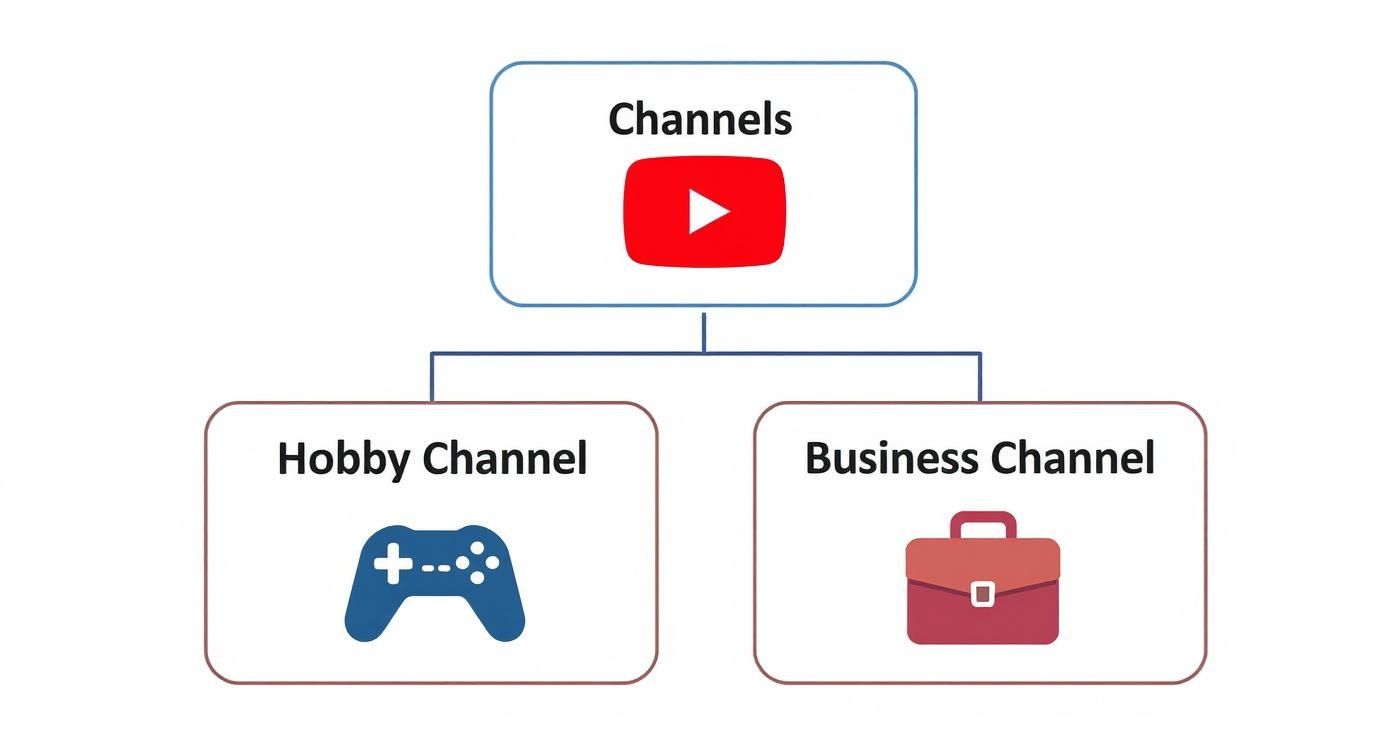
While both create videos, the business channel is built on a professional, strategic foundation from day one. It's a whole different ballgame.
The Four Main Ways to Make Money
Most successful business channels anchor their strategy in one (or more) of these four core revenue models. Think of them as the blueprints for building a profitable YouTube empire.
-
Affiliate Marketing: This is the go-to starting point for many. You promote another company's products, and when someone buys through your special link, you get a cut. It's a no-brainer for review channels, how-to guides, or anyone recommending specific tools or software.
-
Brand Sponsorships (Integrations): Once your channel builds a loyal following, brands will literally pay you to talk about them. This could be anything from a quick 30-second mention to an entire video dedicated to their product. This model is gold for channels with a super-engaged, niche audience that brands are dying to reach.
-
Selling Your Own Products: This is the leap from content creator to full-blown entrepreneur. You're no longer just promoting things; you're selling your own stuff. This could be physical merch like t-shirts or digital goods like e-books, templates, and courses. Your YouTube channel becomes the ultimate marketing funnel, driving traffic to a product you completely own.
-
Selling Your Own Services: A ton of experts use YouTube to drum up business. Think consultants, coaches, freelancers, or agency owners. Their videos act as a showcase of their expertise, building trust and proving they know their stuff. Viewers watch, learn, and then hire them.
The smartest creators don't just pick one. They stack these models. They might start with affiliate links, then land a few brand deals, and eventually launch their own digital course to the same audience.
Common Channel Types in the Wild
So, what does this look like in practice? Let's break down a few common channel "archetypes" to see how they put these models to work.
- The Educator: This channel is all about teaching—coding, photography, personal finance, you name it. The free YouTube videos are a fantastic appetizer, but the main course is their own premium digital products, like a deep-dive course or a paid workshop.
- The Reviewer: This creator is the trusted source for product opinions, whether it's the latest smartphone or a new skincare line. Their bread and butter is affiliate marketing, raking in commissions from sales. Once they're big enough, brands start lining up for paid sponsorships.
- The Brand Builder: This isn't a YouTuber who built a business; it's a business that built a YouTube channel. Think of a software company creating helpful tutorials or a clothing brand making cool lifestyle vlogs. Success isn't about ad revenue—it's measured by how many leads and sales the channel sends to the main company.
The New Wave: The Faceless Channel
One of the most interesting trends happening right now is the rise of the "faceless" business channel. These channels operate more like a media company than a personal brand, using things like stock footage, professional voice-overs, and slick animations instead of a host.
This approach treats the channel as a pure asset. By creating a system for producing content, owners can scale up and run multiple channels in different niches without ever showing their face. For anyone focused on automation, it's a path to building a portfolio of profitable business channels on YouTube.
Developing Your Content Strategy
A successful YouTube business isn't built on random video ideas. It’s built on a smart content plan. Think of your content strategy as the blueprint for your channel—it dictates what you create, when you publish it, and exactly who you're trying to reach. It’s the difference between guessing and growing.
First things first: you need to move from a general topic to a specific, profitable niche. This is that sweet spot where what you love to create overlaps with what an audience is actively looking for. Being passionate about your topic is key for staying consistent, but for a business, that passion has to solve a real problem for a real market.

Finding Your Niche and Audience
Don't just make a "fitness" channel. Instead, think about "kettlebell workouts for busy dads over 40." Forget a generic "cooking" channel; try "30-minute vegan meals for college students." See the difference? That kind of focus makes it a whole lot easier to attract a die-hard audience and opens up clear opportunities for targeted products or affiliate deals.
To make sure your niche has legs, you have to do some YouTube-specific keyword research. This isn't about Google searches; it’s about figuring out what people actually want to watch. Tools like TubeBuddy or VidIQ are great for this, showing you video search volumes and how tough the competition is, helping you spot topics that are being overlooked.
Listen for the questions your ideal viewer is asking. What are they struggling with? What are their goals? Your content needs to be the solution.
Building Your Content Pillars
A solid strategy for business channels on YouTube needs two types of content working in tandem. It's like building a house: you need a strong foundation to hold everything up and some timely decor to keep things fresh.
-
Pillar Content: These are your big, foundational, evergreen videos. They're the deep-dive guides that solve a major problem for your audience and will stay relevant for years. A video titled "The Ultimate Guide to Starting a Podcast in 2025" is a perfect example—it'll keep pulling in viewers long after you've posted it.
-
Topical Content: This is your chance to jump on current trends, news, or seasonal events in your niche. A video like "Reacting to the New iPhone Announcement" won't last forever, but it can create a huge spike in traffic and bring in new subscribers who then go on to discover your pillar content.
A healthy channel has both. Pillar videos build your long-term authority and search traffic, while topical videos give you those quick bursts of growth and keep your channel feeling current. For a more detailed look at this process, check out our guide on how to create a content strategy.
Planning with a Content Calendar
On YouTube, consistency is king. A content calendar is what keeps your kingdom running, turning your big-picture strategy into a day-to-day plan. It doesn’t have to be fancy—a simple spreadsheet tracking video titles, publish dates, and where you are in the production process works perfectly.
Try to plan your content 1-2 months in advance. This buffer helps you stay organized, film videos in batches, and stick to a reliable publishing schedule. That consistency tells the YouTube algorithm that your channel is active and dependable, which can give your visibility a nice boost.
Your content calendar is your commitment to treating your channel like a business. It removes the daily pressure of "What should I post today?" and replaces it with a clear, strategic roadmap for success.
This planned approach is what separates the channels that truly take off from the ones that just get by. The potential here is massive; YouTube recently pulled in over $36 billion in ad revenue in a single year. Business-focused channels often get the best ad rates because they attract such valuable, specific audiences.
As you map out your strategy, don't forget to mix in short-form video. You can find some effective strategies for leveraging YouTube Shorts to really broaden your reach. When you combine a profitable niche, smart keyword research, and a balanced content plan, you’re not just making videos—you’re building a content machine that works for you 24/7.
How to Set Up Your Channel for Success
Anyone can start a YouTube channel in minutes. But building one that actually works as a business? That takes a more deliberate setup. Think of it as the difference between setting up a lemonade stand and building a proper storefront—the foundation you lay on day one makes everything else, from attracting viewers to landing sponsorships, so much easier.
The very first move is choosing the right type of account, and this is a big one. Don't just link it to your personal Google account. You need to create a YouTube Brand Account. For any serious business channel, this is non-negotiable.
A Brand Account neatly separates your channel from your personal email and files. More importantly, it lets multiple people manage the channel without you having to hand over your private login. This is absolutely critical when you're ready to scale and bring on editors, managers, or virtual assistants.
Designing Your Digital Storefront
Your channel's visual branding is your first impression. It has to look professional and tell a new visitor exactly what you're about in a split second. Strong visuals build trust right away.
There are two main pieces to get right:
- Profile Picture: Keep it clean and high-resolution. A clear, professional headshot is perfect for personal brands. If you're running a faceless or corporate channel, a well-designed logo is the way to go.
- Channel Banner: This is the big piece of digital real estate at the top of your channel page. Use it to spell out your value proposition. Slap your channel name on there, mention the topics you cover, and maybe even add an upload schedule like "New Videos Every Tuesday."
These visuals aren't just for show; they're signposts. They instantly tell visitors they’ve found what they're looking for and what to expect next.
Your channel's visual identity isn't just decoration; it's a core part of your marketing. It sets expectations and can be the deciding factor for whether a potential viewer clicks the "Subscribe" button or moves on.
Optimizing Your Channel for Discovery
Once your channel looks the part, you need to tinker with the settings on the back end. This is how you help the YouTube algorithm understand your content and show it to the right audience.
Start with your "About" page. This isn't just a place to write a quick bio; it's a goldmine for search optimization. Write a clear, concise description of your channel and naturally weave in your main keywords and niche topics. Tell people who the channel is for and what problem you solve for them.
With that done, it’s time to build out a solid foundation. The checklist below walks you through the essential steps for setting up a professional channel that’s ready for growth.
YouTube Channel Setup Checklist
| Step | Action Item | Why It's Important |
|---|---|---|
| 1. Account Creation | Create a YouTube Brand Account, not a personal one. | Allows multiple managers, separates business from personal, and is crucial for future scaling. |
| 2. Channel Branding | Design and upload a high-resolution profile picture (logo/headshot) and a channel banner that clearly states your value proposition. | Creates a professional first impression and instantly communicates your channel's purpose to new visitors. |
| 3. 'About' Page SEO | Write a keyword-rich description in your "About" section explaining who the channel is for and what topics you cover. | Helps YouTube and viewers understand your niche, improving your chances of appearing in search results. |
| 4. Channel Keywords | Add 5-10 highly relevant keywords in your channel's advanced settings to define your overall niche. | Gives the YouTube algorithm a clear signal about your content's main themes, aiding discovery. |
| 5. Upload Defaults | Set up a default video description template with social media links, affiliate disclaimers, and a call-to-action to subscribe. | Saves a massive amount of time with every upload and ensures consistency across all your videos. |
| 6. Branding Watermark | Add a small, non-intrusive watermark (like a subscribe button or logo) that appears on all your videos. | Provides a persistent, clickable call-to-action to subscribe, even when viewers are in full-screen mode. |
Ticking off every item on this list means you aren't just launching another channel; you're building a professional media asset. This groundwork ensures your business channels on YouTube are primed for growth right from the first video you post.
Strategies for Growing Your Audience
Getting your channel off the ground is one thing, but building a real, dedicated audience is where the real work begins. Pushing past those first 1,000 subscribers and scaling up requires a smart mix of on-platform tactics and a little off-platform hustle. It’s all about getting discovered and then giving people a reason to stick around.
Your main playground is YouTube itself. If you can master the platform's own discovery tools, you'll build the kind of long-term momentum that lasts.

Mastering On-Platform Growth
Success on YouTube comes down to understanding how the algorithm "thinks." You need to send it clear signals that your content is valuable and a perfect match for a specific type of viewer.
This all starts with YouTube SEO. Think of your video titles and descriptions as your most valuable real estate. Use keyword research to find the exact phrases people are typing into the search bar and craft compelling, clickable titles around them. Your description should be packed with related keywords, acting as a detailed brief for both viewers and the algorithm.
Next up: your thumbnails. A great thumbnail is basically a billboard for your video, and its only job is to get that click. Use high-contrast colors, expressive faces (if you’re on camera), and minimal text to make people curious. A high click-through rate (CTR) is a massive signal to YouTube that your content is grabbing attention, which makes the algorithm show it to more people.
Once they click, you have to keep them watching. The longer someone stays on your channel, the better.
- End Screens and Cards: Use these simple tools to point viewers to another one of your videos or a relevant playlist right when one video ends. It's a surprisingly effective way to boost your total session watch time.
- Pinned Comments: In your own comment section, pin a comment that asks a question or directs people to a related video or link. This fires up engagement and keeps the conversation alive.
Your channel's growth is a feedback loop. A great thumbnail gets the click, a great video keeps them watching, and smart end screens guide them to the next one. Every positive signal reinforces the last, telling YouTube to push your content even further.
Promoting Your Channel Beyond YouTube
While mastering YouTube's own system is key, you can really speed things up by bringing in traffic from other places. Think of it as opening up new front doors to your digital shop.
Start with the platforms you already own. If you have a following on social media, an email list, or a blog, make sure you’re consistently sharing your new videos with that audience. Don't just dump a link—tell them why it's worth their time.
You can also dip into relevant online communities like Reddit, Facebook Groups, or niche forums. The trick here is to add value first, not just spam your links. Answer questions, join discussions, and only share your video when it’s genuinely helpful.
This multi-channel approach is crucial today. With over 500 hours of video uploaded every single minute, you need a deliberate strategy to stand out. It’s no wonder that 62% of businesses are now on YouTube for marketing—they know it’s where people are, especially since over 60% of watch time now happens on mobile.
Scaling Your Content Engine
As your channel grows, you’ll reach a point where you simply can’t do everything yourself. To keep scaling your business channels on YouTube, you have to build a system. For most creators, that means outsourcing tasks to free yourself up for big-picture strategy.
Look at hiring freelancers for the repetitive but critical jobs:
- Video Editors: A skilled editor can turn your raw footage into a polished final product, saving you dozens of hours per video.
- Thumbnail Designers: A specialist can create and test designs that will get a much higher CTR than you probably could on your own.
- Scriptwriters or Researchers: For channels that are heavy on information, outsourcing research and first drafts can massively increase your output.
This is the shift from creator to business owner, and it’s how you build a truly automated content machine. To squeeze even more reach out of the platform, start weaving in the latest YouTube Shorts best practices as another scalable format. When you combine smart SEO, off-platform promotion, and strategic outsourcing, you create a reliable system for growing your audience.
Using Analytics to Optimize Performance
Making videos without checking your data is like driving with your eyes closed. For any serious business channel on YouTube, your Analytics dashboard is the only thing telling you what’s working, what isn’t, and where to steer next. It’s not about chasing vanity metrics—it's about turning numbers into real business intelligence.
Instead of getting lost in a sea of charts and graphs, just focus on the three big ones. These core metrics tell you everything you need to know about your channel's health, revealing how well you grab attention, how long you keep it, and what your viewers actually care about.
The Three Most Important Metrics to Watch
Think about a viewer’s journey. It happens in three simple steps: they see your video, they click on it, and they watch it. Each step has a metric tied to it, and mastering these is key.
-
Click-Through Rate (CTR): This is just the percentage of people who saw your video's thumbnail and title (an "impression") and decided to click. A good CTR—usually anything over 5%—tells YouTube that your topic is interesting and your packaging works. If your CTR is low, it's a clear sign you need to start A/B testing your thumbnails and titles.
-
Average View Duration (AVD): How long are people actually sticking around to watch? AVD gives you the answer. It’s a direct measurement of how engaging your content really is. The longer people watch, the more the algorithm sees your video as valuable because it's delivering on the promise of the title.
-
Audience Retention: This graph is your secret weapon. It shows you the exact moment—second by second—that viewers are clicking away. A big dip in the first 30 seconds? Your intro isn't hooking them. A sudden drop in the middle? That part was probably boring or confusing.
Your Audience Retention graph is a literal roadmap for what to fix. It pinpoints the weak spots in your videos, letting you make smarter, better content with every single upload.
By studying these dips, you can learn what to cut out of your next video. Maybe that fancy animated intro is actually driving people away, or a certain segment just didn't land. This data gives you concrete, undeniable feedback.
Turning Data into Smarter Content Decisions
Once you get a handle on these metrics, you can use them to methodically improve your channel. The goal is to stop guessing and start knowing what works.
It all comes down to creating a simple feedback loop. You publish a video, check its CTR and retention, spot the weaknesses, and apply what you learned to the next one. For instance, if you notice a video with a question in the title gets a 20% higher CTR, you now have a data-backed reason to do that more often. You can find out more about the different platforms you can use with our guide to the top YouTube analytics tools for channel growth.
Ultimately, analytics takes the guesswork out of the creative process. It lets you test different thumbnails, title styles, and video formats to see what your audience truly responds to. This data-driven approach is what separates the channels that struggle from the ones that achieve predictable, scalable growth.
Got Questions? We've Got Answers
Diving into YouTube for business always kicks up a few questions. It's totally normal. Let's tackle some of the most common ones that creators ask when they're getting started.
What's the Real Cost to Start a Business Channel?
Technically? Zero. You can sign up for a YouTube account and upload a video from your phone without spending a penny. But if you're serious about building a business, you'll probably want to invest a little.
Think about a decent microphone (audio is king!), a basic camera, and some editing software. The good news is, many of the biggest business channels on YouTube started with just a smartphone and free editing apps. The smart move is to start lean, get the ball rolling, and then reinvest your earnings back into better gear as you grow.
Can I Actually Run a Channel Without Showing My Face?
Yes, one hundred percent. "Faceless" channels aren't just a niche thing; they're a huge and often very profitable part of YouTube. These channels rely on things like stock footage, animations, screen recordings, and professional voice-overs to create amazing videos.
This approach is perfect if you're camera-shy or if you're building a YouTube automation empire where you're the strategist, not the star. Your success hinges on the value and quality you provide, not on being on screen.
So many people think you can't build a personal brand without plastering your face everywhere. The truth is, your brand is your unique voice, your consistent style, and the quality of your information. A faceless channel can absolutely become a powerful business asset.
How Long Until I Start Making Money?
This is the million-dollar question, and the honest answer is: it varies. To get into the official YouTube Partner Program and earn ad revenue, you need to hit two key milestones: 1,000 subscribers and 4,000 hours of watch time in the last year. Some people crush this in a few months; for others, it takes a year or more.
But here's a pro tip: you don't have to wait for YouTube to pay you. You can start making money almost immediately with things like affiliate marketing. Drop relevant affiliate links in your video descriptions from your very first upload. This way, you can start generating income long before you're eligible for ads, turning your channel into a real business much faster.
Ready to skip the grind and start earning immediately? MonetizedProfiles offers fully approved YouTube accounts that meet all monetization requirements from day one. Get a head start on your YouTube business journey by visiting the MonetizedProfiles website to find the perfect channel for your project.


