


So, you want to build a real business on YouTube, not just a hobby channel. Excellent. It all starts with two things: picking a solid niche you actually care about and getting crystal clear on who you're making videos for. Get this right, and everything else—from content ideas to making money—falls into place.
This isn't just about hitting "record." It's about building a brand from the ground up.
Building Your Foundation for a Real Business
Making the leap from a simple channel to a legitimate business is all about mindset. You have to stop thinking in terms of random video uploads and start executing a calculated plan. Think of your channel as a startup; your first big investments are choosing the right niche and defining your audience. This focus is what will keep you from burning out and ensure your hard work is aimed at people who are actually looking to engage and, eventually, buy.
This early planning goes beyond just the creative side, too. As you're laying the groundwork, it’s smart to get a handle on the different business structures and their tax implications. It might seem like a chore now, but this foresight protects you legally and financially as your channel starts to take off.
Choosing a Profitable Niche
Your niche is your corner of the YouTube world—the topic you’re going to own. The sweet spot is where your passion, audience demand, and real monetization potential all meet. I've seen so many creators fail because they go too broad, like making a "gaming" channel.
A much smarter play is to drill down. Instead of "gaming," think "cozy gaming reviews for Nintendo Switch" or "expert guides for Valorant beginners." That kind of specificity is a magnet for a dedicated, highly engaged audience.
To see if your ideas have legs, pop them into a tool like Google Trends. It’s a quick way to check if a topic has long-term interest or if it's just a passing fad.
You want to build on a solid foundation, not a fleeting trend.
Profitability is the other big piece of the puzzle. The earning potential across YouTube niches varies wildly. Let's talk about CPM (cost per mille), which is what advertisers pay per 1,000 video views.
Topics like personal finance, real estate, and software tutorials command much higher ad rates. In these spaces, CPMs can hit £40 or more because advertisers are willing to pay top dollar to reach that specific audience. On the flip side, niches like entertainment or lifestyle might hover around £4 to £5.
Here's a quick comparison to put it into perspective:
Niche Profitability Potential Comparison
| Niche Category | Typical CPM Range | Target Audience | Monetization Opportunities |
|---|---|---|---|
| Personal Finance & Investing | £15 - £50+ | Adults seeking financial growth, investors, entrepreneurs. | Affiliate marketing (financial products), sponsorships, courses. |
| Tech & Software Reviews | £10 - £40 | Tech enthusiasts, professionals, students. | Affiliate links (Amazon, software), sponsorships, consulting. |
| Gaming | £2 - £10 | Gamers of all ages, varies by game genre. | AdSense, merch, sponsorships, memberships, affiliate links. |
| Beauty & Lifestyle | £4 - £15 | Primarily young adults, hobbyists. | Brand sponsorships, affiliate marketing, own product lines. |
This doesn't mean you can't build a massive business in a lower-CPM niche! It just means you’ll need to get creative and diversify your income streams beyond AdSense, which is something we'll dive into later.
Defining Your Target Audience
Once you've locked in a niche, you have to figure out exactly who you're talking to. The best way I've found to do this is by creating a "viewer persona"—a detailed profile of your ideal subscriber. This isn't just a gimmick; it's a powerful tool.
Ask yourself some key questions to flesh this person out:
- Demographics: How old are they? Where do they live? What do they do for a living?
- Goals: What are they trying to accomplish? Are they looking to learn a new skill, get a laugh, or solve a nagging problem?
- Pain Points: What's frustrating them? What challenges can your content help them overcome?
- Viewing Habits: When are they on YouTube? Are they watching on their phone during their commute or on a big screen in the evening?
For example, let's say your channel is "DIY Home Repair for First-Time Homeowners." Your persona could be "Alex." Alex is 32, just bought their first house, and feels totally overwhelmed by all the small repairs. They watch YouTube on weekends, looking for clear, step-by-step tutorials that don't assume they know what they're doing.
From now on, you make every single video for Alex. This deep understanding of your audience will shape your video topics, your speaking style, and even your thumbnail designs.
It's the difference between shouting into an empty room and having a meaningful conversation with someone who is genuinely waiting to hear from you. This is the core of building a real business, not just a channel. If you want to go deeper, our guide on https://monetizedprofiles.com/blogs/monetization-on-social-media/how-to-start-a-content-creation-business breaks this down even further.
Setting Up Your Channel for Success
Think of your YouTube channel as your digital storefront. If it's a mess—generic name, blurry banner—it screams "amateur" to potential viewers and, just as importantly, to brands. A polished, professional-looking channel, however, builds trust from the very first click. It’s not just a nice-to-have; it's a must if you're serious about building a real YouTube business.
This isn't about ticking boxes in the YouTube Studio. It’s about building a brand identity that instantly tells people they're in the right place.
Crafting Your Brand Identity
Your channel’s visual identity is your first impression. It has to be memorable and consistent across your logo, banner, and video thumbnails.
Your logo (or profile picture) shows up everywhere—next to your videos, in comments, on the channel page. It needs to be clean and instantly recognizable, even when it’s tiny. A simple, square image, ideally 800 x 800 pixels, works best.
Your channel banner is prime digital real estate. Use it to tell people what your channel is about in a single glance. A great banner usually includes your channel name, a tagline that spells out your value proposition, and maybe even your upload schedule. Just be sure to keep the most important info centered, as YouTube crops it differently on desktop, mobile, and TV.
Pro Tip: Don't just make a banner; make a promise. If your channel is all about "Quick 15-Minute Vegan Meals," your banner should reflect that with clean visuals and a clear tagline. It immediately qualifies your audience and lets new visitors know they’ve found what they're looking for.
And finally, your name. It needs to be easy to remember, easy to spell, and ideally, hint at your niche. Before you lock it in, do a quick search on YouTube and other social media sites to make sure it's unique and available.
Optimizing Your Channel Settings
Beyond the flashy visuals, there are a few backend settings that are absolutely critical for getting discovered. These are the little things most new creators skip, but they can make a huge difference in your growth down the line.
Getting your channel visible to the right people from day one means understanding the fundamentals. Mastering YouTube SEO best practices is non-negotiable, and it all starts with these settings.
Here’s what you need to set up right away:
- Channel Keywords: Dive into your YouTube Studio settings and add keywords that describe your entire channel. If you run a channel reviewing vintage cameras, you'd want to add terms like "film photography," "vintage cameras," "35mm film," and "camera reviews." This helps YouTube understand who to show your channel to.
- Upload Defaults: This is a massive timesaver. You can create a template for your video descriptions and tags that applies to every new upload. It’s the perfect place to drop standard links to your social media or include a consistent call-to-action without having to type it out every single time.
- Verification: Get your phone number verified. It's a simple step that unlocks crucial features, like uploading videos longer than 15 minutes. More importantly, it lets you create custom thumbnails—arguably one of the most powerful tools you have for boosting your click-through rate.
Writing a Compelling About Section
Your "About" page is your business pitch. This is where curious viewers and potential brand partners go when they want to learn more about you. Don't just give them a dry list of what your channel covers; tell a story.
Explain who you are, what kind of videos you make, and—this is the most important part—what’s in it for them. Why should they subscribe? End with a strong call to action inviting them to join your community. This small block of text can be the final push that converts a casual browser into a loyal fan.
Building a Content Machine That Actually Works
If there's one thing that separates successful YouTube businesses from the channels that fizzle out, it's consistency. But let's be real—trying to keep up a relentless upload schedule without a system is a one-way ticket to burnout.
The secret isn’t working harder; it’s building an efficient content workflow. Think of it as a well-oiled machine that turns your ideas into published videos, predictably and without all the last-minute panic. This is how you stop chasing your content calendar and start getting weeks ahead.
This isn't just about making videos. It's about building a brand from the ground up, starting with your core identity and ensuring every piece of content is discoverable.
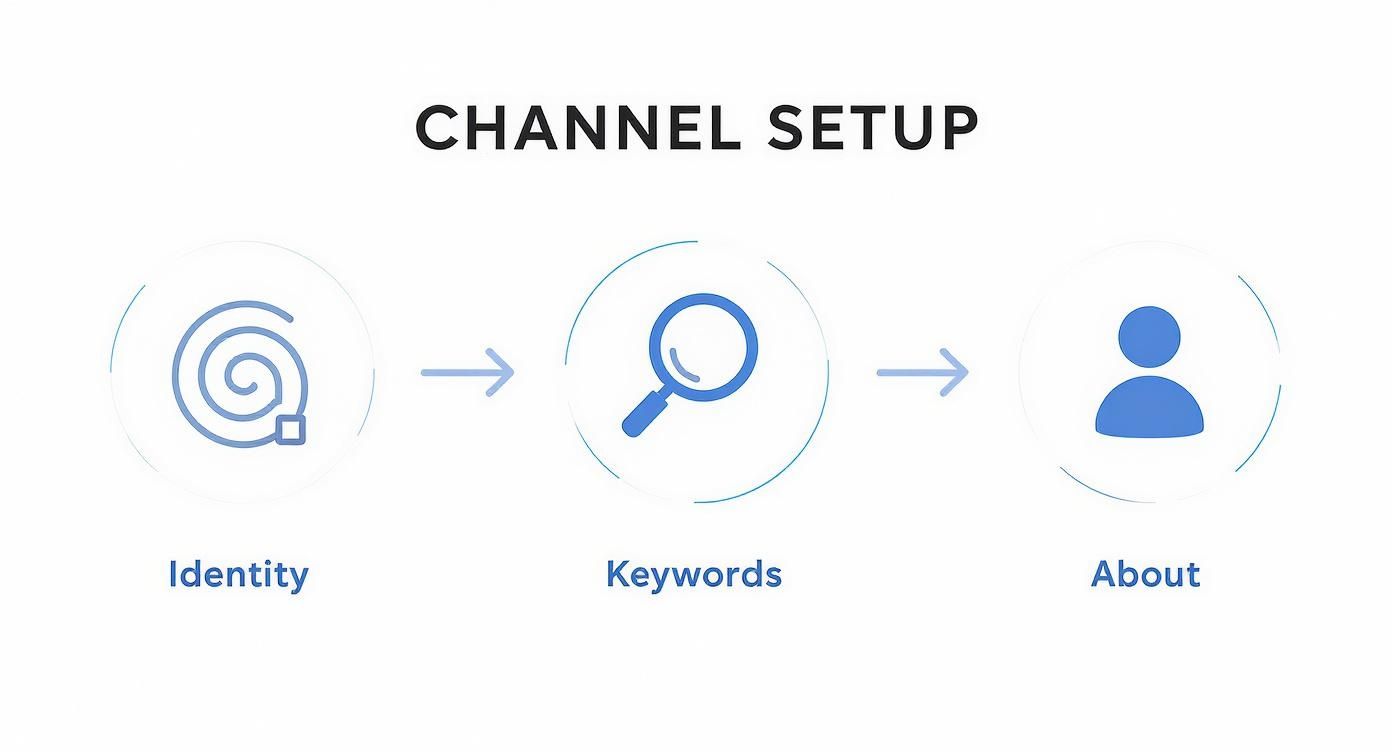
When you nail these fundamentals first, scaling up your content production becomes a thousand times easier.
Mapping Your Production Cycle from Idea to Upload
Every single video, no matter how simple or complex, goes through a predictable lifecycle. Once you understand these stages, you can create a repeatable checklist, spot the bottlenecks, and eventually hand off parts of the process to other people.
Your typical video production process probably looks something like this:
- Ideation & Research: The "what should I make?" phase. This is where you brainstorm topics and use keyword research to see if people are actually searching for them.
- Scripting & Outlining: Getting the story straight. You’ll structure the narrative, jot down key talking points, and plan out your calls to action.
- Filming or Asset Gathering: This is either you in front of the camera or the hunt for the right stock footage, images, and audio clips.
- Editing & Post-Production: Where the magic happens. You’ll stitch everything together, add graphics, tweak the color, and make the audio crisp and clear.
- Optimization & Scheduling: The final push. You'll craft a compelling title, write a keyword-rich description, create a click-worthy thumbnail, and schedule it to go live.
Break it down this way, and you'll quickly see where you're losing time. If scripting always feels like a slog, maybe you need better templates. If editing takes forever, it might be time to invest in some presets or a better tool.
The secret to consistency isn't superhuman effort; it's a boringly brilliant system. When you have a clear workflow, you're not relying on motivation—you're relying on a process that works even on your least creative days. This is the difference between a hobby and a business.
One of the best ways to streamline this entire cycle is content batching. Instead of making one video from start to finish, you group similar tasks together. For example, spend a Monday scripting four videos, Tuesday filming all of them, and the rest of the week editing. To see how to put this into practice, our guide on batch content creation provides a complete workflow revolution breaks down a system that can help you get weeks ahead.
To give you a clearer picture, here’s how the time and tools might break down for a single video.
Content Workflow Stage Breakdown
This table provides a realistic look at what goes into each stage of video production, from the tools you'll need to the time you should budget.
| Stage | Key Activities | Recommended Tools | Estimated Time (Per Video) |
|---|---|---|---|
| Ideation & Research | Brainstorming, competitor analysis, keyword research. | TubeBuddy, VidIQ, Google Trends | 1-2 hours |
| Scripting & Outlining | Writing the full script or creating a detailed outline. | Google Docs, Notion | 2-4 hours |
| Production | Filming on camera, screen recording, or gathering assets. | Camera, OBS Studio, Storyblocks | 1-3 hours |
| Editing & Post-Production | Assembling footage, adding graphics, audio mastering. | DaVinci Resolve, Adobe Premiere Pro | 4-8 hours |
| Optimization | Title/description writing, thumbnail design, scheduling. | Canva, YouTube Studio | 1-2 hours |
Keep in mind, these times are just estimates. As you refine your process and create templates, you'll get much faster at each stage.
Thinking Beyond the Camera: The Power of Faceless Content
Let’s be honest: a lot of people want to build a YouTube business, but the thought of being on camera is a deal-breaker. The good news? You absolutely don't have to show your face to succeed.
Faceless channels are booming in almost every niche imaginable—from personal finance and true crime to guided meditations and tech reviews. This model puts all the focus on the value of your information and the quality of the production itself.
Instead of filming yourself, you're using other assets to tell the story. Common approaches include:
- Voiceover with Stock Footage: A narrator speaks over high-quality video clips from a service like Pexels or Storyblocks.
- Animated Explainers: Tools like Vyond or Animaker bring complex topics to life through animation.
- Screen Recordings: A classic for software tutorials, coding lessons, or gaming channels.
- Whiteboard Animations: Engaging, hand-drawn-style videos that are fantastic for educational content.
The biggest perk here is scalability. It's often much simpler to hire a scriptwriter, a voice artist, and a video editor than it is to manage a full-blown on-camera production. This is the exact model behind many "YouTube Automation" businesses, where the channel owner is more of a producer and strategist than a creator.
The main challenge? Building a connection with your audience. Without a face, your voice, editing flair, and writing quality have to work overtime to create a memorable brand. But if you value privacy or want to build a systemized, asset-driven business, it’s an incredibly powerful way to go.
How to Monetize Your Channel Beyond Ads
Relying on a single paycheck is a bad idea in any line of work, and that’s just as true for a YouTube business. Hitting the requirements for the YouTube Partner Program (YPP) is a huge moment, but thinking you're set with just AdSense revenue is a classic rookie mistake.
To build a real, sustainable business, you need a mix of income sources. This approach protects you from the inevitable algorithm changes and the ups and downs of ad rates.
Your monetization journey really kicks off once you qualify for the YPP. The magic numbers are 1,000 subscribers and 4,000 hours of public watch time within the last 12 months. Once you cross that line, AdSense becomes your first layer of income. But the real growth—the stuff that turns a hobby into a career—starts when you look beyond those pre-roll ads.
Securing Your First Brand Sponsorships
For many channels, sponsorships are the first big leap in income. This is simply a brand paying you to feature their product or service in a video. The best part? Unlike the fluctuating nature of AdSense, sponsorships give you a fixed, negotiated payment you can count on.
Don't just sit back and wait for brands to come knocking. As soon as you have a consistent viewership and a well-defined niche, it’s time to be proactive.
- Build a Media Kit: Think of this as your channel’s professional resume. It should be a clean, one-page PDF that shows off your channel's mission, audience demographics (pull this straight from your YouTube Analytics), key stats like monthly views and subscriber growth, and your contact info.
- Find the Right Partners: Make a list of brands that feel like a natural fit for your audience. If you have a channel all about sustainable living, reaching out to eco-friendly product companies just makes sense.
- Write a Personalized Pitch: Ditch the generic, copy-and-paste emails. Reference a specific video of yours and explain exactly why their product would be a genuinely good fit for your viewers. Keep your message short, professional, and focused on what's in it for them.
Talking money can feel awkward at first. A good starting point is to calculate a flat fee based on your average video views. But as you grow, don't be afraid to negotiate for what you know your influence is worth.
Building a Community-Powered Income
Your biggest fans are often more than willing to support your work directly. YouTube has some great built-in features that help you turn passive viewers into active community members who contribute financially to your channel.
Channel Memberships are a game-changer. This feature lets subscribers pay a small monthly fee for special perks. The key is to offer things that feel valuable without creating a ton of extra work for you.
Simple Perks That Work for Memberships:
- Loyalty Badges: Custom badges and emojis that pop up next to their name in comments and live chats.
- Early Access: Let members watch your new videos a day or two before they're released to the public.
- Members-Only Content: A monthly behind-the-scenes video or an exclusive Q&A livestream can go a long way.
Super Chats and Super Thanks are fantastic, especially if you do livestreams. During a live broadcast, viewers can pay to have their comment highlighted, which is a fun way for them to get your attention while supporting the channel. Super Thanks works on your regular uploads, allowing viewers to leave a tip right on the video page to show their appreciation.
Selling Your Own Products
This is the end game for any serious YouTube business: owning your revenue stream. When you sell your own merchandise or digital products, you have full control over the branding, pricing, and profit margins. You’re no longer just a creator; you're a full-blown entrepreneur.
You generally have two paths you can go down here:
- Physical Merchandise: This is the tried-and-true method of selling branded t-shirts, mugs, hoodies, or other physical goods. Platforms like Spring (formerly Teespring) or Printful integrate directly with YouTube and handle everything—the printing, inventory, and shipping are all done for you. All you have to do is upload your designs and promote them.
- Digital Products: This is where things get really exciting. With digital products, your profit margins are close to 100%. Depending on your niche, you could create and sell an e-book, a set of video editing presets, a short online course, or downloadable templates. The possibilities are endless.
It's helpful to see what this can look like in real numbers. A channel with 100,000 subscribers can earn anywhere from $500 to $1,500 per video from AdSense. But a single brand deal on one of those videos could bring in an additional $3,000 to $7,000. By layering these income streams, a mid-sized creator can realistically build a six-figure business.
When you start combining AdSense, sponsorships, community support, and your own products, you're not just making money anymore. You're building a resilient, scalable business. To explore this strategy further, take a look at our comprehensive guide on how to build multiple income streams, which breaks down how this model applies across all social platforms.
Growing and Engaging Your Community
Making great content is one thing, but it's only half the battle. If you want to turn your channel into a real business, you need people to actually watch your videos and, more importantly, care about what you're creating.
Real growth isn't about vanity metrics. It’s about building a loyal crew that shows up for every single upload. This process starts long before you hit publish—it begins right in your video's metadata.
Mastering On-Platform Discoverability
At its heart, YouTube is a massive search engine. To get your videos in front of the right people, you have to speak its language. This is where YouTube SEO comes in. Don't let the term intimidate you; it's just about helping the algorithm understand your video so it can serve it up to the perfect audience.
Start with some basic keyword research. You can grab a tool like TubeBuddy or VidIQ, but honestly, the YouTube search bar is a great place to start. Type in a potential video topic and see what suggestions pop up. Those are the exact phrases real people are searching for. Weave these keywords naturally into your title, description, and tags.
Now, let's talk about your digital billboard: the title and thumbnail. These two have to work in perfect harmony to grab attention and earn that all-important click.
- Create a High-Impact Title: Your title needs to be punchy and packed with good keywords. It should promise a clear benefit or make someone too curious to scroll past. "How I Organized My Tiny Kitchen" is a world away from a generic title like "Kitchen Organization."
- Design a Clickable Thumbnail: Research shows that thumbnails are responsible for 90% of clicks. Use bold, readable text, high-contrast colors, and a clear, expressive image. Your goal is to pop off the page and instantly communicate what your video is about.
Keeping Your Audience Hooked Between Uploads
The conversation with your audience shouldn't die the moment a video ends. YouTube gives you some fantastic tools to keep the community warm and your channel on their minds, even when you're not uploading a full-length video.
YouTube Shorts are an incredible way to reach new people. These quick, vertical videos are perfect for sharing tips, behind-the-scenes clips, or just repurposing the best moments from your longer content. They are highly discoverable and act as a powerful funnel, bringing fresh eyes to your main channel.
Another seriously underused tool is the Community Tab. Think of it as your channel's private social media feed. Use it to:
- Run polls to see what videos your audience wants next.
- Share behind-the-scenes photos from your latest shoot.
- Build hype for your upcoming videos.
- Simply ask a question and get a conversation started.
Fostering a real community means treating your comments section like a conversation, not a notification box. When you reply to comments, pin the best ones, and ask follow-up questions, you're showing people you're actually listening. That simple act can turn a casual viewer into a die-hard fan.
Expanding Your Reach Beyond YouTube
Finally, don't keep your promotion stuck on YouTube. You need to be actively pulling people toward your content from other corners of the internet where your ideal audience is already hanging out.
If you're on Instagram, X (formerly Twitter), or TikTok, use those platforms to tease your new videos. Share a short clip, a compelling still, or a powerful quote to spark curiosity and drive people back to your YouTube channel.
Better yet, build an email list. An email list is one of the most valuable assets you can own because it gives you a direct line to your biggest fans, completely independent of any algorithm. Offering a simple freebie—like a checklist or a short guide related to your niche—is a proven way to get people to sign up. This is how you build a reliable, dedicated audience for your YouTube business.
Managing the Business Side of Your Channel
When your subscriber count starts to really climb, something subtle happens. Your fun creative project begins to feel more like a real operation. This is the turning point where you stop just making videos and start actually running a YouTube business. Ignoring this shift is one of the biggest mistakes I see creators make, and it can seriously cap your long-term growth.
Treating your channel like a business is first and foremost about protecting yourself. As soon as you're generating real income, you need to separate your personal finances from your channel's money. Many creators, myself included, set up a Limited Liability Company (LLC). It sounds intimidating, but it creates a legal wall that can protect your personal assets if the business ever faces debts or legal trouble.
Let's be clear: this isn't just a hobby that makes a little cash. It's a legitimate business in a massive industry. Think about this: YouTube paid out a staggering $70 billion to creators and media companies between 2022 and 2024. In the U.S. alone, the platform supported 490,000 jobs in 2024. This is a serious ecosystem, and you can read more about YouTube's economic impact to get the full picture.
From Gut Feelings to Data-Driven Decisions
Your YouTube Analytics dashboard is the command center for your entire operation. To grow intelligently, you have to move beyond just staring at view counts. Stop guessing what your audience wants and let the data tell you the real story.
Get comfortable checking these metrics regularly:
- Audience Retention: This graph is your best friend. It shows you the exact moment viewers get bored and click away. Are your intros dragging on? Is a certain segment just not landing? This is pure gold for tightening up your editing and structure.
- Click-Through Rate (CTR): This number tells you flat-out if your titles and thumbnails are working. A low CTR (think below 4%) is a red flag that your packaging isn't doing its job, no matter how amazing the video is.
- Traffic Sources: Where are people actually coming from? Knowing if your views are driven by YouTube search, suggested videos, or an external blog post tells you where to double down on your promotion efforts.
Key Takeaway: Don't just look at which videos did well. Dig into why they did well. Was it the topic? The thumbnail style? The title format? Your job is to find those winning patterns and replicate them.
Tracking Your Finances for Stability
Once money from AdSense, sponsorships, and affiliate links starts hitting your account, you absolutely need a system to track it. This doesn’t have to be some complex accounting nightmare. A simple spreadsheet or a tool like QuickBooks gets the job done.
Here’s a simple financial checklist to live by:
- Track All Income: Log every single dollar, whether it’s from an ad payout or a brand deal.
- Record All Expenses: Keep records of everything you buy for the channel—new gear, software subscriptions, stock footage, freelancer payments. These are all potential tax write-offs.
- Set Aside Money for Taxes: The taxman will come calling. A safe bet is to sock away 25-30% of your profits. Trust me, you’ll thank yourself later when you don't get hit with a surprise bill.
Knowing When to Hire Help
There comes a point where you simply can't do it all. If you find yourself spending more time on tedious admin tasks than on creating great content, it’s time to outsource. Hiring your first freelancer is a huge step in scaling up.
Start by offloading the tasks that drain your time or that you just aren't good at. For most YouTubers, the first hires look like this:
- A Video Editor: This is almost always the biggest win. It frees up dozens of hours a week, letting you focus on filming and big-picture strategy.
- A Thumbnail Designer: A specialist who lives and breathes thumbnails can give your CTR a massive boost.
- A Virtual Assistant (VA): A good VA can take over email management, content scheduling, and comment moderation, clearing your plate for more important work.
Bringing on help is how you finally transition from being just a creator to becoming the CEO of your own media company.
Got Questions? Let's Tackle Them Head-On
Starting anything new, especially a business on YouTube, comes with a ton of questions. I see the same worries pop up time and time again with new creators. Let's clear the air on some of the biggest ones so you can get started with a clear head.
So, How Much Does This Actually Cost?
Honestly, you can get the ball rolling with next to nothing. Your smartphone probably shoots incredible video already, and you can get professional-level editing done with free software like DaVinci Resolve.
If you're going to spend money anywhere, make it audio. A decent microphone for $50-$150 will make a world of difference. At the start, your biggest investment is always going to be your time.
When Will I Actually Start Making Money?
Let's be real: it's not an overnight thing. You should plan for at least 6-12 months of consistent work before you even think about seeing a dime from ads. That's the typical timeframe it takes to hit the YouTube Partner Program milestones: 1,000 subscribers and 4,000 hours of watch time.
Some niches pop off faster than others, sure, but your primary focus has to be on building a genuine audience. Think of it as laying the foundation for a real business, not just trying to get rich quick.
Do I Really Have to Show My Face on Camera?
Not at all! This is a huge misconception. "Faceless" channels are not just a gimmick; they're some of the most successful channels out there.
Think about channels that use:
- Stock video footage
- Screen recordings for tutorials
- Whiteboard animations
- A simple voiceover with text on screen
Your success is tied to the value you provide, not your face. If the content is good, people will watch.


