


Think of your YouTube channel description as your channel's handshake, elevator pitch, and welcome mat all rolled into one. It’s that short block of text that tells potential subscribers exactly what you’re all about and why they should stick around. It's a crucial signal for both human viewers and the YouTube algorithm.
Why Your Channel Description Is a Secret Weapon
So many creators treat their channel description as an afterthought. They'll scribble a single sentence and call it a day, which is a massive missed opportunity. Your description is one of the most powerful tools you have for getting discovered and growing your audience. It's a direct line to potential fans and, just as importantly, to YouTube’s own ranking systems.
Here’s how to think about it: when someone searches for something on YouTube, the platform scans titles, tags, and descriptions to find the most relevant videos. A well-crafted description, filled with the right keywords, basically tells the algorithm exactly what your channel focuses on. This directly impacts how your content gets categorized and who it gets recommended to.
More Than Just Keywords
But it’s not just a technical SEO game. A compelling description creates an instant connection with a potential subscriber. It sets the entire tone for your channel and answers the single most important question on a viewer's mind: "Is this for me?"
A great description pulls a lot of weight. It should:
- Nail down your niche. Are you a daily vlogger? A gaming channel that only plays indie horror? A woodworking tutorial hub? Get specific.
- Showcase your value. What do people get from watching your videos? Will they laugh? Learn a new skill? Get inspired?
- Set clear expectations. Mentioning your upload schedule, like "New videos every Tuesday and Friday!", gives people a real reason to come back.
- Inject your personality. Your tone—whether it's witty, professional, or just plain quirky—gives viewers a sneak peek of your content's vibe.
Your YouTube channel description is the first and often only chance to turn a casual visitor into a loyal subscriber. It’s your opportunity to sell your channel’s vision in just a few lines.
The Data-Backed Impact
The importance of a solid description isn't just a hunch; the numbers back it up. Since YouTube kicked off in 2005, channel descriptions have become a core branding tool for the 69 million active creators on the platform.
Here's a stat that should make you sit up: channels with detailed, keyword-rich descriptions are 35% more likely to appear in search results. That's a huge advantage in a crowded space.
At the end of the day, this text is a fundamental piece of your channel's foundation. It helps the platform understand your content, which is essential if you want to learn how the YouTube algorithm works and get it to work for you. Skipping this step is like building a house but forgetting the front door—people might find their way in, but you're making it much harder than it needs to be.
Crafting Your Perfect Channel Description
Alright, let's get down to actually writing this thing. This isn't just about filling in a box on your YouTube profile; it's about creating a powerful piece of marketing that works for your channel 24/7. Your main job here is to tell both potential viewers and the YouTube algorithm what your channel is all about and why they should care.
Pay close attention to the first 150 characters. This little snippet is prime real estate. Think of it as your channel's headline—it's what shows up in YouTube search results right next to your channel name. It's often your one and only shot to hook someone who's just scrolling by.
A great channel description doesn't just describe—it persuades. It answers the viewer's unspoken question, "What's in it for me?" in the first few seconds of reading.
Finding the Right Words
Before you even think about writing, you need to get inside the head of your ideal viewer. What are they typing into that search bar? This is where a little keyword research goes a long way, and you don't need to spend a dime on fancy tools to do it well.
Start by just brainstorming the topics you cover. Let's say you have a channel on gluten-free baking. Your list might look something like "gluten-free bread," "celiac-friendly recipes," and "easy GF desserts." Now, take those ideas and put them to work:
- Use YouTube's Search Bar: Start typing your phrases into the YouTube search. Pay attention to what it suggests. Those autocomplete options are pure gold because they're based on what real people are actually looking for.
- Check Out the Competition: Take a look at the channel descriptions of a few successful creators in your niche. What kind of language are they using? Are there specific keywords that keep popping up? You're not looking to copy them, but you can definitely learn from their strategy.
- Give Google Trends a Try: This free tool is great for seeing what's popular right now. You can compare different search terms to figure out which ones have more buzz and will get you in front of a bigger audience.
Once you've got a good list of keywords, the trick is to weave them into your description naturally. The last thing you want to do is "keyword stuff"—just listing a bunch of terms without any context. That looks spammy and doesn't help anyone. Instead, build sentences around them that genuinely explain what your channel offers.
Assembling the Key Components
A truly effective description has a few key parts that all work together. They inform new viewers and give the YouTube algorithm the signals it needs to recommend your content. As you put these pieces together, you might find that using tools like voice-to-text Chrome extensions can make the writing process feel a lot faster and more natural.
Here's a quick look at the essential ingredients that make a channel description really shine. Think of it as a recipe for growth.
Key Components for an Optimized Channel Description
| Component | Purpose | Example Snippet |
|---|---|---|
| The Hook | Your first one or two sentences. Needs to be catchy and keyword-rich to stand out in search results. | "Welcome to The Weekend Gardener, where we share simple gardening tips and DIY projects for busy people." |
| Value Proposition | Directly state what's in it for the viewer. Will they learn something? Be entertained? Get inspired? | "Each week, you'll learn how to grow your own food, tackle common plant problems, and create a beautiful garden on a budget." |
| Content & Schedule | Manage expectations by telling people what kind of videos you make and when you post them. | "New videos every Sunday morning covering everything from container gardening to organic pest control." |
| Call to Action (CTA) | Explicitly tell people what to do next. Don't just hope they'll subscribe—ask them! | "Subscribe now so you don't miss our next video!" |
By making sure you hit each of these points, you’re not just describing your channel—you're selling it. You’re giving both people and algorithms every reason to pay attention.
Building Trust and a Real Connection
Your channel description is so much more than a box to stuff with keywords. It’s where you start building a real, human connection with your audience. This is your chance to show the person behind the videos and give viewers a reason to care.
Think about it. If your videos are high-energy and hilarious, but your description reads like a corporate memo, it creates a weird disconnect. That inconsistency feels off, and it can make people hesitate to subscribe. Your description needs to sound like you.
Getting this right isn't complicated. It boils down to a bit of research, some thoughtful writing, and a final polish.
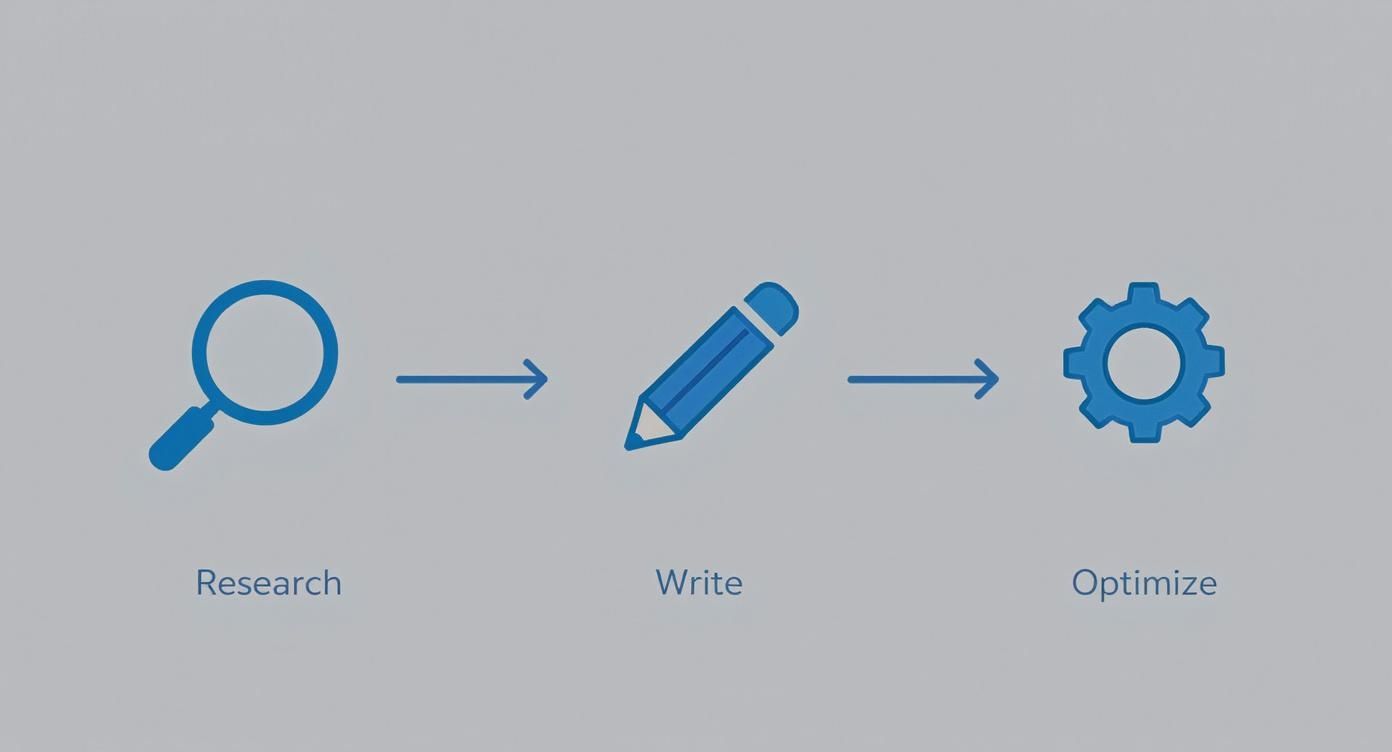
This simple workflow shows how to write descriptions that both people and the YouTube algorithm will love.
Set Clear Expectations
One of the easiest ways to earn trust is to be straight with people about what they're getting. Use your description to lay it all out.
Be sure to cover things like:
- Your upload schedule: Tell people when to come back for more! A simple "New videos every Wednesday!" is all it takes. It manages expectations and gives them a reason to return.
- Your channel's core values: What do you stand for? Are you all about sustainability, brutally honest reviews, or deep-dive tutorials? Spelling this out attracts people who are on the same page.
When you set these standards, you create a predictable and reliable experience. This kind of consistency is the bedrock for building an online community that genuinely feels connected to what you're doing. A clear schedule and defined values transform your channel from just another feed into a destination.
Setting expectations isn’t just about logistics; it’s about showing respect for your audience’s time and attention. When viewers know what they’re getting, they’re more likely to invest in your channel.
The Impact on Viewer Trust
You might be surprised by how much a good description actually influences people. A global survey found that a whopping 67% of viewers check a channel's description before they even think about subscribing. On top of that, 41% said a good description makes them trust the creator more.
It gets better. Channels in the US with clear, professional youtube channel descriptions have a 28% higher average watch time per video compared to channels with vague, thrown-together ones. The numbers don't lie—a thoughtful description directly boosts loyalty and keeps people watching.
Advanced Strategies to Maximize Your Reach
Once you've nailed the basics of a solid channel description, it's time to start thinking like the pros. The top creators on YouTube don't just see their description as a simple bio; they treat it like a powerful hub for growth, connection, and even income. This is about moving beyond just keywords and figuring out how that little text box can drive traffic, build your brand, and open up new opportunities.
https://www.youtube.com/embed/LwkvhlrkEHw
Think of your channel description as the central station for your entire online presence. By strategically placing links, you can guide your most engaged viewers to your other platforms, your products, or valuable resources. This creates a complete ecosystem around your content, turning your YouTube channel into the starting point of a much bigger journey for your audience.
Using Links Without Being Spammy
Everyone knows you should add links, but there's a delicate balance between being helpful and coming across as spammy. Your goal is to provide genuine value, not just to plug your own stuff relentlessly. A viewer who already likes your videos is probably curious about your other social profiles, your website, or the gear you use.
Here’s how to get it right:
- Lead with your most important link. Is it your personal blog, your online store, or a free guide? Whatever it is, put that link right near the top of the description so nobody can miss it.
- Keep your social links tidy. Group them together under a simple heading like "Follow me here" or "Let's connect." This keeps your description looking clean and organized instead of cluttered.
- Be upfront about affiliate links. If you’re an affiliate, just say so. A simple disclosure like "(As an Amazon Associate, I earn from qualifying purchases)" builds trust and keeps everything transparent.
This simple approach turns your youtube channel descriptions from a block of text into an interactive launchpad. You're giving viewers more ways to connect without being pushy about it.
The Power of Niche Hashtags
Hashtags work a bit differently in your channel description than they do on platforms like Instagram or X. Here, they're more like broad category labels that help the YouTube algorithm figure out what your channel is all about. You don't want to stuff your description with them, but a few well-chosen hashtags can really boost your discoverability.
Think of them as signposts for your niche. For instance, a channel dedicated to restoring vintage cameras could use tags like:
#FilmPhotography#CameraRepair#VintageTech
These super-specific tags help YouTube connect your channel with people who are already watching content in that exact area. It's a simple, effective way to signal your expertise and draw in a highly targeted audience. Stick to 3-5 highly relevant hashtags to keep it clean and avoid looking spammy.
Think of your description's links and hashtags as pathways. Each one should lead a viewer to something valuable, whether it's more of your content, a product you love, or a community they can join.
Reaching a Global Audience with Translations
Here’s one of the most overlooked strategies out there: translating your channel description. YouTube is a global platform, and making your channel accessible to people who don't speak English can unlock entirely new audiences.
YouTube has a built-in tool that lets you add translations for your channel name and description. Taking a few minutes to provide a Spanish, French, or Hindi version makes it way easier for viewers in those regions to find you and understand what you do. It’s a small effort that shows you care about a global audience and can dramatically expand your reach. A better description that resonates with more people can also improve your YouTube click-through rate.
This is also a game-changer for monetization. Did you know that 72% of brands prefer to partner with channels that have clear, professional descriptions? In fact, channels with detailed descriptions and contact info get 3.2 times more sponsorship inquiries. That number can grow even bigger when you start attracting international brands. For more stats like this, check out what the folks at Analyzify have put together on their YouTube stats page.
Channel Description Templates You Can Adapt
Staring at a blank screen can be paralyzing. I get it. To get the ball rolling, I've put together a few simple, practical templates for different kinds of channels.
Think of these as a launchpad, not a finished product. They provide a solid structure you can customize with your own voice, personality, and, of course, your target keywords. The idea isn't to copy and paste, but to see why they work: a strong hook, a clear promise of value, and a simple call to action.
Template for a Gaming Channel
Gaming channels are all about personality and building a community. Your description needs to grab attention fast and tell viewers exactly what games you play and what kind of vibe to expect.
Here’s a starting point:
"Welcome to [Channel Name]! Your go-to spot for [Game Genre] playthroughs, epic fails, and pro-level guides. I'm [Your Name], and I drop new videos every [Day(s) of Week] exploring games like [Game 1], [Game 2], and [Game 3]. Whether you're here for the clutch wins or the hilarious rage quits, you've found your crew. Subscribe now and join the squad!"
This framework is effective because it immediately signals your niche ([Game Genre]), includes specific game titles people are actually searching for, and sets expectations with an upload schedule. Using words like "squad" or "crew" helps build that all-important sense of community from the get-go.
Template for an Educational Channel
With educational or how-to channels, it's all about clarity and credibility. People land on your page because they have a problem and they're looking for an expert to solve it. Your description needs to establish your authority and promise a clear benefit.
A great educational description doesn't just list topics; it promises a transformation. It tells the viewer, "Watch my videos, and you will be able to do X."
Try this structure:
"Hi, I'm [Your Name], a [Your Profession/Expertise] dedicated to helping you master [Topic]. Here, you'll find simple, step-by-step tutorials on everything from [Specific Skill 1] to advanced techniques in [Specific Skill 2]. My whole goal is to help you [Achieve a Result] with actionable advice and clear instructions. New videos drop every [Day]. Ready to level up your skills? Subscribe for your weekly lesson!"
This model works because it leads with your credentials ([Your Profession]), clearly defines the content, and frames the value around a real-world outcome for the viewer. It's less about entertainment and more about being a reliable solution.
Description Template Comparison
To help you decide which structure fits best, I've broken down the core focus of a few common channel types. Find the one that most closely matches your goals and use it as your guide.
| Channel Type | Key Focus | Primary Call to Action |
|---|---|---|
| Gaming Channel | Personality, community, and specific games | "Join the squad" or "Become part of the community" |
| Educational Channel | Expertise, clear outcomes, and actionable steps | "Level up your skills" or "Start learning today" |
| Vlog/Lifestyle | Authenticity, personal story, and relatability | "Follow my journey" or "Join the adventure" |
| Brand/Business | Problem-solving, product value, and authority | "Solve your problem" or "Get our expert insights" |
No matter which template you start with, remember to inject your unique voice. That's what will ultimately turn a first-time visitor into a loyal subscriber.
A Few Lingering Questions
Even after you’ve written what feels like the perfect channel description, a few questions can still pop up. It's totally normal. Getting the little details right is what separates a good description from a great one. Let's clear up some of the most common things creators ask me about.
How Often Should I Actually Update This Thing?
Think of your channel description as a living document, not a "set it and forget it" task. I always tell creators to give it a quick review at least every six months.
More importantly, though, you need to update it whenever something big changes. Did you launch a new flagship series? Hit a major subscriber milestone? Shift your content focus? Update the description. For instance, if you suddenly start a weekly "Mindful Mondays" segment, you'll want to mention that. It keeps things fresh and tells both YouTube and your potential subscribers that your channel is active and evolving.
Is There a Perfect Length?
YouTube gives you 1,000 characters, but please don't feel like you need to write a novel. The real sweet spot is somewhere in the 300-500 character range. That’s plenty of room to grab someone's attention, explain what you're all about, drop in your keywords, and tell them what to do next.
Here's a pro tip: Only the first 150 characters or so show up in YouTube's search results. Make sure your most important hook and your main keywords are right at the beginning to make that tiny preview count.
Are Emojis a Good Idea?
Yes, but with a bit of strategy! Emojis are great for injecting some personality and breaking up the text so it doesn't look like a boring wall of words. They’re especially useful for making key info, like your upload schedule or social links, pop.
Think of them as highlighters, not confetti. For example:
- 📅 New videos every Tuesday!
- 👇 Find me on my other socials!
A few well-placed emojis look great. Too many can come off as spammy or unprofessional, so just use a light touch.
What are the Biggest Mistakes People Make?
I see the same few slip-ups all the time. The absolute biggest one is keyword stuffing. That’s when you just cram a bunch of keywords into sentences that barely make sense. It’s a huge turn-off for actual people and can even get you dinged by YouTube’s algorithm.
A few other common blunders include:
- No call to action: You have to tell people what to do! Ask them to subscribe, visit your website, or follow you on Instagram.
- Being way too vague: A description like "I make videos" tells a potential subscriber absolutely nothing. Get specific about the value you provide.
- Forgetting your links: Don't miss the chance to cross-promote. Add links to your other social platforms, your website, or your merch store. It's a simple way to grow your entire brand.
Steer clear of these common traps, and your channel description will already be miles ahead of most.
Ready to skip the slow grind and start earning from your content right away? MonetizedProfiles offers fully monetized YouTube accounts that are organically grown and ready for you to upload and earn. Find your perfect channel and kickstart your creator journey at https://monetizedprofiles.com.


