


Ready to build a profitable YouTube channel that runs almost on autopilot? You don't need a fancy camera or a charismatic on-screen personality. The secret is automation, a powerful strategy that lets you create, publish, and monetize content at scale, often without ever showing your face. This list breaks down the most effective YouTube automation ideas that are working right now.
We'll explore specific, actionable strategies for everything from AI-powered video creation to automated scheduling, giving you a clear roadmap to generating passive income. This guide is designed to be a blueprint, not just a collection of vague concepts. We will cover the exact steps and tools needed to implement each idea, focusing on faceless content that minimizes your direct involvement while maximizing output and potential revenue.
Each entry provides a practical framework, including content formats, production shortcuts, and monetization potential. These insights are crucial for anyone looking to enter this space efficiently. For those aiming to fully grasp the potential of these strategies, learning how to build a profitable automated YouTube channel from scratch provides a comprehensive foundation for long-term success.
This article cuts straight to the point. We skip the fluff and dive directly into the systems that can transform your channel into a content machine. Whether you're starting from zero or acquiring a pre-monetized channel to fast-track your journey, these YouTube automation ideas will provide the tactical advantage you need to succeed. Let's get started.
1. Faceless Video Compilation & Aggregation
Video compilation is one of the most accessible and scalable youtube automation ideas for faceless creators. This strategy involves curating and combining existing video clips from various sources to create new, themed content. You don't need to film anything yourself; instead, you act as an editor and curator, assembling videos around popular topics like satisfying moments, funny animal clips, or life hacks.

The core principle is simple: find great content, add your unique spin through editing and narration, and publish consistently. Channels like 5-Minute Crafts have built massive empires on this model by aggregating simple, visually appealing clips into digestible formats.
How It Works & Production Shortcuts
The production workflow can be highly automated. You can source royalty-free clips from platforms like Pexels and Pixabay or use public domain footage.
- Content Sourcing: Systematically download clips based on your chosen niche (e.g., "calm nature sounds" or "amazing gadgets").
- Automated Editing: Use scripts in software like Adobe Premiere Pro or AI video editors to automatically stitch clips together, add transitions, and apply a consistent color grade.
- Voiceover & Music: Add a simple voiceover script (which can also be AI-generated) and royalty-free background music to create a cohesive final product.
Monetization & Starter Tips
Compilation channels monetize exceptionally well through ad revenue due to high watch times and broad audience appeal. The content is often evergreen, meaning videos can generate views and income for years.
Quick Tip: To maximize earnings from day one, consider starting with an established channel. Explore options for a pre-monetized YouTube channel to bypass the initial growth phase and start earning immediately.
For a fast start, create a backlog of 30-50 videos before you launch. This allows you to maintain a consistent upload schedule, which is crucial for the YouTube algorithm, without the daily pressure of creating new content. Focus on niches with consistent search volume, such as relaxation, comedy, or educational compilations.
2. AI Voiceover & Text-to-Speech Automation
Replacing manual recording with AI is one of the most powerful youtube automation ideas available today. This approach uses advanced text-to-speech (TTS) engines to convert written scripts into professional, human-like audio. It completely eliminates the need for expensive microphones, soundproof rooms, or hiring voice actors, making it a perfect fit for faceless channels.
The core principle is to generate high-quality voiceovers at scale. By feeding a script into a tool like ElevenLabs or Google Cloud Text-to-Speech, you can produce unlimited audio tracks in various voices and languages. This allows you to create content for channels focused on educational topics, tech reviews, or motivational stories without ever recording your own voice.
How It Works & Production Shortcuts
The workflow is incredibly efficient and integrates seamlessly into any video production process. You simply write your script, generate the audio, and layer it over your visual content.
- Script to Speech: Write your script in a conversational tone and paste it into a premium TTS tool to generate the audio file.
- Audio Enhancement: Layer the generated voiceover with royalty-free background music and subtle sound effects to mask any robotic artifacts and add emotional depth.
- Voice Diversity: Use different AI voices across your videos or even within a single video for a dialogue effect. This keeps the content fresh and engaging for your audience.
Monetization & Starter Tips
Channels using AI voiceovers monetize primarily through ad revenue, as the content is often informational and drives high engagement. The scalability of this method means you can produce videos much faster than with manual recording, leading to quicker channel growth and monetization.
Quick Tip: Write your scripts as if you were speaking to a friend. AI voices perform best with natural, conversational language rather than formal, robotic text. A/B test different voice personalities to see which one resonates most with your target audience.
For a fast start, focus on niches where the information is more important than the presenter, such as financial news updates, historical summaries, or tech explainers. Creating a backlog of scripts and generating the audio in one batch can streamline your production, allowing you to schedule uploads weeks or even months in advance.
3. Automated Shorts & Quick-Cut Generation
Transforming long-form content into viral short videos is one of the most powerful youtube automation ideas available today. This strategy involves using AI tools to automatically scan long videos like podcasts, interviews, or tutorials and extract the most engaging, shareable moments. These clips are then reformatted into vertical videos perfect for YouTube Shorts, TikTok, and Instagram Reels, complete with auto-generated captions and optimized aspect ratios.
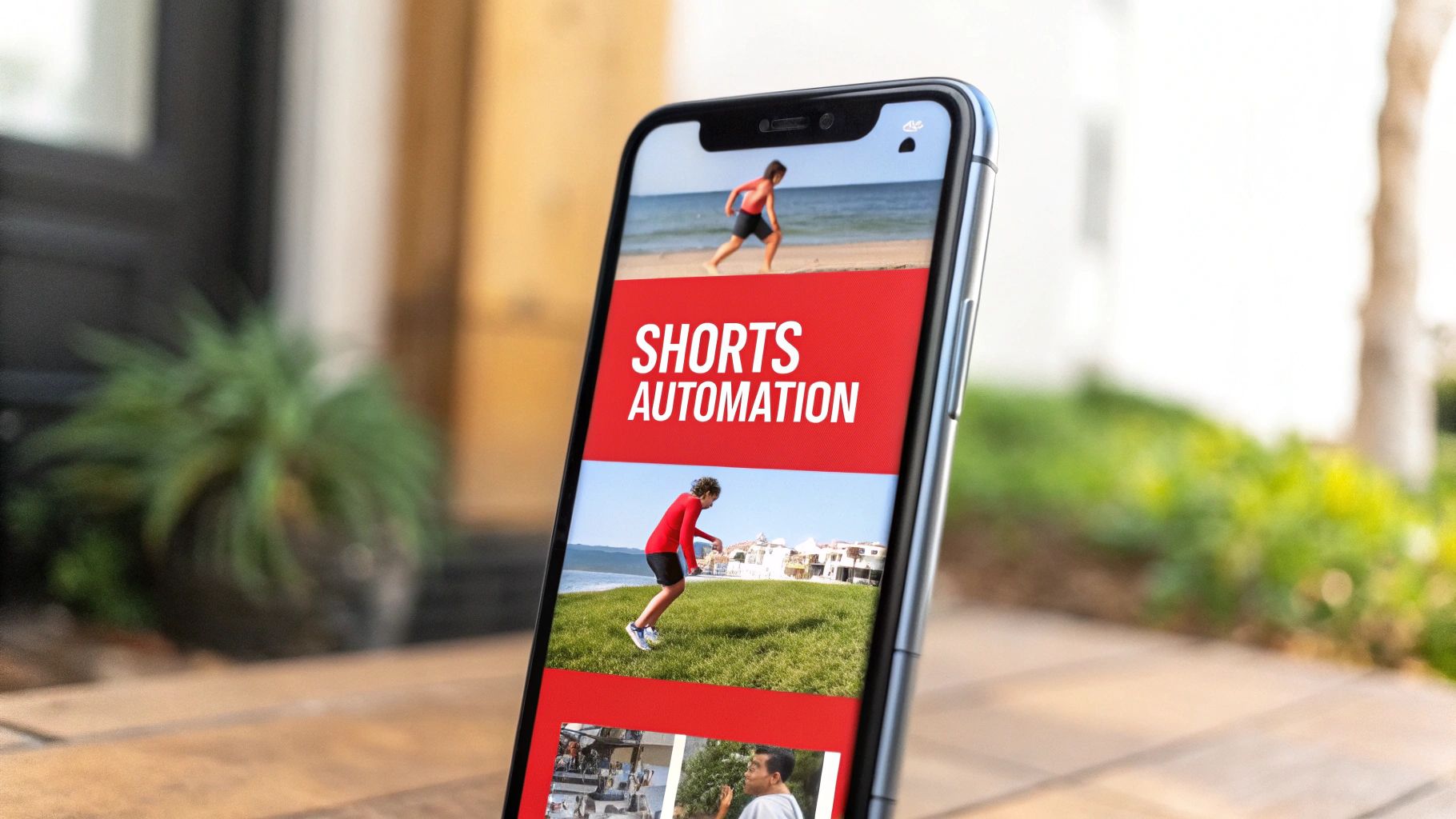
The core principle is maximum output from minimum input. Instead of brainstorming dozens of unique short video ideas, you leverage one piece of pillar content to create a large volume of Shorts. Channels repurposing content from figures like Joe Rogan or popular TED Talks have amassed millions of subscribers by simply identifying and packaging highlight moments for a short-form audience.
How It Works & Production Shortcuts
The production workflow is almost entirely hands-off with modern AI tools. Platforms like Opus Clip and Repurpose.io are designed to automate the entire process, from clip selection to final export.
- AI-Powered Clip Finding: Simply paste a YouTube link of a long video into a tool like Opus Clip. Its AI will analyze the transcript to identify viral-worthy segments based on keywords, topic changes, and emotional cues.
- Automated Reframing & Captions: The software automatically reformats the video to a 9:16 aspect ratio, keeps the speaker in the frame, and adds dynamic, engaging captions.
- Bulk Content Creation: From a single one-hour podcast, you can generate 10-20 high-quality Shorts in minutes, creating a massive content pipeline with minimal effort.
Monetization & Starter Tips
Shorts channels monetize through the YouTube Shorts Fund, ad revenue on the Shorts feed, and by driving traffic to long-form videos or external products. The high volume and virality potential make it a rapid growth strategy.
Quick Tip: Your Shorts feed is a powerful funnel. Always add a comment or use the "related video" feature on each Short to link back to the full-length source video to boost watch time and ad revenue on your main channel.
For a fast start, focus on a high-volume upload schedule of 5-10 Shorts per day. Identify controversial, surprising, or highly emotional 15-second moments from your source material, as these perform best. Adding trending audio on top of the original sound can also significantly increase visibility and help your content get discovered on the Shorts shelf.
4. Niche Topic Research & Content Generation Automation
One of the most powerful youtube automation ideas involves leveraging AI to handle the entire pre-production phase. This strategy uses automated tools to discover untapped, low-competition niches, identify trending topics, and generate complete video scripts and outlines. Instead of manually guessing what content will perform, you rely on data-driven insights to find profitable content gaps.
The core principle is to let technology do the heavy lifting of market research. Channels focused on stock market updates, finance education, or even specific travel micro-niches use these systems to consistently produce relevant content that audiences are actively searching for, ensuring a higher chance of visibility and growth.
How It Works & Production Shortcuts
This workflow automates the most time-consuming part of content creation: ideation and scripting. By setting up the right tools, you can create a content pipeline that runs almost on its own.
- Automated Research: Use tools like TubeBuddy or VidIQ to scan for high-volume, low-competition keywords. Set up alerts for trending topics in your chosen niche to stay ahead of the curve.
- AI Scripting: Feed the researched topics and keywords into an AI like ChatGPT. Use prompts designed to generate video scripts, including hooks, main points, and calls to action, based on proven high-retention formulas.
- Content Outlining: Generate 50-100 detailed video outlines at a time. This backlog allows your production team (or other automation tools) to work efficiently without waiting for new ideas.
Monetization & Starter Tips
This method is ideal for creating educational and informational content, which monetizes well through ad revenue, affiliate marketing (for products mentioned), and selling digital products. Since the content is data-backed, it often ranks well in search, leading to long-term, passive income.
Quick Tip: The fastest way to capitalize on a well-researched niche is to publish content immediately on a channel that is already monetized. This allows you to earn from day one without waiting for YouTube's review process. You can explore a variety of ready-to-go monetized channels to find one that fits your automated content strategy.
For a powerful start, focus your automated research on "how-to," "tutorial," and "explainer" formats. These video types have high search intent and tend to build loyal, engaged audiences who trust your recommendations. Cross-reference search volume with competition metrics to find your unique content sweet spot.
5. Automated Subtitle & Translation for Global Reach
Expanding your content's reach globally is one of the most powerful youtube automation ideas available. This strategy involves using AI-powered tools to automatically generate accurate subtitles and translate your videos into multiple languages. Instead of creating new content for different regions, you adapt your existing videos, making them accessible to a worldwide audience and tapping into previously unreachable markets.
The principle is to leverage technology to break down language barriers, significantly increasing your potential viewership and revenue streams. MrBeast famously grew his audience by over 50% by launching translated channels, proving that a single video can achieve international success with the right localization strategy. This approach is perfect for educational, tech, and entertainment content with universal appeal.
How It Works & Production Shortcuts
The entire translation workflow can be heavily automated, requiring minimal manual input once set up. The key is to integrate tools that handle transcription, translation, and subtitle synchronization.
- Automated Transcription: Use services like Rev.com or CapCut’s auto-caption feature to generate a time-synced transcript of your original video's audio.
- AI-Powered Translation: Upload the transcript to AI translation platforms or use YouTube's built-in auto-translate feature to convert the text into dozens of languages.
- Batch Application: Apply the translated subtitle files (.SRT format) to your video library in bulk using video editing software or dedicated platforms like Kapwing.
Monetization & Starter Tips
Global channels can dramatically increase AdSense revenue by capturing views from high-CPM regions and high-growth markets like India, Brazil, and Indonesia. More views from more countries directly translates to higher and more diversified income.
Quick Tip: Manually review the first 10-20 AI-generated translations to ensure accuracy and cultural appropriateness. A small initial time investment can prevent awkward phrasing that might alienate new audiences.
To get started quickly, focus on your top-performing videos first. Translate their titles, descriptions, and subtitles into 3-5 target languages. Also, create localized thumbnails with translated text to improve click-through rates in non-English-speaking countries. This focused effort maximizes your ROI by localizing proven content.
6. Algorithm-Optimized Upload Scheduling & Publishing
Beyond creating content, one of the most powerful youtube automation ideas involves optimizing your publishing workflow. This strategy focuses on scheduling videos to go live at the precise moments your audience is most active, leveraging data to maximize initial views, engagement, and algorithmic favor. Instead of guessing, you use analytics to pinpoint peak engagement windows for your specific niche and audience demographics.
This method transforms publishing from a manual task into a strategic, automated process. Channels covering timely topics, like stock market updates or morning motivation, use this to ensure their content is the first thing their audience sees. The goal is to catch the initial wave of viewership that signals to YouTube that your video is worth promoting further.
How It Works & Production Shortcuts
The entire publishing process can be set up to run automatically, ensuring consistency without daily intervention. Tools like YouTube Studio's own scheduler, TubeBuddy, and other social media platforms are central to this workflow.
- Data Analysis: Use YouTube Analytics to identify when your viewers are most active. Look at the "Audience" tab to find the specific days and hours with the highest traffic.
- Batch Scheduling: Upload your finished videos in batches and schedule them to be published at these predetermined peak times. This creates a consistent content pipeline.
- Cross-Platform Syncing: Use tools like SocialBee to automatically share your newly published YouTube video across other social media platforms, amplifying its initial reach at the optimal time.
Monetization & Starter Tips
Automated scheduling directly impacts monetization by boosting a video's initial velocity, which leads to higher long-term ad revenue. A strong start often results in more sustained viewership, as the algorithm is more likely to recommend the content over time.
Quick Tip: To fully leverage algorithmic timing, it helps to have an audience from day one. Investing in a monetized YouTube channel gives you immediate access to audience analytics, allowing you to implement this data-driven strategy instantly.
To begin, analyze your top five videos and note their publish times and initial 24-hour performance. Test three to five different time slots over two weeks to find your channel’s unique sweet spot. Remember to account for the time zones of your primary audience demographics for maximum impact.
7. Automated Thumbnail Generation & A/B Testing
While not a content niche itself, automating your thumbnail creation and testing process is one of the most impactful youtube automation ideas you can implement. This strategy uses AI-powered tools and templates to generate multiple high-impact thumbnail variations for each video. The system then tests these options to identify which design achieves the highest click-through rate (CTR), maximizing your video's reach.

The goal is to move beyond guesswork and use data to drive your visual strategy. By systemizing design principles like color psychology, bold text overlays, and emotional triggers, you ensure every video has the best possible chance of attracting viewers. This automation frees you from tedious design work while directly boosting your channel's performance.
How It Works & Production Shortcuts
This workflow leverages templates and testing tools to create a hands-off system for optimizing CTR. The process is straightforward and can be integrated into any content production pipeline.
- Template-Based Generation: Use tools like Canva Pro's batch design feature to create dozens of thumbnail variations from a single template by simply changing text, images, or colors.
- AI-Powered Design: Leverage AI thumbnail generators that analyze your video title and suggest multiple designs based on proven CTR patterns and your channel's branding.
- Systematic A/B Testing: Utilize YouTube's built-in "Test & Compare" feature or third-party tools like TubeBuddy to automatically test different thumbnails against each other and select the winner.
Monetization & Starter Tips
Higher CTR directly translates to more views, which boosts ad revenue and accelerates channel growth. An optimized thumbnail strategy is a force multiplier; it makes every video you publish work harder for you, increasing its earning potential without changing the content itself.
Quick Tip: Your thumbnail's job is to stop the scroll. Always use contrasting colors, a large and readable font with 3-5 words maximum, and a clear focal point. Test a version with a human face (even a stock photo) against one without, as faces often draw more clicks.
To start, create a set of 5-10 core templates that follow best practices. Consistently test variations of these templates on every new upload. Analyze your data weekly to identify winning elements (e.g., green backgrounds, question-based text) and refine your templates accordingly. This iterative process creates a powerful feedback loop that consistently improves your channel's performance.
8. Podcast & Webinar Repurposing Automation
Repurposing long-form content is one of the most efficient youtube automation ideas for creators with existing podcasts or webinars. This strategy involves taking a single piece of core content, like a one-hour interview, and automatically breaking it down into dozens of smaller, platform-specific assets. You aren't creating new content from scratch; you're maximizing the reach of what you've already produced.
The goal is to transform one asset into many, feeding multiple platforms with minimal effort. Channels like the Joe Rogan Experience and Andrew Huberman have mastered this, turning lengthy discussions into a vast ecosystem of clips that garner billions of collective views across YouTube, Shorts, and TikTok.
How It Works & Production Shortcuts
Modern AI tools have almost completely automated this workflow. Platforms can analyze your long-form video or audio, identify viral-worthy moments, and format them for different social media channels.
- Automated Highlight Extraction: Use AI tools like Opus Clip to automatically identify the most compelling segments, add dynamic captions, and format them into vertical videos.
- Cross-Platform Distribution: Connect a tool like Repurpose.io to your source content. It can automatically publish the generated clips to YouTube, TikTok, Instagram Reels, and LinkedIn.
- Thumbnail Creation: Generate 5-7 thumbnail variations for each clip using templates. This allows you to test what resonates best with your audience on different platforms.
Monetization & Starter Tips
This model monetizes through ad revenue on multiple platforms simultaneously, affiliate marketing mentioned in the clips, and by driving traffic back to your primary long-form content or products. It builds a powerful, interconnected content engine that promotes itself.
Quick Tip: Distribute your main long-form video on YouTube first. Wait 1-2 days before posting the shorter clips to give the primary video time to gain traction with the algorithm without cannibalizing its initial views.
To start strong, build a consistent brand identity across all repurposed content with the same logos, fonts, and color schemes. This helps your audience recognize your clips instantly, regardless of the platform. Focus on creating a seamless system where one upload triggers a cascade of automated posts across all your channels.
9. Community Engagement & Comment Automation
Maintaining an active community is crucial for channel growth, but it becomes time-consuming as your audience expands. This is where youtube automation ideas focused on engagement come in, allowing you to manage interactions at scale. The strategy involves using AI tools and specialized software to automatically respond to comments, generate community posts, and answer frequently asked questions, keeping your audience engaged even when you're not online.
The goal is not to replace genuine interaction but to handle the high volume of repetitive queries and acknowledgments. This frees you up to focus on more meaningful conversations while ensuring that no viewer feels ignored. Large gaming channels and 24/7 live streams often use this to manage thousands of comments per hour.
How It Works & Production Shortcuts
The workflow centers on training an AI or setting up rule-based bots to mimic your communication style. These systems can be integrated directly with the YouTube API to monitor and respond to activity on your channel.
- AI Training: Train a chatbot on your past 100-200 manually written replies to learn your specific tone, phrasing, and common answers.
- FAQ Automation: Set up automated responses for frequently asked questions like "What software do you use?" or "When is the next video?". This handles the bulk of repetitive comments.
- Community Post Scheduling: Automate the creation and scheduling of polls, questions, and behind-the-scenes updates for the Community tab to keep engagement high between video uploads.
Monetization & Starter Tips
Strong community engagement directly impacts the YouTube algorithm, leading to better video promotion, higher viewership, and increased ad revenue. An active comments section signals to YouTube that your content is valuable, boosting its visibility.
Quick Tip: To maintain authenticity, blend automated replies with genuine ones. A good rule of thumb is an 80/20 split, where 80% of common queries are handled by automation, and you personally engage with the remaining 20% of unique or high-value comments.
For a fast start, begin by manually approving the first 50 to 100 automated replies to ensure the AI's tone is correct and the responses are accurate. Focus your initial automation efforts on your most popular videos, as they receive the highest volume of repetitive questions.
10. Evergreen Content Recycling & Seasonal Automation
Recycling your best-performing content is one of the smartest youtube automation ideas to maximize your return on investment. This strategy involves identifying your top evergreen videos, refreshing them with minor updates, and re-releasing them to capture new audiences or capitalize on seasonal trends. Instead of creating entirely new content, you leverage proven winners for sustained growth.
The core principle is efficiency. Why let a fantastic video with declining views fade away when you can repackage it for a new wave of engagement? Channels focused on holiday themes, stock market tips, or educational topics use this method to keep their content relevant and profitable year after year with minimal effort.
How It Works & Production Shortcuts
The workflow automates the identification and refreshing of high-value assets. Tools and simple systems can streamline the entire process, turning old content into a recurring revenue stream.
- Content Identification: Use YouTube Analytics to filter for videos in your top 10% by watch time and revenue. Set up automated reports to flag videos with recently declining viewership, marking them as recycling candidates.
- Automated Refreshing: Use video editing templates to quickly update intros, outros, and graphics. AI tools can help generate new title variations and refresh descriptions with updated keywords to target new search trends.
- Scheduled Re-release: Plan your recycled content releases for seasonal peaks (like holidays) or to target different time zones, ensuring maximum visibility without manual intervention.
Monetization & Starter Tips
This model excels at maximizing ad revenue from your existing library. By re-releasing proven content, you guarantee views from videos that you already know resonate with your audience, making your income more predictable.
Quick Tip: Identify videos that convert well for affiliates or your own products. Prioritize recycling these assets first, as a small refresh can lead to a significant boost in sales and commissions with almost no additional production cost.
To start, analyze your channel's analytics from the last 12-18 months. Identify your top five evergreen videos and schedule them for a refresh. Plan to space re-releases at least six to twelve months apart to ensure the content feels fresh to your subscriber base. Modify titles slightly, create a compelling new thumbnail, and present the content as a "2.0" or "updated" version.
YouTube Automation Ideas — 10-Point Comparison
| Item | 🔄 Implementation Complexity | ⚡ Resource Requirements | ⭐ Expected Effectiveness | 📊 Expected Outcomes | 💡 Ideal Use Cases |
|---|---|---|---|---|---|
| Faceless Video Compilation & Aggregation | 🔄 Medium — set up automated stitching and licensing workflows | ⚡ Low equipment; moderate content sourcing/licensing costs | ⭐⭐⭐ — high retention but lower originality | 📊 Scalable uploads, steady views, moderate per-video revenue | 💡 Evergreen compilations, high-volume channels, pre-monetized accounts |
| AI Voiceover & Text-to-Speech Automation | 🔄 Low — API integration and voice tuning | ⚡ Minimal hardware; subscription/API costs | ⭐⭐ — consistent but may sound synthetic if unrefined | 📊 Fast scaling of narrated content; cost savings vs. actors | 💡 Faceless narration, multilingual channels, high-volume scripts |
| Automated Shorts & Quick-Cut Generation | 🔄 Medium — highlight detection and formatting pipelines | ⚡ Moderate compute/tools for clip extraction and captions | ⭐⭐⭐ — platform-favored short-form reach | 📊 High output (20–50 clips per source), drives traffic to long-form | 💡 Repurposing podcasts/webinars, attention-grabbing highlights |
| Niche Topic Research & Content Generation Automation | 🔄 Low–Medium — API integrations + human review | ⚡ Moderate (research tools subscriptions, prompts) | ⭐⭐⭐ — improves topic selection and consistency | 📊 Higher hit-rate on niche videos; scales ideation to 100+ scripts | 💡 SEO-driven channels, micro-niche discovery, rapid ideation |
| Automated Subtitle & Translation for Global Reach | 🔄 Low — transcription + translate pipelines with QC | ⚡ Moderate (translation APIs, proofreading resources) | ⭐⭐⭐⭐ — strong global impact when accurate | 📊 +40–60% watch time uplift; expands monetization across markets | 💡 Channels seeking international growth and accessibility |
| Algorithm-Optimized Upload Scheduling & Publishing | 🔄 Medium — analytics-driven schedule and A/B testing setup | ⚡ Low–Moderate (analytics tools, scheduling software) | ⭐⭐⭐ — improves first-hour velocity and discoverability | 📊 Better peak engagement, higher reach when optimized | 💡 Time-sensitive niches, global audiences, multi-video channels |
| Automated Thumbnail Generation & A/B Testing | 🔄 Low — template rules and testing loops | ⚡ Low (design tools); requires traffic for tests | ⭐⭐⭐ — reliably increases CTR when tuned | 📊 +20–40% CTR gains typical; boosts monetization | 💡 Channels needing higher CTR at scale; repetitive formats |
| Podcast & Webinar Repurposing Automation | 🔄 Medium–High — multi-format extraction and optimization | ⚡ Moderate–High (clip tools, editors, distribution platforms) | ⭐⭐⭐⭐ — converts one asset into many high-value pieces | 📊 Large content library growth; cross-platform reach and revenue | 💡 Podcasters, webinar hosts, long-form creators |
| Community Engagement & Comment Automation | 🔄 High — training tone-aware bots and moderation rules | ⚡ Moderate (training data, monitoring, moderation) | ⭐⭐ — maintains metrics but may lack authenticity | 📊 Sustains engagement metrics; reduces manual workload | 💡 Large channels with high comment volume needing 24/7 response |
| Evergreen Content Recycling & Seasonal Automation | 🔄 Medium — detection, refresh, and scheduling workflows | ⚡ Low–Moderate (analytics + batch editing) | ⭐⭐⭐ — efficient ROI from proven content | 📊 Recovers revenue from archives; fills schedules without new content | 💡 Channels with archives, seasonal themes, or top-performing videos |
Your Next Step: From Idea to Automated Income Stream
We've explored a powerful toolkit of YouTube automation ideas, each one a potential blueprint for building a scalable, profitable, and largely hands-off content business. From the simple efficiency of faceless video compilations to the sophisticated power of AI-driven topic research and automated thumbnail A/B testing, the path to a self-sustaining channel is clearer than ever. The core principle is not about eliminating work entirely, but about front-loading the strategic effort. You build the system once, refine it, and then let the automation handle the repetitive, time-consuming tasks.
The true takeaway is that success in this space isn't about being the most creative person in the room; it's about being the smartest system builder. It’s about recognizing that your most valuable asset is not the time you spend editing a single video, but the time you spend creating a workflow that can produce hundreds of videos with minimal ongoing input. Each idea we covered, from automated shorts generation to globalizing content with auto-translations, is a building block for this system.
Key Takeaways: Your Automation Launchpad
Before you dive in, let’s distill the most critical lessons from these ideas into a clear action plan. These are the principles that separate thriving automated channels from those that stall out.
- System Over Single Video: Your primary goal is not to create one viral video. Your goal is to create a repeatable process that consistently produces good content. Focus on building templates, sourcing content pipelines (like stock footage libraries or public domain archives), and establishing clear production steps.
- Embrace Imperfect Action: Many aspiring creators get paralyzed by perfectionism. With automation, volume and consistency often win over flawless production. An automated system that publishes a "good enough" video every single day will almost always outperform a channel that manually publishes a "perfect" video once a month.
- Data Is Your Co-pilot: Don’t just automate content creation; automate your feedback loop. Tools that handle A/B testing for thumbnails or analyze performance data are crucial. Let the analytics guide your content strategy, telling you which topics to double down on and which templates are performing best.
- Monetization Is a Starting Line, Not a Finish Line: The traditional path of grinding for 1,000 subscribers and 4,000 watch hours is a major roadblock. It's a period of creating content with zero financial return, which is a significant barrier for system-focused entrepreneurs. The smart approach is to view monetization as the entry point to your business, not the distant goal.
Putting Your Chosen Idea into Motion
Now, it’s time to move from theory to execution. The journey from a promising YouTube automation idea to a functioning income stream requires decisive action. Pick the one idea from our list that resonated most with you, whether it was repurposing podcasts or creating automated compilation channels, and commit to launching it.
Remember, the initial setup is the most intensive part. This is where you will select your tools, define your brand's visual style, create your first video templates, and set up your upload schedule. Once that machine is built, your role shifts from a hands-on creator to a system operator. You'll spend your time monitoring performance, optimizing workflows, and exploring new content verticals, rather than getting bogged down in the daily grind of video production. This is the fundamental promise of YouTube automation: building an asset that works for you, giving you back your time and creating a scalable source of revenue. The tools are here, the strategies are proven, and the opportunity is immense.
Ready to skip the grind and start earning from day one? The biggest hurdle for any new channel is the monetization review process. MonetizedProfiles provides you with a fully approved and monetized YouTube account, allowing you to implement these YouTube automation ideas and begin generating revenue immediately. Build your automated empire on a foundation that's already set up for success.


