


Ever wonder why some TikTok videos get millions of views while others disappear into the digital void? The secret often isn't just the content itself, it's the editing. A sharp, fast-paced, and visually engaging edit is your best tool for capturing attention within the first three seconds and keeping viewers hooked until the very end.
Great editing signals quality to both your audience and the powerful TikTok algorithm. This directly translates to higher watch time, more shares, and a much greater chance of your content landing on the coveted 'For You' page. A seamless edit makes your message clearer and your brand more professional, whether you're building a personal following or marketing a business.
This guide breaks down eight essential tiktok video editing tips that will transform your content from ordinary to viral-worthy. We are moving beyond the basics to give you specific, actionable strategies you can implement immediately. You will learn everything from mastering speed ramps for dramatic effect to using advanced audio layering techniques like a professional. Whether you're a seasoned creator looking to refine your style or just starting out, these techniques will help you create better videos, streamline your workflow, and ultimately grow your presence on the platform.
1. Jump Cuts and Quick Transitions
A jump cut is an editing technique where you remove a small section of a video clip to create a "jump" in time. This method eliminates pauses, "ums," and dead air, resulting in a fast-paced, high-energy video that holds the viewer's attention. For anyone looking to improve their content, mastering jump cuts is one of the most fundamental tiktok video editing tips to keep your audience engaged from the first second to the last.
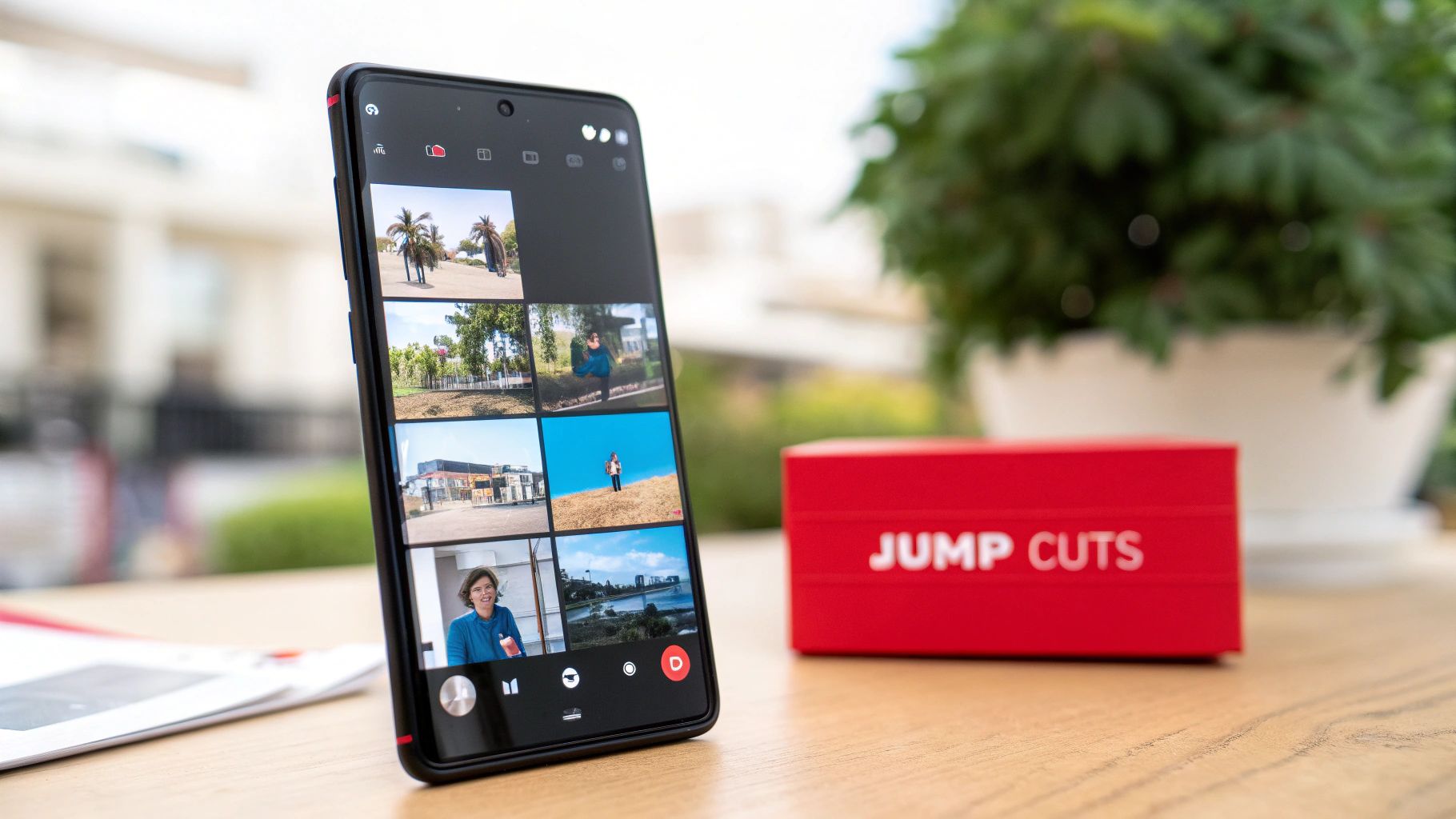
This technique is everywhere on TikTok. You can see it in comedy sketches where a creator rapidly changes characters, in tutorials that condense a long process into a few seconds, and in popular trend videos featuring quick outfit changes. The goal is to make every moment count and maintain momentum, which is crucial for videos aiming to go viral. For an in-depth guide on making your videos stand out, you can explore more on how to create viral content on monetizedprofiles.com.
How to Implement Jump Cuts Effectively
To make your jump cuts seamless and professional, follow these actionable tips:
- Cut on the Beat: Sync your edits with the rhythm of your chosen audio track. Aligning cuts with a drum beat or a major sound transition makes the jump feel intentional and satisfying.
- Use Short Cuts for Smoothness: For dialogue or "talking head" videos, use very short cuts of 1-3 frames to remove breaths or small pauses. This tightens up the delivery without being jarring.
- Vary Your Framing: When filming, slightly change your position or the camera angle between takes. This makes the jump cut look like a deliberate stylistic choice rather than a mistake. For example, switch from a medium shot to a slightly closer shot.
- Practice Your Timing: While jump cuts speed things up, poorly timed edits can disorient the viewer. Watch your video back several times to ensure the pace feels energetic but is still easy to follow.
2. Text Overlays and Captions
Text overlays are on-screen graphics, text, and captions that add context, humor, or crucial information to your videos. This technique serves both functional and creative purposes by enhancing your storytelling, boosting accessibility, and grabbing viewer attention immediately. Mastering text placement is one of the most powerful tiktok video editing tips because it can clarify your message and keep viewers engaged, especially when they are watching with the sound off.

This method is essential for POV (Point of View) videos that require narrative text to set the scene, as well as for educational content that breaks down complex topics into digestible points. You can also see it in "Before & After" transformations where captions label the changes. The primary goal is to make your video understandable and compelling at a glance, which is vital for retaining viewers who scroll quickly. To dive deeper into the tools for this, you can discover more about the best apps for content creation on monetizedprofiles.com.
How to Implement Text Overlays Effectively
To make your text overlays professional and impactful, follow these actionable tips:
- Prioritize Readability: Use bold, sans-serif fonts (like TikTok's default options) that are easy to read on small screens. Ensure your text has a high contrast against the video background by using outlines or solid color backdrops behind the words.
- Keep It Concise: Limit on-screen text to 3-4 words per overlay whenever possible. This makes the information quick and easy to absorb without overwhelming the viewer.
- Time Your Text Perfectly: Make sure your text appears on-screen for at least 2-3 seconds, giving viewers enough time to read it. You can also sync text to appear as you speak certain words for added emphasis.
- Position Text Strategically: Place your text within TikTok's "safe zone" to avoid it being covered by the username, caption, or like and share buttons at the bottom and right side of the screen.
3. Green Screen and Background Effects
The green screen effect, also known as chroma key, is a powerful technique that allows you to replace your video's background with any image or video clip you choose. This opens up a world of creative possibilities, letting you transport your audience to a tropical beach, a bustling city, or even a fantastical world without leaving your room. For creators looking to elevate their storytelling and production value, mastering the green screen is one of the most transformative tiktok video editing tips you can learn.
This effect is a staple in high-production TikTok content. You see it in comedy skits where creators like Bella Poarch interact with animated backgrounds, in educational content where a presenter appears in front of relevant historical sites, and in travel videos that showcase multiple destinations in a single, seamless clip. The goal is to create immersive, visually stunning content that captures attention and sparks imagination, helping your videos stand out in a crowded feed.
How to Implement Green Screen Effects Effectively
To achieve a clean and convincing green screen effect, focus on these practical tips:
- Ensure Even Lighting: The most crucial element for a good chroma key is flat, even lighting on your background. Avoid shadows or bright spots, as these can make it difficult for the software to cleanly remove the background.
- Maintain Distance: Stand at least 2-3 feet away from your green screen. This prevents the green color from reflecting onto your skin or clothes, which can cause parts of your body to disappear along with the background.
- Choose Contrasting Colors: Avoid wearing anything that is a similar color to your background. If you're using a green screen, don't wear green. The same principle applies if you use a blue screen or another solid, contrasting color.
- Move Deliberately: Fast or sudden movements can sometimes cause blurring that confuses the effect. Move a bit slower than you normally would to ensure the software can track your outline accurately and keep the effect stable.
4. Speed Ramping and Slow Motion
Speed ramping is the dynamic manipulation of video speed within a single clip, smoothly transitioning between fast motion, normal speed, and slow motion. This technique adds a cinematic and professional quality, allowing creators to build tension, emphasize key moments, and create dramatic impact. Mastering this skill is one of the more advanced tiktok video editing tips that can elevate a simple clip into a captivating visual story.
This effect is widely used across different TikTok niches. In sports content, an athlete's epic play is often shown in slow motion to highlight their skill. Dance creators use it to accentuate complex moves, while comedy sketches speed up mundane actions for a humorous punchline. The core purpose is to control the video's pacing, directing the viewer's focus precisely where you want it and making the content more engaging.
How to Implement Speed Ramping Effectively
To use speed ramping and slow motion like a pro, follow these actionable tips:
- Sync Speed to Audio: Align your speed changes with the beats, drops, or crescendos in your chosen sound. Slowing down a clip as the music swells or speeding it up during a fast-paced beat creates a powerful, cohesive experience.
- Keep Slow Motion Brief: For maximum impact, limit slow-motion segments to just a few seconds (ideally 2-4 seconds). This prevents the viewer from losing interest and makes the emphasized moment feel more special.
- Emphasize Reactions: Use a quick slow-motion effect to highlight a facial expression or a surprising reaction. This technique is perfect for comedy, challenge videos, or any content where the human element is central.
- Combine Multiple Speeds: Don't just switch between normal and slow. Experiment by ramping from fast (2x) to slow (0.5x) and back to normal within one clip. This variety adds a professional flair and keeps the visuals dynamic.
5. Music Synchronization and Audio Layering
Music synchronization is the art of timing your video clips to the beat, lyrics, or key moments of a trending sound. Audio layering involves adding multiple sound tracks, like voiceovers, sound effects, and ambient noise, to create a richer auditory experience. This combination is one of the most powerful tiktok video editing tips because it leverages the platform's algorithm, which heavily favors videos using popular audio, while making your content more immersive and professional.
This technique is the backbone of almost every successful TikTok video. Think of dance challenges where every move hits a beat perfectly, lip-sync videos that are flawlessly timed to popular audio clips, or comedy skits where a punchline lands exactly on a dramatic sound effect. Mastering audio is non-negotiable for anyone looking to increase discoverability and create content that resonates with viewers. Using trending sounds correctly is crucial, and it's important to understand the rules; you can explore more about copyright considerations on monetizedprofiles.com.
How to Implement Music Synchronization and Audio Layering
To make your audio work for you, follow these actionable tips:
- Cut on the Beat: Use the audio waveform in your editor as a guide. Align your video transitions, cuts, and key actions directly with the major beats or shifts in the music for a satisfying, rhythmic flow.
- Layer for Depth: Don't just rely on the main trending sound. Add a quiet layer of ambient noise (like city sounds or nature) or subtle sound effects to make your video feel more alive and professional.
- Prioritize Trending Sounds: Regularly check TikTok's "For You" page and the sound library for "This Week's Top Sounds." Using a sound while it's climbing the charts gives your video a significant boost in visibility.
- Balance Your Audio Levels: When layering, ensure your primary audio (like a voiceover) is clear and loud enough, while background music and effects are at a lower volume. Test the final mix with headphones before posting to catch any issues.
6. Color Grading and Filters
Color grading is the process of altering and enhancing the color of a video to create a specific mood or aesthetic. By adjusting hues, saturation, and brightness, you can transform a standard clip into something visually striking and emotionally resonant. Applying filters and thoughtful color correction is one of the most effective tiktok video editing tips for establishing a unique brand identity and making your content look more professional and polished.
This technique is a staple for aesthetic lifestyle creators who maintain a consistent visual theme across their profiles, from moody, cinematic tones to bright, airy pastels. You'll also see it used by beauty influencers to create warm, flattering lighting that enhances their makeup tutorials. The goal is to develop a signature look that makes your videos instantly recognizable to your audience as they scroll through their For You Page.
How to Implement Color Grading Effectively
To make your color grading and filter choices elevate your content, follow these actionable tips:
- Establish a Signature Look: Choose one or two key filters or color presets that align with your brand's personality. Using them consistently helps build a cohesive and recognizable feed.
- Subtlety is Key: Avoid overly strong filters that wash out details or create an unnatural look. A good practice is to lower the intensity of any applied filter to around 20-30% for a more refined enhancement.
- Adapt to Lighting: A filter that looks great in bright sunlight may not work well for an indoor video filmed at night. Always adjust your color settings based on the original clip's lighting conditions to maintain quality.
- Save Custom Presets: If you are using an external editor like CapCut or VN, create and save your own custom color grading settings. This saves significant time and ensures perfect consistency for every video you produce.
7. Staggered Transitions and Creative Cuts
While jump cuts offer speed, staggered transitions and creative cuts add a layer of professional polish and visual storytelling to your content. These techniques involve using more dynamic edits like match cuts, whip pans, zoom transitions, and spin effects to create a seamless flow between different clips. For creators looking to elevate their production quality, mastering these advanced cuts is one of the most impactful tiktok video editing tips for crafting videos that look sophisticated and captivate viewers.
This style of editing is popular among fashion creators transitioning between outfits, travel vloggers showing a change in location, and tutorial channels demonstrating a step-by-step process. The goal is to make the edit itself a part of the entertainment, creating a smooth and visually interesting connection that keeps the audience hooked and impressed with the creator's skill. These transitions transform simple clips into a cohesive and mesmerizing visual narrative.
How to Implement Creative Cuts Effectively
To integrate these advanced transitions smoothly into your videos, follow these actionable tips:
- Plan Shots in Pairs: To achieve a perfect match cut, you need to plan ahead. Film the end of one clip and the beginning of the next with the transition in mind, ensuring objects, movements, or shapes align.
- Match Timing to the Audio Beat: Sync your transitions with a strong beat or sound effect in your audio. A whip pan or zoom that lands perfectly on a beat feels intentional and incredibly satisfying to the viewer.
- Use Consistent Styles: While it's fun to experiment, using a consistent transition style throughout a single video creates a more cohesive and professional look. Avoid mixing too many different effects, as it can be jarring.
- Practice with Basic Transitions First: Before attempting complex match cuts, master simpler moves like a hand covering the lens to transition between scenes. This helps you understand the timing and flow needed for more advanced edits.
8. Visual Effects and Stickers
Visual effects and stickers are native TikTok features that allow you to add a layer of creativity and personality to your content. These elements range from animated stickers and augmented reality (AR) filters to interactive visual elements that can transform your video's entire look and feel. Tapping into TikTok's extensive effects library is one of the most accessible tiktok video editing tips because it requires no external software and can instantly make your video more dynamic and engaging.
These effects are a core part of the TikTok experience and are frequently central to viral trends. You can see them in comedy sketches that use exaggerated face filters for humorous effect, beauty tutorials showcasing makeup with AR filters, and challenge videos that are built entirely around a specific visual effect. The goal is to enhance your narrative, add visual flair, and encourage viewer interaction, all of which contribute to better performance on the For You Page.
How to Implement Visual Effects and Stickers Effectively
To make your use of effects and stickers impactful without being distracting, follow these actionable tips:
- Enhance, Don't Overwhelm: Use effects to complement your content, not overshadow it. A subtle filter or a well-placed sticker can add personality, but layering too many can make your video look cluttered and unprofessional. Stick to one or two key effects per video.
- Explore New Effects: Periodically check the "Effects" tab for new and trending filters. Using an effect before it becomes oversaturated can help your content stand out and even position you as a trendsetter.
- Maintain Brand Consistency: If you are creating a video series or building a brand, choose a few effects that align with your aesthetic and use them consistently. This creates a recognizable style that helps your audience identify your content instantly.
- Test for Quality: Before publishing, always test how an effect looks on your specific device and in different lighting conditions. Some AR filters can look glitchy or low-quality on certain phone models, which can detract from your video's professionalism.
8-Point Comparison of TikTok Video Editing Tips
| Technique | Implementation Complexity 🔄 | Resource Requirements ⚡ | Expected Outcomes 📊⭐ | Ideal Use Cases 💡 | Key Advantages ⭐ |
|---|---|---|---|---|---|
| Jump Cuts and Quick Transitions | Low–Medium; basic cutting + timing practice | Low; smartphone/editor and audio sync | High engagement & retention — ⭐⭐⭐⭐ | Short tutorials, comedy, trend edits | Fast to produce; maintains pace and attention |
| Text Overlays and Captions | Low; native tools, careful timing needed | Low; fonts, timing, contrast choices | Better accessibility & clarity — ⭐⭐⭐⭐ | POV, educational, silent-viewer audiences | Improves comprehension and shareability |
| Green Screen and Background Effects | Medium; requires setup and testing | Medium; backdrop + good lighting, testing | High creative flexibility & polish — ⭐⭐⭐⭐ | Travel illusions, storytelling, skits | Enables varied settings without travel |
| Speed Ramping and Slow Motion | Medium; needs timing and frame-rate awareness | Medium; higher-frame capture ideal for smooth slow-mo | Dramatic emphasis & cinematic feel — ⭐⭐⭐⭐ | Sports highlights, reactions, dance | Emphasizes key moments; cinematic polish |
| Music Synchronization and Audio Layering | Low–Medium; beat-matching skills useful | Low; in-app sound library (check licensing) | Boosts discoverability & rhythm — ⭐⭐⭐⭐ | Dance, lip-sync, trend participation | Algorithm-friendly; enhances flow and timing |
| Color Grading and Filters | Low–Medium; presets easy, manual grading deeper | Low; presets/edits; monitor skin tones | Improved aesthetics & brand consistency — ⭐⭐⭐ | Beauty, lifestyle, vlogs | Creates cohesive visual identity; hides minor flaws |
| Staggered Transitions and Creative Cuts | High; requires planned shooting and precision | Medium; creative shots + editing time | Polished flow and high retention — ⭐⭐⭐⭐ | Fashion transitions, tutorials, travel vlogs | Produces professional, seamless scene changes |
| Visual Effects and Stickers | Low; apply in-app effects, minimal technical skill | Low; built-in AR/stickers (device-dependent) | Increased short-term engagement — ⭐⭐⭐ | Challenges, comedy, personality-driven clips | Adds personality quickly; high viral potential |
Start Editing Smarter, Not Harder
You've just navigated a comprehensive toolkit of powerful TikTok video editing tips, each one designed to elevate your content from average to unforgettable. We've explored everything from the rapid-fire energy of jump cuts and the visual storytelling power of text overlays to the immersive worlds created by the green screen effect. These aren't just flashy tricks; they are the fundamental language of TikTok's fast-paced, algorithm-driven environment.
Mastering these techniques means moving beyond simply following trends. It’s about understanding the why behind them. Why does a perfectly timed speed ramp create such a dramatic impact? How does layering audio and synchronizing cuts to the beat of a trending sound hold a viewer's attention just a little bit longer? The answer lies in intentionality. Every cut, transition, and color grade is an opportunity to strengthen your narrative, clarify your message, and keep your audience hooked from the first second to the last.
Your Path to Editing Mastery
The journey to becoming a proficient TikTok editor is one of practice and experimentation. Don't be afraid to combine the techniques we've discussed. For instance, you can use staggered transitions to reveal text overlays or apply a subtle color grade to enhance a green screen background. The most successful creators are those who develop a signature style by blending these core principles into a unique and recognizable format.
Think of each video as a new experiment. Here are your actionable next steps:
- Pick one new technique from this list for your next three videos. Focus on mastering it before adding another.
- Analyze viral videos in your niche. Deconstruct what they do well. Are they using quick cuts, clever audio layering, or engaging captions?
- Create a simple workflow. Save your favorite filters, text styles, and sounds to streamline your process and maintain brand consistency.
The value of mastering these TikTok video editing tips extends far beyond just making pretty videos. It’s about creating content that performs. A well-edited video signals quality and authority, which builds trust with your audience and pleases the algorithm. For a real-world example of how strategic TikTok presence, supported by compelling video content, can lead to massive listener growth, explore the story of Plaid Brixx's Viral TikTok Success and see how these principles translate into tangible results.
Ultimately, your goal is to make your editing so seamless that the viewer doesn't notice the cuts, only the story. By applying these strategies, you are not just editing videos; you are crafting experiences that capture attention, drive engagement, and build a loyal community around your brand or creative vision. Now, go create something amazing.
Ready to apply these advanced editing skills but need a head start on your audience? Skip the initial grind and start creating for an established community with a fully monetized account from MonetizedProfiles. Get your MonetizedProfiles account today and focus your energy on what you do best: creating incredible content.


