


If your TikTok growth feels chaotic and unpredictable, I can tell you right now the problem probably isn't your content—it's the lack of a system. The single most effective tool I've seen for getting real traction is a TikTok content calendar template. It’s what turns random posting into a reliable, high-impact channel.
Why a Content Calendar Is Your Secret TikTok Weapon
A lot of creators write off content calendars as just a fancy to-do list for their videos. On a platform as fast-paced as TikTok, it’s so much more than that. Think of it as your strategic blueprint. It’s how you signal to the algorithm that you’re a serious, consistent creator who deserves to be pushed out to more people. The algorithm loves regularity, and frankly, planning is the only way to deliver it without burning out.
When you’re flying blind without a plan, you're always just chasing the next idea. This is what I call the "reactive creator" state, and it’s a direct path to burnout and inconsistent posting—the two biggest momentum killers on TikTok. A calendar immediately shifts you from being reactive to proactive.
From Random Acts of Content to Strategic Growth
Having a solid plan means you can jump on trends before they peak instead of always feeling like you're a step behind. It also lets you map out a balanced mix of content, where every video has a specific job to do.
- Educational Videos: This is how you build authority and become the go-to person in your niche.
- Entertaining/Trend-Based Videos: These are your reach-drivers, perfect for grabbing new followers with viral-ready content.
- Community-Building Content: You need to nurture the audience you have. Q&As, comment replies, and behind-the-scenes stuff build incredible loyalty.
- Promotional Posts: Weave in content that actually supports your brand or monetization goals, but do it strategically, not randomly.
This kind of intentional mix ensures every video has a purpose. You’re not just filling a slot for the day; you’re building a narrative for your account, with each post taking you one step closer to your big-picture goals.
Let's break down how this seemingly simple tool directly fuels your growth.
How a TikTok Calendar Directly Impacts Growth
A quick look at the core benefits of using a content calendar and the real-world results you can expect.
| Benefit | Impact on Your TikTok Account |
|---|---|
| Algorithmic Favor | Consistent posting signals reliability to the TikTok algorithm, which then rewards your account with increased visibility and reach. |
| Audience Trust | Your followers learn when to expect new content, which builds anticipation and turns casual viewers into a loyal community. |
| Burnout Prevention | By planning and batching content, you eliminate the daily pressure of "what do I post today?" and preserve your creative energy. |
| Strategic Content Mix | You can ensure you're hitting all your content pillars (e.g., educational, entertaining, promotional), leading to more balanced and sustainable growth. |
Simply put, a calendar gives you control over your content and your growth trajectory.
Consistency The Algorithm Can’t Ignore
The impact of a consistent schedule isn't just a theory; it's backed by data. TikTok’s algorithm is built to favor accounts that post regularly, especially during peak audience activity. Accounts that post a steady 3-5 times per week consistently outperform those with sporadic schedules. In fact, maintaining this kind of rhythm can boost your engagement rates by up to 32% compared to posting randomly.
A content calendar isn't just about what you post; it's about building a predictable and reliable presence that both the algorithm and your audience learn to trust.
At the end of the day, your TikTok content calendar is a cornerstone of a comprehensive video content marketing strategy. It’s what transforms your profile from a collection of one-off videos into a cohesive channel that builds a real community, keeps you sane, and delivers tangible, predictable results.
Your Free TikTok Content Calendar Template
Alright, let's get you organized. Enough talk, it's time to put a system in place. Below, you’ll find the links to download the exact TikTok content calendar template I use, in both Google Sheets and Excel formats. This isn't just some random file; it's a battle-tested framework for turning a chaotic mess of ideas into a smooth, efficient content machine.
I'm going to walk you through exactly how to use it so it becomes the command center for your entire TikTok strategy.
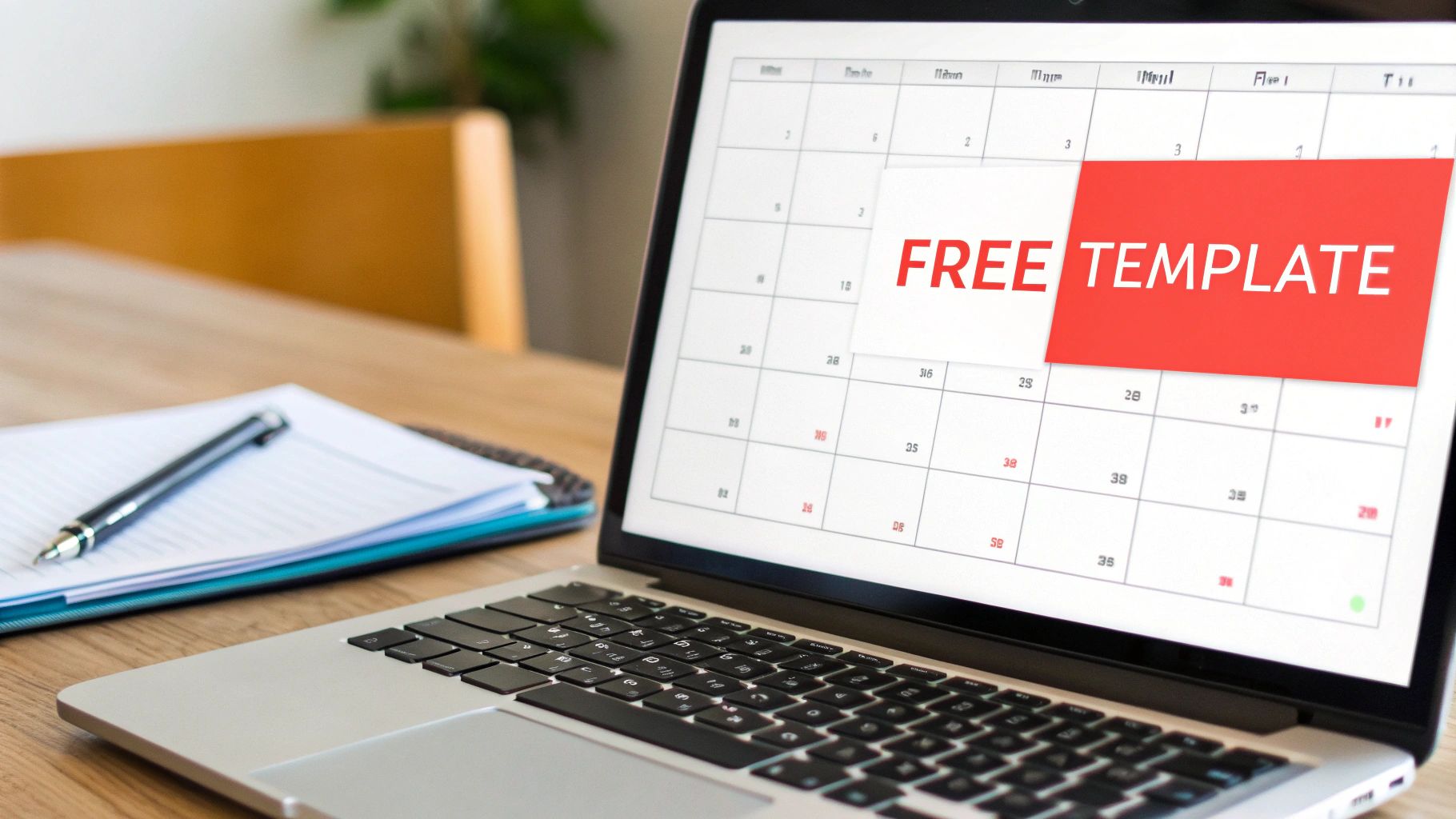
Think of this template as your single source of truth for everything you post. It's built for clarity and function, helping you plan, create, and analyze your content without the usual overwhelm.
Decoding the Columns in Your New Template
I know, at first glance, it just looks like a spreadsheet. But trust me, every single column has a specific, critical job. Getting to know these fields is the first step to unlocking the calendar's real power. Let's break down what's inside.
Core Planning Fields
These first few columns are all about getting your ideas out of your head and into a concrete plan.
- Post Date: Simple enough—this is when your video goes live. It gives you a bird's-eye view of your posting schedule and helps you spot any gaps.
- Content Pillar: This is your "why." Every video should tie back to a core topic (like Educational, Behind-the-Scenes, or Product Demo). This ensures your feed stays balanced and on-brand.
- Video Idea/Concept: Be specific here. Instead of a vague note like "new trend," write something actionable like, "Using the 'XYZ' trend to show a 'before and after' of our service."
Production & Asset Fields
This is where you manage the nitty-gritty of getting stuff made.
- Status: I've included a simple dropdown menu here (Idea, Scripted, Filmed, Editing, Ready to Post, Published) to track each video's progress. This is an absolute lifesaver when you're batching content.
- Trend/Audio Link: Ever lose a viral sound you wanted to use? Never again. Paste the direct TikTok link here so it's ready when you are.
- Video Script/Notes: This is your space for talking points, shot ideas, or the on-screen text you want to include. It prevents that "what was I going to say?" moment during filming.
From Posting to Performance Tracking
A good content calendar doesn't just stop at planning. It's also a tool for learning and improving. The second half of the template is all about what happens after you post, helping you connect your work to real results.
Publication Details
- Caption: Draft your captions here ahead of time. It’s so much less stressful than trying to write something clever on the fly right before you hit "Post."
- Hashtag Set: I like to group my hashtags into strategic sets—think "Broad Niche," "Specific Topic," and "Trending." Planning them out ensures you're not just throwing random tags at the wall and hoping something sticks.
Your content calendar should be a living document. The data you add after a video is published is just as important as the ideas you put in before filming. It's how you stop guessing and start making data-driven decisions.
Performance Metrics (Fill in 24-72 hours after posting)
- Views: The baseline metric for reach.
- Likes, Comments, Shares, Saves: These are your engagement signals. Pay close attention to Saves—a high number usually means you created something genuinely valuable.
- Watch Time: This is a huge one for the algorithm. Note the average watch time to see how well your videos are holding people's attention.
This is the part that separates the pros from the amateurs. By checking these numbers every week, you'll start seeing clear patterns in what your audience loves, so you can stop guessing and double down on what works. If you're looking for more ways to stay organized across all platforms, check out these top social media content calendar template ideas.
Making the Template Your Own
Look, this template is a powerful starting point, not a rigid set of rules you have to follow. The best system is the one you’ll actually use day in and day out, so please, customize it!
For example, a faceless creator might add a column for "B-Roll Footage Source" to keep track of their stock clips. A marketing team juggling multiple accounts might add a column for "Client Approval Status." The whole point is to build a tool that makes your life easier and removes friction from your workflow.
Filling Your Calendar with Winning Content Ideas
Staring at a blank content calendar can feel even more daunting than a blank page. You’ve got the structure, but now what? The pressure to come up with a constant flow of great video ideas is intense, but it doesn't have to be a guessing game. The secret is shifting from chasing random inspiration to building a system around your core content pillars.
Content pillars are simply the main topics you want to be known for. Think of them as the foundational categories of your entire TikTok channel. If you're a personal finance creator, your pillars might be Budgeting Tips, Investing Basics, and Debt Payoff Stories. For a vintage clothing shop, they could be Thrift Hauls, Styling Videos, and Era Spotlights.
These pillars become your creative guardrails. When you feel stuck, you stop asking, "What TikTok should I make today?" and start asking, "What's a valuable video I can create for my 'Budgeting Tips' pillar?" This tiny shift in perspective makes brainstorming so much easier and keeps your feed feeling cohesive and intentional.
Establishing Your Core Content Pillars
Figuring out your pillars is easily the most critical part of this whole process. You don't need a dozen; most successful accounts get by with just three to five core pillars. To find yours, think about where your knowledge, your audience's needs, and your business goals overlap.
A great way to start is by asking yourself a few simple questions:
- What am I an expert in? What topics can you talk about with genuine authority and confidence?
- What problems does my audience have? What are the questions they’re always asking that you’re uniquely positioned to answer?
- What are my monetization goals? If you're selling something, at least one pillar should naturally guide people toward it without feeling like a hard sell.
Once you’ve locked in your pillars, you can start dropping ideas for each one into your tiktok content calendar template. This simple act ensures you’re creating a well-rounded mix of content—some videos to educate, some to entertain, and others to build a real community.
Practical Research Tactics for Endless Ideas
With your pillars defined, finding specific video ideas is no longer a desperate hunt. It’s a targeted research mission. Your "For You" Page (FYP) and TikTok's own search bar are absolute goldmines if you know how to use them strategically.
Strategic FYP Analysis
Stop scrolling and start analyzing. When you see a video in your niche that’s performing really well, break it down. What was the hook in the first three seconds? What sound did they use? How were the text overlays formatted? What was the call to action? Jot down a note in your calendar to create your own take on that format, but through the lens of your expertise. This isn't about copying—it's about learning what works and applying those principles to your own ideas.
Using TikTok Search Intelligently
That search bar is for more than just finding people. Start typing a keyword related to one of your pillars and pay close attention to the autofill suggestions. Those are the exact phrases real people are searching for. For instance, a real estate agent typing "first-time homebuyer" might see suggestions like "first-time homebuyer mistakes" or "first-time homebuyer grants." Boom. Each one is a proven, in-demand video topic you can add straight to your calendar.
The best TikTok ideas are rarely revolutionary. They’re often simple, direct answers to the questions your target audience is already asking. Your job is to find those questions and answer them clearly.
Planning a Balanced Content Mix
A great TikTok feed has variety. You can't just post educational tutorials every single day, and you can't rely only on jumping on the latest trend. Your calendar is the tool you use to strategically plan this mix to keep your audience hooked and your growth on track.
Experience shows that a sustainable posting schedule is often between 3 to 5 high-quality videos per week. The time commitment can vary wildly—a quick trending video might take an hour, while a detailed tutorial could take 6-8 hours from start to finish. Planning this out in your calendar helps you manage your time effectively. For more on this, Socially In has a great breakdown on TikTok posting frequency.
So, what does a balanced week look like?
- Monday: An educational video from Pillar 1 (e.g., "3 Mistakes to Avoid When Investing").
- Wednesday: A trend-based video that ties into Pillar 2 (e.g., using a viral audio to show a "day in the life").
- Friday: A community-building video, like a Q&A or a video replying to a popular comment.
This approach ensures you’re building authority, getting seen, and connecting with your followers all at once. And if you’re still feeling short on ideas, our guide on TikTok ideas to go viral is packed with more inspiration.
A Real-World Example for a Service-Based Business
Let's make this concrete. Picture a freelance graphic designer who wants to use TikTok to attract new clients.
Her content pillars could be:
- Canva Design Hacks (Value & Education)
- Behind-the-Scenes Client Work (Builds Trust & Authority)
- Freelancer Lifestyle & Tips (Builds Community)
Here’s how she could map out one week in her TikTok content calendar template:
| Day | Pillar | Video Idea | Hook (First 3 Secs) |
|---|---|---|---|
| Mon | Canva Design Hacks | How to create a curved text effect in Canva | "Stop doing your curved text like this..." |
| Tue | Freelancer Lifestyle | POV video of a typical client discovery call | "What a $5k branding project call actually sounds like." |
| Wed | Behind-the-Scenes | Timelapse of designing a logo from sketch to final | "Watch me create a logo for a real client." |
| Thu | Canva Design Hacks | 3 hidden Canva features you aren't using | "I bet you didn't know about Canva's new layers panel." |
| Fri | Freelancer Lifestyle | Answering a common comment "How do you find clients?" | "You asked, I'm answering: here are my 3 client sources." |
This schedule is perfectly balanced. She’s providing huge value (Canva tips), building trust by showing her process (client work), and creating a real connection with other freelancers (lifestyle tips). Every single video serves a clear purpose, and it all came together because she planned it strategically in her calendar.
How to Batch and Schedule Your TikToks Efficiently
Having a tiktok content calendar template full of ideas is a fantastic start, but execution is what really separates the pros from the amateurs. The secret isn't about working harder; it's about working smarter. This means you need to stop the daily scramble to film and edit and start content batching for a much more efficient and stress-free workflow.
Content batching is a beautifully simple concept. You just group similar tasks together and knock them out in dedicated time blocks. So, instead of trying to brainstorm, film, edit, and write a caption for a single TikTok every single day, you set aside specific days or hours for each part of the process—but for a bunch of videos at once. This focus sharpens your creativity and slashes wasted time.
This three-step process shows how it all comes together, moving from your big-picture strategy to the nitty-gritty of planning.
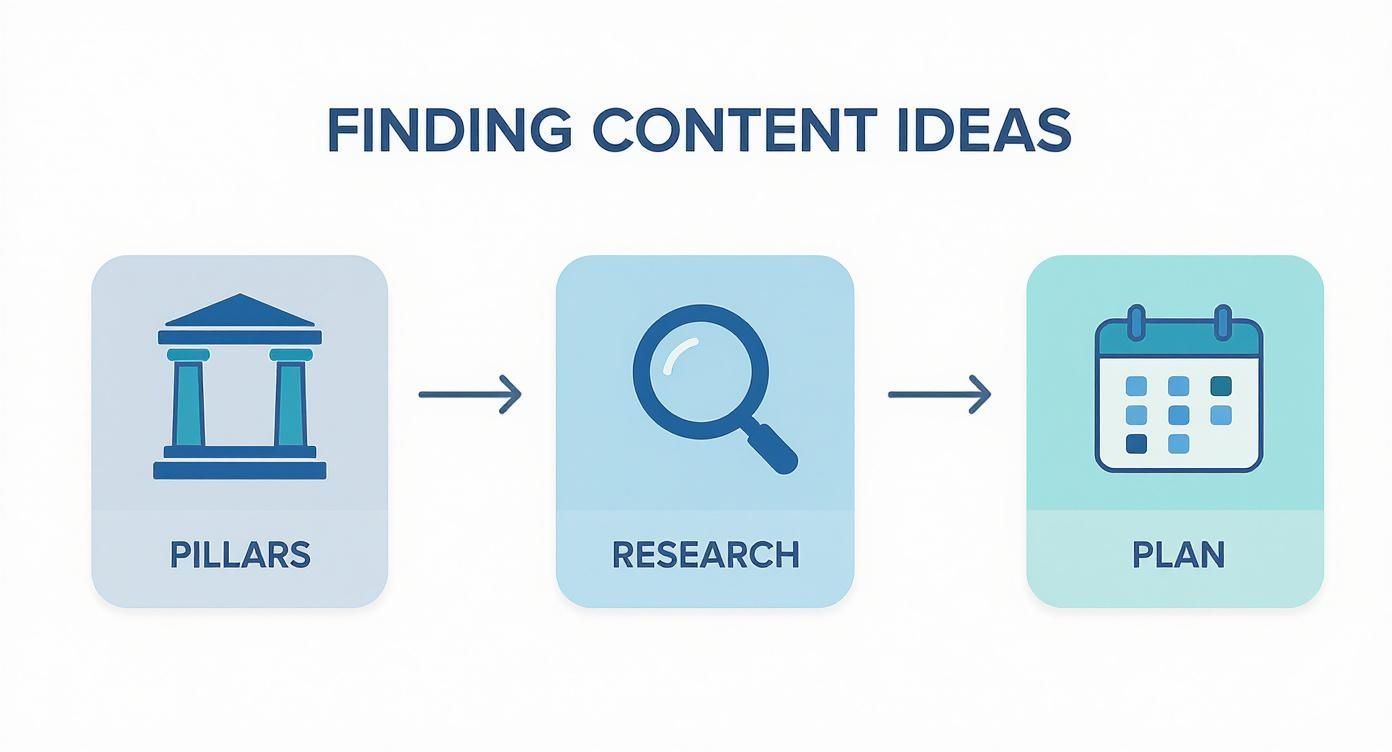
You can see how your main content pillars inform your research, which then directly fills up your calendar. It's a seamless flow from idea to published video.
Building Your Batching Workflow
Think of your calendar as your production blueprint. For someone who wants to post four times a week, a typical batching schedule might look something like this:
- Sunday Afternoon (1-2 hours): Idea & Scripting. This is your creative time. Dive into your content pillars, see what's trending, and fill out the "Video Idea" and "Script/Notes" columns for the entire week.
- Tuesday Morning (2-3 hours): Filming. All the thinking is done. Now you just have to execute. Set up your lights and camera once, then film all four videos back-to-back.
- Thursday Evening (2-3 hours): Editing & Finalizing. Time to polish. Edit all the raw footage, drop in your text overlays, and get everything looking sharp. While you're at it, write all your captions and pick your hashtag sets right there in the calendar.
By the time you wrap up on Thursday, you've got a full week of killer content ready to roll. The daily pressure is gone. This frees up so much mental energy to actually engage with your community and think about what's next.
Finding Your Golden Posting Window
Okay, your content is batched and ready. The next piece of the puzzle is scheduling it for maximum impact. Forget the generic advice like "post at 6 PM." Your audience is unique, which means your best posting times will be, too. The only real way to know is to check your own data.
Here's how. Head to your TikTok profile, tap the three lines in the top-right corner, and go to Creator Tools > Analytics. In the "Followers" tab, scroll down until you see the "Follower activity" chart. This is a goldmine—it shows you the exact days and hours your audience is most active on the app.
Your TikTok Analytics aren't just interesting numbers; they are direct instructions from your audience on when they are most likely to see and engage with your content. Ignore them at your own peril.
Look for the peaks in activity. If the chart shows huge spikes around 8 PM on Wednesdays and Sundays, those are your golden windows. Jot these times down in your content calendar and schedule your best videos to go live then.
Choosing Your Scheduling Tool
Once you know when to post, you need to decide how. You've got two main options here, each with its own set of pros and cons.
TikTok's Native Scheduler
This is the free, no-fuss option built right into the desktop version of TikTok. It's perfect if you just want a simple way to upload a finished video and set it to go live later. It’s reliable and gets the job done without any distractions.
Third-Party Scheduling Tools
Platforms like Planable, Later, or Buffer offer a lot more firepower. These tools are fantastic for social media managers or anyone juggling multiple accounts. They often come with features like:
- A visual grid to see all your scheduled posts across platforms.
- The ability to schedule content for Instagram, Facebook, and TikTok from one place.
- Deeper analytics that give you more insight than TikTok’s native tools.
For most creators who are all-in on TikTok, the native scheduler is honestly more than enough. But if you’re managing a brand across multiple channels or working with a team, a third-party tool can be a very smart investment. To really get into the weeds, our complete guide on how to schedule posts on TikTok breaks down every single option.
Your TikTok content calendar template isn't just a to-do list you check off. Think of it as a living document, a goldmine of data that tells you exactly what to do next. This is where you connect the dots in your content strategy. Instead of just celebrating a video that pops off, you’ll learn why it worked, so you can make it happen again and again.
This feedback loop is what separates the creators who build real momentum from those who just get lucky with a random viral video. When you track performance right there in your calendar, you stop guessing what your audience wants and start making smart decisions based on what they actually do. It creates a powerful cycle of making better content every single week.
https://www.youtube.com/embed/JMyRpoAOcAQ
Translating Metrics Into Actionable Insights
Okay, so filling in the performance columns in your calendar is easy. The real magic happens when you turn those raw numbers into a clear game plan for your next batch of videos. Let’s cut through the noise and look at the metrics that actually matter.
It's easy to get lost in the sheer scale of the platform. As of January 2025, TikTok has over one billion active users scrolling through more than one billion video views every single day. The average user session is nearly six minutes, which is a ton of attention up for grabs. If you're curious about the numbers behind the platform, you can explore the latest TikTok usage data for more context.
So, how do you make sense of your own small slice of that massive pie?
The Weekly Content Review
Block out 30 minutes in your schedule every single week for a content review. Seriously, put it on your calendar. This simple habit is non-negotiable if you’re serious about growth. During this time, you’re not just glancing at numbers; you’re hunting for patterns.
Here's what I recommend focusing on:
- Views: This is your basic reach. Which videos did the algorithm decide to push out? Take a hard look at the hooks, topics, and editing styles of your top-viewed content.
- Watch Time: This is a huge one. If a video gets tons of views but has a terrible average watch time, it means your hook was great, but the rest of the video didn't deliver. Pinpoint where people are dropping off and ask why.
- Shares & Saves: These are your golden metrics. Shares mean your content was compelling enough for someone to send to a friend. Saves mean it was so valuable they wanted to bookmark it for later. A video with high saves is a direct command from your audience: "Make more of this!"
- Comments: This is where you see your community forming. What posts sparked the most conversation? The comments section is also an incredible source of inspiration for your next round of video ideas.
Documenting these insights right in your calendar builds an invaluable record of what truly connects with your audience. For a more advanced look at this process, our guide on how to conduct a content performance analysis takes an even deeper dive.
TikTok Metrics That Actually Matter
Learn what to track in your calendar and how each metric should influence your future content decisions.
| Metric | What It Really Tells You | How to Act On It |
|---|---|---|
| Average Watch Time | The hook worked, but did the rest of the video keep their attention? This shows content quality. | If it's low, re-work the middle of your videos. If it's high, analyze that video's structure and repeat it. |
| Video Completions | How many people watched your entire video. This is a strong signal to the algorithm. | For videos with high completion rates, identify what kept people hooked until the end. Was it storytelling? A fast pace? |
| Shares | Your content was so good, someone vouched for it by sending it to another person. This signals high value and relatability. | Double down on the topics, formats, or humor that get the most shares. This is how you reach new audiences. |
| Saves | Your content was useful, inspiring, or educational enough for someone to want to come back to it. | High-save content is a goldmine. Turn that topic into a series or create more in-depth content around it. |
| Profile Visits | Your video was compelling enough to make someone curious about who you are. | Look at which videos drive the most profile visits. These are your "brand-building" videos. Make more like them. |
Tracking these specific metrics moves you from simply making content to strategically building an audience.
Asking the Right Questions
During your weekly review, use your calendar data to answer questions that will directly shape your content for the following week.
Your data tells a story about what your audience truly wants. Your job is to listen to that story and use it to write the next chapter of your content strategy.
Don't just look at the numbers and move on. Ask yourself pointed questions like:
- Which of my content pillars drove the most saves this week?
- Did my videos under 15 seconds get more shares than my longer, in-depth ones?
- Was there a specific trending sound that led to a spike in views?
- Which type of video hook resulted in the highest average watch time?
The answers are your roadmap. If quick, snappy tip videos are getting tons of saves, that’s your cue to schedule more of them. If a behind-the-scenes post got people talking, plan another one. This data-driven rhythm, powered by your simple calendar, is the secret to building sustainable, long-term growth on TikTok.
Common Questions About TikTok Content Calendars
Even with a great tiktok content calendar template, you're going to have questions once you start using it. TikTok is always changing, so what crushes it one week might need a little adjustment the next. Let's walk through some of the most common snags creators hit so you can keep moving forward.
Probably the biggest question I get is about how often to post. How much is too much? And how little is too little? You might hear TikTok suggest posting up to four times a day, but let's be real—that’s just not happening for most of us.
For most creators and brands, the sweet spot is posting three to five high-quality videos per week. That’s enough to stay on the algorithm’s good side and keep your audience hooked, but not so much that you burn out. Always, always choose quality over quantity. One killer video is worth way more than three rushed ones.
How Quickly Should I Jump on a New Trend?
Ah, the classic debate: stick to the plan or chase a viral sound? Your calendar is there to give you structure, not to put your creativity in a box. The best strategy is a mix of both. Map out your core, evergreen content in your calendar, but always leave a little wiggle room for what's happening right now.
Think of your calendar as your foundation and trends as opportunities. A strong foundation lets you safely build on top of it without everything collapsing.
When a trend blows up that's a perfect match for your niche, don't hesitate to rearrange things. Hit pause on a planned video and get that trend filmed and published within 24-48 hours. With trends, speed is everything. This flexibility lets you tap into the energy of a viral moment, while your calendar ensures you're never left scrambling for content when the trend dies down.
What If a Video Underperforms?
It happens to everyone. You’ll spend hours on a video you're sure is gold, only for it to get barely any views. Don't panic, and definitely don't delete it. An underperforming video isn't a failure; it's a piece of data.
First, give it at least 72 hours before you make a call. I’ve seen videos take off days after I posted them. If it's still quiet after that, it's time to dig into the analytics you're tracking in your calendar.
- Was the hook weak? If your watch time is in the gutter, people probably swiped away in the first couple of seconds.
- Was the topic too specific? Maybe you got a lot of saves but not many views. That means a small, passionate part of your audience loved it, but it was too niche to hit the For You Page.
- Did you post at a bad time? Check the post time against your other videos. Does it line up with when your best content went live?
Every "flop" is a lesson. It tells you what your audience doesn't want to see, which is just as important as knowing what they love.
Ready to stop guessing and start growing with a system that works? MonetizedProfiles provides monetization-approved TikTok accounts that give you an immediate advantage. Skip the initial grind and start earning from your content on day one by visiting https://monetizedprofiles.com.


