


So, you want to make money on YouTube? The first big step is getting into the YouTube Partner Program (YPP). It’s the official gateway to unlocking monetization features on your channel.
Think of it this way: YouTube wants to reward creators who are serious about building an audience. To prove you're one of them, you need to hit some key milestones.
Your Path to YouTube Monetization
Turning your passion into a paycheck on YouTube is totally possible, but it doesn't happen overnight. It all starts with meeting the platform's requirements to join the YPP.
The Core YPP Milestones
There are two main paths you can take to qualify, depending on what kind of content you create.
The classic route is through traditional, long-form videos. For this, you'll need:
- At least 1,000 subscribers
- 4,000 hours of public watch time within the last 12 months
That watch time number is a big deal. It tells YouTube that people aren't just clicking on your videos—they're sticking around to watch them, which is a powerful signal of quality.
But what if you're all about short-form content? YouTube has a path for you, too. You can also qualify if you have:
- At least 1,000 subscribers
- 10 million valid public Shorts views in the last 90 days
This is great news for creators who have found their groove with quick, engaging Shorts. It's a direct acknowledgment of how important that format has become.
To make this easier to digest, here’s a quick summary of what you need to aim for.
YouTube Partner Program Eligibility at a Glance
| Requirement | Threshold for Long-Form Videos | Threshold for YouTube Shorts |
|---|---|---|
| Subscribers | 1,000 | 1,000 |
| Watch Time / Views | 4,000 public watch hours (in the last 12 months) | 10 million public views (in the last 90 days) |
As you can see, hitting that 1,000-subscriber mark is non-negotiable, no matter which path you take.
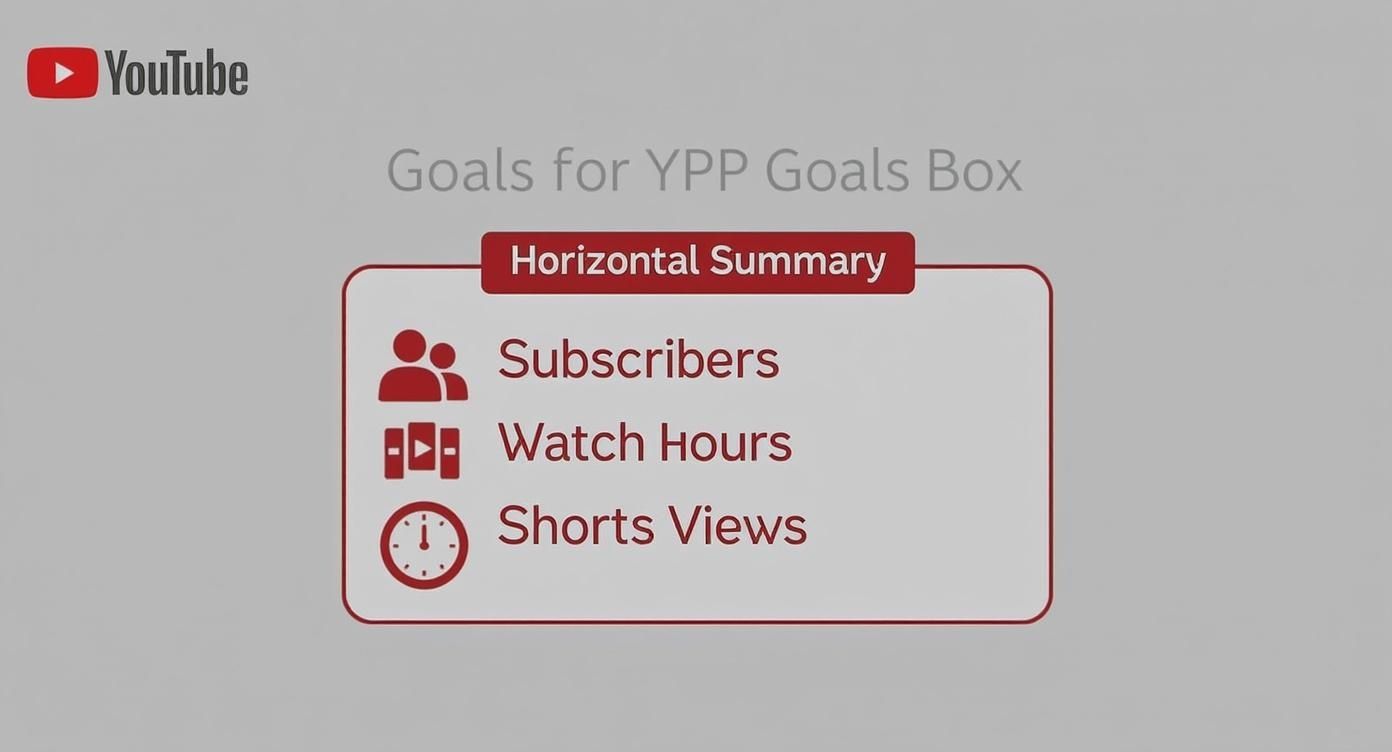
This infographic breaks it down visually, showing the two main roads to monetization.
It's Not Just About the Numbers
Hitting these milestones is a huge accomplishment, but it's only half the battle. Your channel also has to play by the rules. This means following YouTube's Community Guidelines and making sure your videos meet the Advertiser-Friendly Content Guidelines.
Before you hit that "apply" button, do a quick audit of your channel. Are there any old videos that might cause a problem? Any copyright claims you need to address? It’s better to clean things up beforehand.
One pro tip: making your content more accessible can really help you grow faster. Using a service to convert YouTube to text for captions and descriptions can boost your SEO and help you reach a wider audience, getting you to those monetization goals that much quicker.
Key Takeaway: Getting into the YPP is a marathon, not a sprint. Focus on making great content for a specific audience, and the numbers will come. Once you're in and your AdSense account is linked, you can finally start earning from your hard work.
Qualifying for the YouTube Partner Program
Getting enough subscribers and watch hours is the first major milestone, but it's really just the ticket to the main event: applying for the YouTube Partner Program (YPP). This is where the real work of monetizing your videos begins. It's not just about hitting numbers; YouTube is about to take a deep-dive look into your channel's entire history and personality.
Think of it like a job interview for your channel. Behind the scenes, real human reviewers are sizing you up to see if your content is a good fit for their advertisers. They won't just glance at your latest upload. They'll scrutinize your main theme, your most popular videos, and even your metadata—like descriptions and thumbnails—to make sure everything is in line with their policies.
This is why a thorough channel audit before you apply isn't just a good idea; it's essential.
Conduct a Pre-Application Channel Audit
I've seen so many creators get swept up in the excitement of hitting the thresholds, only to rush their application and get rejected. You can avoid that pain by taking a moment to look at your channel from the perspective of a YouTube reviewer.
Be honest and ask yourself a few tough questions:
- What's my channel's main theme? Is it clear and consistent, or all over the place?
- Do my most-viewed videos represent what my channel is really about? More importantly, do they all follow YouTube's Community Guidelines?
- Is my metadata clean? Are my titles, thumbnails, and descriptions accurate, or could they be seen as misleading or spammy?
- Is my content truly original? Am I the star of the show, or am I leaning too heavily on clips, music, or footage I didn't create?
Answering these honestly can uncover red flags you can fix before you hit "submit." This simple step can be the difference between getting approved and having to wait 30 days to try again.
Navigating Common Rejection Reasons
One of the biggest tripwires for creators is the "Reused Content" policy. This is wildly misunderstood. It's not just about avoiding copyrighted material. It's about YouTube wanting to reward content that brings something new and valuable to the table.
A channel can be rejected for reused content even if it uses royalty-free music and stock footage. If your videos are just simple compilations without your own significant commentary, narration, or educational input, you're at risk. Your personality and unique take must shine through.
Another major hurdle is failing to meet the Advertiser-Friendly Content Guidelines. These rules are much stricter than the general Community Guidelines because they're all about what's safe for brands to advertise against. Things like excessive profanity, controversial topics, or sensitive news events can get your videos demonetized or hit with limited ads, even if the video itself is allowed on YouTube. If you're struggling to hit the watch time goals, you can find real strategies to increase YouTube watch time by creating advertiser-safe content.
Setting Up Your Google AdSense Account
Once your channel audit is complete and you're feeling confident, the next practical step is connecting a Google AdSense account. This is the financial hub that will handle all your earnings and get you paid.
The process itself is pretty straightforward. You'll kick things off right inside the "Earn" tab in your YouTube Studio. From there, YouTube will guide you over to AdSense, where you can either link an existing account or create a new one. Just remember: you are only allowed one AdSense account per person.
After the AdSense part is done, you'll be sent back to your YouTube Studio to wait for the final review. A word of advice: double- and triple-check that your personal information is 100% accurate. Any mistakes here can lead to major payment delays when it's time for identity and address verification. For a deeper look at the specific numbers and rules, check out our guide on the latest YouTube channel monetization requirements.
The review usually takes about a month, give or take. If you don't get in on the first try, don't sweat it. YouTube will give you a general reason, and you can fix the issues and re-apply after 30 days. With YouTube sharing a generous 55% of ad revenue with its partners, putting in the effort is absolutely worth it.
Making the Most of Your YouTube Ad Revenue
So, you made it into the YouTube Partner Program. Congratulations! That's a huge milestone. But now the real work begins: turning that approval into actual, consistent income.
Getting accepted is just the first hurdle. The real game is learning how to manage your ad settings to boost your earnings without annoying the very audience you worked so hard to build. Just flipping the monetization switch on isn't enough. You need to get smart about the tools YouTube gives you.
Getting to Know the Different Ad Formats
YouTube gives you a whole menu of ad types, and my advice is almost always the same: enable all of them. Each format has its place, and giving YouTube's algorithm more options usually means more money in your pocket.
Here's a quick rundown of what you'll be working with:
- Skippable In-Stream Ads: These are the classic ads that run before or during your videos. Viewers can skip them after five seconds. You get paid if someone watches for at least 30 seconds or clicks on the ad.
- Non-Skippable In-Stream Ads: These are shorter ads, usually 15-20 seconds, that people have to watch all the way through. They can bring in more money per view but can also feel a bit more intrusive if overused.
- Bumper Ads: Think of these as quick, six-second, non-skippable commercials. They won't make you rich on their own, but they add up over time.
- Display Ads: These are simple banner ads that pop up next to your video when someone is watching on a desktop. They're pretty unobtrusive and provide a small, steady trickle of revenue.
By turning on every format, you let YouTube do the heavy lifting of figuring out which ad is best (and pays the most) for each individual viewer. It's the simplest way to cast the widest net.
The Art of Placing Mid-Roll Ads
Once your videos cross the eight-minute mark, you unlock a game-changing feature: mid-roll ads. These are ad breaks you can insert right into the middle of your content. But this is where you need to be careful.
Throwing in too many mid-rolls will absolutely destroy your watch time. People will just click away. But if you don't use them at all, you're leaving a serious amount of money on the table. It’s a balancing act.
Pro Tip: Don't let YouTube place mid-rolls automatically. Take the extra minute to do it manually. I always look for natural breaks in my videos—a topic change, a quiet moment, or right after a big reveal. When you place them thoughtfully, they feel less like an interruption and more like a planned commercial break.
For a 10-minute video, I've found one or two mid-rolls is the sweet spot. If I'm doing a 20-minute deep dive, I might place one every five to seven minutes. The key is to check your analytics. If you see a huge audience drop-off right at an ad break, you know you need to pull back.
Speaking the Language of Revenue Metrics
If you want to master your channel's monetization, you need to get comfortable with YouTube Analytics. The two metrics that cause the most confusion are CPM and RPM.
- CPM (Cost Per Mille): This is the "Cost Per 1,000 Impressions." It tells you how much advertisers are paying to run ads on your videos. A high CPM is great—it means your niche (like personal finance or software tutorials) is valuable to advertisers.
- RPM (Revenue Per Mille): This is the "Revenue Per 1,000 Views," and it's the number you should really care about. RPM shows you your total earnings (from all sources) for every 1,000 views, after YouTube takes its share. It’s the clearest picture of what you're actually making.
Knowing the difference is vital for making smart decisions. For a deeper look, it's worth learning more about what RPM in YouTube really means and how you can actively improve it.
Your RPM is heavily influenced by where your audience is watching from. For instance, the United States is still a top-tier market for creators, with an average RPM around $10.26, which is way higher than in many other parts of the world. Understanding where your views come from can help you tailor your content to your most valuable audience.
Building Income Streams Beyond AdSense
Getting that AdSense approval email feels like crossing the finish line, but in reality, it's just the starting gun. If you're serious about making a living on YouTube, putting all your eggs in the ad revenue basket is a massive gamble. Ad rates can swing wildly, your RPM can tank overnight, and a single policy change from YouTube could slash your income.
True, sustainable success comes from diversification. This is the point where you stop thinking like a YouTuber and start acting like a business owner. Your goal is to build a brand that can thrive even if the YouTube ad algorithm has a bad day. Luckily, YouTube provides some great tools to help you do this, and there are even more opportunities off the platform.
Tapping Into Direct Audience Support
One of the most stable and fulfilling ways to earn is by letting your biggest fans support you directly. These features help you turn casual viewers into a community that’s genuinely invested in your journey.
YouTube’s best tools for this are Channel Memberships and the "Super" features.
- Channel Memberships: Think of this as your own built-in Patreon. You can offer special perks—like unique emojis, exclusive videos, or access to a members-only Discord—for a small monthly fee. The creators who nail this treat it like a VIP club, delivering real value that makes their supporters feel seen and appreciated.
- Super Chat, Super Thanks, & Super Stickers: These are basically digital tips from your audience. During a live stream, a Super Chat makes a viewer’s comment stand out, which is an amazing way to connect with your most passionate fans in real-time. Super Thanks lets people show their appreciation on your regular uploads with a small one-time payment.
I once saw a creator with a modest live stream audience of just 150 people earn over $200 in a single session from Super Chats alone. It’s a powerful reminder that you don't need a massive audience—you just need an engaged one.
These features forge a direct financial link between you and your community, building a foundation far more reliable than just ad views.
The Power of Affiliate Marketing
For many creators, affiliate marketing is the first and most logical step beyond AdSense. The idea is simple: you talk about a product or service you use and love, and you get a commission when someone buys it through your unique link.
Let's say you run a tech review channel. You can drop an Amazon Associates link in your description for that new camera you just reviewed. When a viewer clicks it and makes a purchase, you get a cut of the sale, and it doesn't cost them a penny extra. This works so well because it’s authentic—you’re simply recommending the gear and tools you already trust.
The whole game with affiliate marketing comes down to relevance and trust. Only push products you genuinely stand behind. Your audience is smart, and they can spot a phony sales pitch a mile away. Damaging that trust for a quick commission is never worth it in the long run.
Launching Your Own Products and Merchandise
Selling your own stuff is the ultimate move for taking control of your financial destiny. This could be anything from simple merch like t-shirts and hats to digital products like e-books, online courses, or even software presets.
Getting into merchandise is surprisingly easy these days with print-on-demand services. You can design a hoodie, hook up the service to your channel's merch shelf, and you never have to touch a roll of packing tape. It’s a great way to let your community fly your flag in the real world.
Digital products, however, are where the real profit margins are. A gaming creator might sell a PDF guide for a tough boss fight, while a cooking channel could sell a digital recipe book. Since there are no physical manufacturing costs, almost all the revenue is yours. This is how you really start to transform your channel into a multifaceted business. To dig deeper, check out these top YouTube monetization alternatives in 2025 for more creative ideas.
Securing Brand Deals and Sponsorships
Landing your first brand deal is a huge moment. This is when a company pays you a flat fee to feature their product or service in a video. Unlike affiliate marketing, sponsorships give you a predictable and often significant chunk of income all at once.
And don't think you need a million subscribers to get on a brand's radar. These days, many companies care more about high engagement and niche authority than raw follower counts. A channel with 5,000 highly engaged fans in a specific hobby can be way more valuable to the right brand than a channel with 100,000 passive viewers.
When you're ready to reach out to brands, be prepared:
- Build a Media Kit: This is a simple, one-page summary of your channel stats, audience demographics, and any past work.
- Focus on Engagement: Don't just show your subscriber number. Talk about your average views, watch time, and how active your comment section is.
- Explain the "Why": Clearly spell out why their product is a perfect fit for the audience you've built.
Negotiating rates can feel weird at first, but know your worth. You’ve worked hard to build a community that trusts your recommendations, and giving a brand access to that is incredibly valuable.
How to Protect Your Channel's Monetization
Getting accepted into the YouTube Partner Program is a huge milestone, but the real work is just beginning. Think of monetization less like a one-time award and more like a privilege you have to consistently earn.
The rules can seem complicated, but wrapping your head around them is the only way to safeguard your income for the long haul. Your main job is to play by YouTube's rules. These aren't just suggestions; they're the terms of service that keep the entire platform running. Slipping up, even by accident, can get your videos demonetized or hit with limited ads—or worse, get your channel shut down entirely.
Understanding Advertiser-Friendly Content Guidelines
The most common snag creators hit is bumping up against the Advertiser-Friendly Content Guidelines. These are a bit stricter than the general Community Guidelines because they’re all about keeping brands happy. It's simple, really: advertisers don't want their commercials running next to something controversial or edgy.
Here are a few things that will get your videos flagged in a heartbeat:
- Inappropriate Language: Dropping a lot of profanity, especially right at the beginning of a video, is a surefire way to get slapped with limited ads.
- Controversial Issues: While important, deep dives into super-sensitive social or political topics can make your content a no-go zone for most advertisers.
- Harmful or Dangerous Acts: Any content that shows or encourages stuff that could get someone seriously hurt is a major red flag.
The best thing you can do is be honest when you upload. YouTube asks you to self-certify your content, so if you know a video touches on a sensitive topic, just say so. Trying to game the system usually backfires and can lead to even bigger problems down the road.
Dealing with Copyright Claims and Strikes
For new creators, copyright can feel like walking through a minefield. Using just a few seconds of a hit song or a clip from a blockbuster movie can land you with a Content ID claim or a full-blown copyright strike.
A Content ID claim is usually just an automated system at work. It means the copyright owner has spotted their material in your video, and they'll probably collect any ad revenue from it. It's annoying, for sure, but it doesn’t hurt your channel’s good standing.
A copyright strike, on the other hand, is serious business. It’s a formal takedown request from the copyright holder and serves as a direct warning. If you get three strikes, YouTube can terminate your entire channel. You can dispute a strike if you think it's unfair, but only do so if you have a solid case—like if your work clearly falls under Fair Use.
What is Fair Use? Fair Use is a legal concept that lets you use copyrighted material without permission in specific situations, like for commentary, criticism, news reporting, or parody. But it's tricky and very subjective. Just talking for a minute over an entire movie clip probably won't cut it. Your work has to be transformative, meaning you've added a new expression or meaning to the original.
Avoiding the Reused Content Trap
One of the most frustrating reasons for getting demonetized is the "reused content" policy. This rule is there to stop people from just re-uploading other people's videos without adding anything new or meaningful. It’s a common pitfall for channels that just stitch together stock footage or create simple compilations.
To stay on the right side of this rule, make sure your content always has your unique stamp on it. That could mean:
- Adding your own detailed narration and commentary
- Using high-quality, creative editing and effects
- Providing a clear educational or narrative purpose
Simply slapping some royalty-free music over a bunch of clips won't be enough to monetise YouTube videos long-term. You have to bring your own creative energy to the table. With YouTube's ad revenue recently hitting $36.1 billion, the platform has a massive financial incentive to keep its advertisers happy by enforcing these quality standards. You can dig into more stats about YouTube's financial ecosystem on globalmediainsight.com. Protecting your channel means proving you bring real value to that ecosystem.
Answering Your Biggest YouTube Monetization Questions
Once you start digging into the world of YouTube monetization, you'll find that a whole new set of questions pops up. It’s totally normal. Let's walk through some of the most common ones I hear from creators to clear the air and get you on the right track.
How Long Does It Really Take to Get Monetized?
This is the big one, isn't it? The honest-to-goodness answer is: it's different for everyone. There’s no secret formula or set timeline. I’ve seen some creators in hot-topic niches blow past the 1,000 subscriber and 4,000 watch-hour marks in just a few months with a consistent stream of great videos.
For most people, though, it's a marathon, not a sprint. Don't be discouraged if it takes a year or even longer. It all comes down to the quality of your content, how competitive your niche is, and how often you're putting out new videos.
Once you finally hit those magic numbers and apply, the review process itself usually takes about a month. Just keep in mind that can stretch a bit if YouTube is swamped with applications.
Here's a real-world example: A creator making highly specific software tutorials might get monetized way faster than a vlogger in an already crowded space. Why? Because viewers of the tutorial channel are actively searching for solutions, which means they'll watch more of each video. This racks up watch time like crazy and helps them smash that 4,000-hour goal.
Can I Still Make Money If I Use Copyrighted Music?
This is a classic rookie mistake, and it can really hurt your channel. The short answer is almost always a hard no. If you use music you don't have a license for, you're practically inviting a Content ID claim from the copyright owner.
When that happens, a couple of things can go down:
- The copyright owner can claim every single cent of ad revenue your video makes.
- Your video could get blocked in certain countries—or even taken down completely.
If you want to monetize your YouTube videos safely, you have to use music you have the rights to. Your best bet is to stick with the massive YouTube Audio Library, which is free for creators. Another great option is subscribing to a royalty-free music service. It's a small investment to ensure the money you earn actually stays in your pocket.
My Video Has Tons of Views, So Why Is My Revenue So Low?
It’s incredibly frustrating to see a video hit thousands of views and only earn you a few bucks. This happens because revenue isn't just about the number of views; it's about how valuable those views are to advertisers.
Think about it from an advertiser's perspective. Your audience's location is a huge deal. They'll pay a lot more to reach viewers in countries with strong economies like the United States, Australia, or the UK. A video with 10,000 views from a high-paying region can easily make more money than a video with 100,000 views from a low-paying one.
Your niche is just as important. Topics like personal finance, technology, and business attract advertisers with deep pockets, which means higher earnings for you. It makes sense, right? A channel reviewing luxury cars is going to have a much higher RPM than a channel doing simple pranks.
To squeeze every dollar out of your content, make sure you enable all the different ad formats and, for videos over eight minutes long, strategically place mid-roll ads.
What Happens If My Channel Gets Demonetized?
Losing your monetization privileges feels like a punch to the gut, but it doesn't have to be the end of the road. If your channel gets kicked out of the YouTube Partner Program, YouTube will send you an email with a general reason. It's almost always due to a policy violation, usually for breaking the Advertiser-Friendly Guidelines or for using "reused content."
You'll lose access to all monetization features right away. The good news is that in most cases, you can re-apply after 30 days. But listen closely: you must fix the problems before you do.
Use that 30-day window to do a full audit of your channel. Go through your videos and delete or edit anything that even smells like a policy violation. Get your house in order before you knock on YouTube's door again.
Ready to skip the long wait and start earning from your content immediately? MonetizedProfiles offers fully approved YouTube channels that meet all the requirements for monetization from day one. It's the perfect solution for creators who want to bypass the grind and focus on what they do best: creating amazing content. Start your journey faster at https://monetizedprofiles.com.


