


If you want to manage a YouTube channel effectively, you have to start with a rock-solid strategy. Before you ever hit "record," you need a clear sense of your channel's mission, your specific niche, and exactly who you're trying to reach. This groundwork is what separates the channels that thrive from those that just drift.
Building Your Channel Management Foundation
Jumping into YouTube without a plan is a recipe for disaster. It's like setting sail without a map—you might float around for a bit, but you'll never reach a meaningful destination. The first real step in managing a YouTube channel is to lay down this strategic foundation. Forget about fancy cameras or expensive software for a minute; this is all about pure strategy.
This initial planning is what gives a channel staying power. It ensures every video you make is consistent, focused, and genuinely valuable to a specific community, moving you past short-term trends and toward sustainable growth.
Define Your Channel's Mission and Niche
Think of your channel's mission as its North Star. It's a simple, powerful statement that answers one question: "Why does this channel exist?" A good mission goes way beyond "to get a lot of views." For example, a fitness channel’s mission might be, "To make complex nutritional science easy for busy parents to understand and apply." Right away, that gives you a clear direction.
With that mission in hand, you can zero in on your niche. The YouTube landscape is unbelievably crowded—we're talking about 69 million creators and over 720,000 hours of new video uploaded every single day. Trying to compete in a massive category like "gaming" is a losing battle. You have to slice it thinner.
Instead of "gaming," think "narrative-driven indie RPGs for players who love deep stories." That specificity is your superpower.
Key Takeaway: A narrow niche doesn't limit your audience; it concentrates your appeal. It's far better to be a huge deal to a small, passionate group than to be completely invisible to everyone.
Understand and Profile Your Target Audience
Once you've got your niche, you need to get inside the heads of the people who live there. Who are they, really? What problems are they struggling with that you can help solve? What are they already watching and loving? Building out a detailed audience persona is one of the most valuable things you can do.
Here’s what to think about:
- Demographics: Age, gender, location, and what they do for a living. This gives you basic context.
- Psychographics: What do they care about? What are their biggest frustrations or "pain points"? What gets them excited?
- Viewing Habits: When are they usually online? Do they prefer quick, 5-minute tutorials, deep-dive documentaries, or casual live streams?
- Language and Tone: How do they talk? Using their language in your videos makes your content feel genuine and immediately relatable.
Conduct a Competitive Analysis
You’re not creating in a bubble. You have to know who else is out there. A smart competitive analysis can reveal huge opportunities you might otherwise miss. Find 2-3 channels that are direct competitors and another 1-2 that are "aspirational"—the bigger players you look up to.
For each of them, dig into these questions:
- What’s their best stuff? Look at their most-viewed videos. What topics or formats consistently pop off and get a ton of engagement?
- What are they missing? Are there obvious topics they haven't covered? Read their comments—what questions are viewers asking that are going unanswered? That's your opening.
- What makes them special? Is it their charismatic personality? Insanely high production value? The depth of their research? Figure out their unique angle so you can define your own.
This isn't about copying what they're doing. It's about understanding the current conversation so you can add something new and valuable to it.
Before we move on, let's break down the core components of a winning channel strategy into a simple table. This is the bedrock of everything you'll do.
Core Components of a Winning Channel Strategy
This table breaks down the essential pillars every successful YouTube channel is built upon. Getting these right from the start saves you a world of trouble later.
| Strategy Component | Key Objective | Example Action |
|---|---|---|
| Channel Mission | To define your purpose and guiding principle. | "My channel exists to help beginner photographers master their DSLR cameras on a budget." |
| Niche Selection | To find a specific, underserved segment within a broader category. | Instead of "cooking," focus on "30-minute vegan meals for busy professionals." |
| Audience Persona | To deeply understand the viewer you're creating for. | Create a profile for "Alex, 32, a project manager who loves hiking and wants quick, healthy meal prep ideas." |
| Competitive Analysis | To identify market gaps and differentiation opportunities. | Analyze 3 other vegan cooking channels to find a unique content angle they aren't covering. |
| Unique Value Proposition (UVP) | To articulate why someone should watch you over anyone else. | "I'm the only channel that combines professional culinary techniques with budget-friendly vegan recipes." |
Nailing these five components gives you a strategic filter for every single decision you make, from video ideas to thumbnail design.
And as you start thinking about growing and maybe even bringing on help, understanding the practical side of channel management is key. For those looking to scale, you can learn more from our guide about how to add a manager to a YouTube channel. This initial groundwork truly sets the stage for everything that follows.
Creating a Sustainable Content Workflow
If your channel strategy is the roadmap, then your workflow is the engine that actually gets you there. I’ve seen it time and time again: consistency is king on YouTube, but burnout is the number one reason creators fail. The secret isn't grinding harder—it's building a smarter system for making your videos.
This is all about moving away from frantic, last-minute brainstorming and creating a smooth production line. You want a process that takes a spark of an idea and turns it into a published video, week after week, without the chaos.
From Idea Backlog to Content Calendar
The most successful channels I know don't wake up and wonder, "What should I film today?" They pull from a deep backlog of video concepts—a digital treasure chest of ideas they're constantly adding to. Whether you use a simple spreadsheet, a Trello board, or a database in Notion, the tool is less important than the habit.
Once you have a healthy bank of ideas, you can map them out on a content calendar. This isn’t just about picking publish dates. It’s your production schedule. For instance, if you post every Wednesday, your calendar should break down the work required for each video.
- Week 1: Lock down the script and shot list for Video A.
- Week 2: Film Video A and get the first rough edit done.
- Week 3: Finalize the edit for Video A and design the thumbnail.
- Week 4: Schedule Video A to go live.
This simple structure eliminates the panic that tanks video quality. It turns what can be a stressful, messy process into a predictable, manageable operation.
As you can see below, your core strategy—knowing your mission, niche, and audience—is what fuels this entire sustainable workflow.
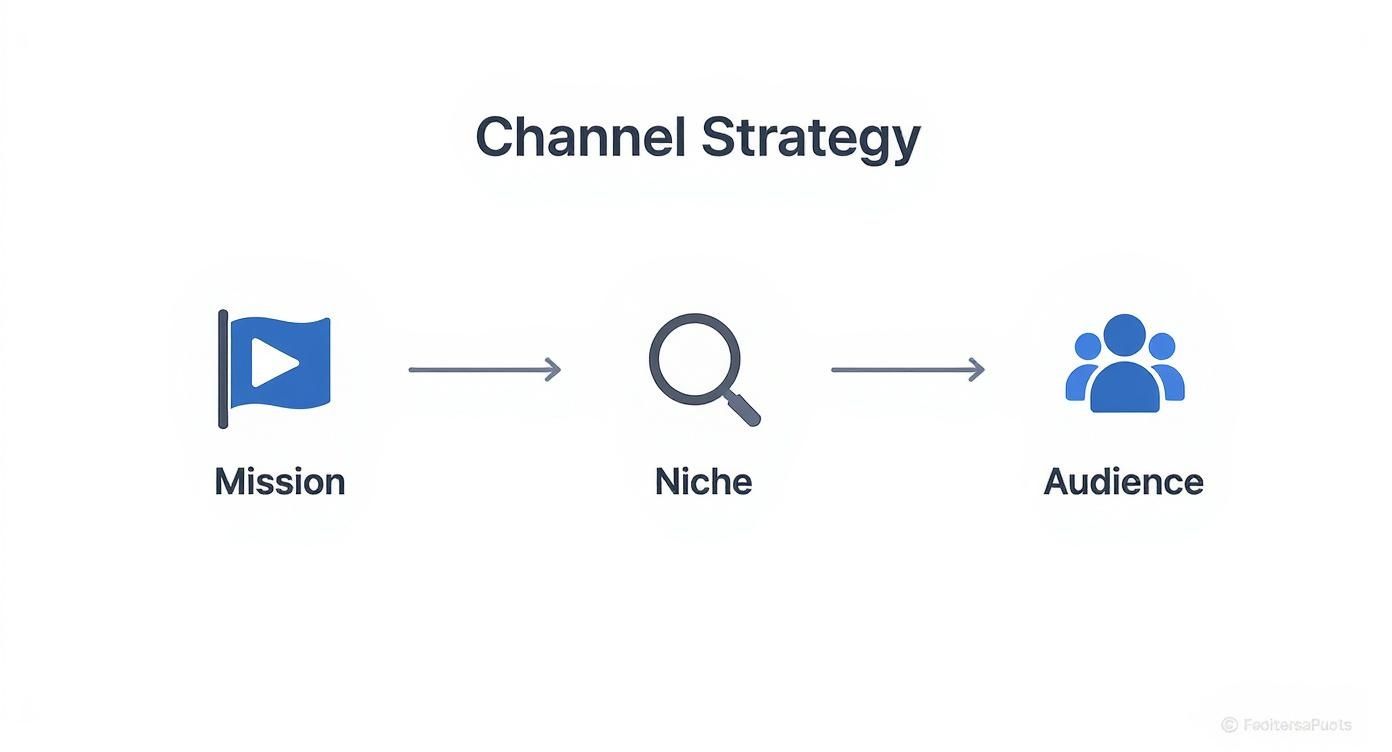
This just goes to show that having a clear mission and a solid understanding of your audience isn't just theory; it’s the practical foundation for a content machine that works.
Streamlining the Production Machine
Making your production process more efficient is how you get your time back. The goal here is to remove friction at every step—scripting, filming, and editing—without sacrificing the very quality that makes your channel special. This is where creating systems becomes your superpower.
One of the best ways to do this is by grouping similar tasks together. This is a core idea you can learn more about in our complete guide to batch content creation, a technique that can completely overhaul how you make videos.
Pre-Production The Right Way
Every minute you spend in pre-production saves you ten minutes during filming and editing. Seriously. A rock-solid pre-production checklist is non-negotiable if you want to manage your YouTube channel like a pro.
Your checklist absolutely must include:
- Script and Outline: A full script or at least a detailed bullet-point outline keeps you on track and ensures you don't forget key points.
- Shot List: Plan every single shot you need. This stops you from wasting time on set trying to figure out what to film next.
- B-Roll Plan: Make a list of all the extra footage you'll need to make your video dynamic. It's so much easier to get it all at once than to hunt for clips later.
- Asset Gathering: Pull together all your graphics, sound effects, and music before you even think about opening your editing software.
Pro Tip: If you film talking-head videos, try recording two or three scripts in one session. Your lighting and audio are already set up, so you can knock out the most time-intensive part of the process in one go.
Building an Editing Template
Editing is where countless hours disappear. The fastest way to claw that time back is by creating a project template in your editing software of choice. This is a pre-built project file that can include things like:
- Your branded intro and outro animations.
- Color grading presets that give you that signature look.
- Audio settings dialed in for your specific microphone.
- Pre-made folders for your A-roll, B-roll, music, and graphics.
When you start every edit from this template, you skip all the boring, repetitive setup and get right to the creative part. Not only does this save a ton of time, but it also reinforces your channel's brand and creates a consistent style that your viewers will come to recognize and love.
Making Your Videos Impossible to Ignore: YouTube SEO and Discoverability
You can create the best video in the world, but if nobody finds it, does it even exist? That’s the hard truth of YouTube. Getting good at managing a channel means getting good at making your videos discoverable. This isn't about gaming the system; it's about methodically making sure your content gets in front of the people who are actively looking for it.

Think of it less like a dark art and more like a science. You're building a bridge between your video and the viewer who needs it. Let's walk through the essential pieces that make that connection happen.
Finding Out What People Are Actually Searching For
The entire game of YouTube SEO starts here. You have to figure out the exact words and phrases your ideal viewer is typing into that search bar. Guesswork will get you nowhere; data is your best friend.
A super simple, yet powerful, place to start is YouTube's own search bar. Just begin typing a topic in your niche and watch the autocomplete suggestions pop up. Those aren't random—they're what real people are searching for right now. It’s a direct look into your audience's brain.
Next, go spy on your competition. What are their most-viewed videos about? Take a close look at the words they use in their titles and descriptions. Tools like TubeBuddy or VidIQ are fantastic for this, as they can show you the exact search terms driving traffic to other channels. This is how you find proven topics and spot opportunities they might have missed.
Key Insight: Don't chase massive, generic keywords like "how to edit video." You'll be drowned out. Instead, target specific, long-tail phrases like "best free video editing software for beginners 2024." The competition is lower, and the viewer who finds you is much more likely to be the right fit.
Writing Titles That Get the Click
Your title is your video's first impression, and you’ve got about a second to make it a good one. A killer title does two things at once: it satisfies the YouTube algorithm and it makes a human being curious enough to click.
For the algorithm, get your main keyword in there, preferably near the beginning. This immediately tells YouTube what the video is about. But just listing keywords is a recipe for disaster. The title has to promise a solution or spark curiosity.
Try thinking in terms of these proven frameworks:
- The "How-To" Title: "How to Create a Sustainable Content Workflow for YouTube"
- The "Listicle" Title: "5 Common Mistakes New Channel Managers Make (And How to Fix Them)"
- The "Benefit-Driven" Title: "Master YouTube SEO in 10 Minutes with This Simple Checklist"
Keep your titles under 60 characters. Anything longer often gets cut off, especially on mobile, and you lose your punch.
Crafting Descriptions That Do the Heavy Lifting
So many creators treat the video description as an afterthought, but it's a goldmine for SEO. This is your space to give YouTube all the rich context it needs to understand and rank your video. A single sentence just won't cut it.
The first two or three lines are crucial because that's what viewers see without clicking "show more." This is where you put your main keyword and a hook that summarizes the video and makes them want to watch.
From there, build out a more comprehensive description. To really give your video the best chance of being found, you need to learn how to optimize videos for YouTube by filling out all this metadata correctly.
A properly optimized description should have:
- A Detailed Summary: Write a solid paragraph of 200-300 words that weaves in your main and secondary keywords naturally. Explain what the video covers and what the viewer will get out of it.
- Timestamps: Break your video into chapters. This isn't just great for viewers; it can lead to "key moments" showing up directly in Google search results, giving you more ways to be discovered.
- Relevant Links: Add links to your website, social media profiles, or any tools and products you mentioned.
Designing Thumbnails That Stop the Scroll
Let's be honest: your thumbnail is probably more important than your title. In a feed full of options, it's the visual that grabs someone's attention and makes them stop scrolling.
The best thumbnails almost always have a few things in common.
- Emotion Sells: Use clear, high-contrast photos of faces showing strong emotions—surprise, joy, frustration. We are biologically wired to notice and react to other human faces.
- Keep Text Minimal: If you add text, make it 3-5 big, bold words that add context to the title. It needs to be readable on a tiny phone screen.
- Brand It: Use a consistent color scheme, font, or layout. Over time, your audience will be able to spot your videos in a crowded feed instantly.
Don't be afraid to experiment. A/B testing your thumbnails is a pro-level move. Upload a video with one design, and if the click-through rate (CTR) isn't great after a day or two, swap it for a different one and see if performance improves. Continuous testing is how you find out what truly works for your audience.
Using Analytics to Fuel Your Growth
Data tells a story, but you have to know which pages to read. When you're managing one or more YouTube channels, your analytics dashboard is so much more than a place to watch view counts tick up. Think of it as a direct feedback loop from your audience—it tells you exactly what’s working, what’s falling flat, and where your next big opportunity might be.
Honestly, ignoring it is like trying to navigate a new city without a map.

The trick is to look past the "vanity metrics" and zero in on the numbers that actually drive real, sustainable channel growth. Let's dig into how you can pull actionable insights from the data to fuel your content strategy and build a more loyal audience.
The Metrics That Truly Matter
It’s incredibly easy to get lost in the sea of graphs inside YouTube Studio. To keep from getting overwhelmed, you need to focus on the metrics that have the biggest impact on the algorithm and viewer happiness. These are your channel's vital signs.
Your main focus should be on these three areas:
- Click-Through Rate (CTR): This shows you what percentage of people who saw your video's thumbnail and title actually clicked to watch. A low CTR is often a sign that your "packaging"—the title and thumbnail combo—isn't compelling enough to make someone stop scrolling.
- Audience Retention: This graph is pure gold. It shows you, second by second, when viewers are dropping off. Big, sudden dips can pinpoint a boring segment, a confusing explanation, or an intro that just didn't hook them.
- Average View Duration (AVD): This is your video's total watch time divided by its total number of views. A higher AVD sends a massive signal to YouTube that your content is valuable, which often leads to the algorithm showing it to more people.
Working to improve these core metrics is one of the most direct paths to growth you can take. For a deeper look at the software that can help you track all this, check out our guide on the top YouTube analytics tools for channel growth.
Turning Data Into Your Next Video Idea
Your best-performing videos aren't just wins; they're roadmaps. Dive into the analytics of your top five videos and start looking for patterns. What do they all have in common? Was it the topic? The format? A particular editing style?
Actionable Insight: If you see that your "5 Beginner Mistakes" video has your highest audience retention, that’s your audience screaming that they love practical, list-style content that solves a problem. Your next video could easily be "3 Pro-Level Techniques" or "The #1 Mistake Even Experts Make."
You can even find great ideas in your failures. Pull up a video with a terrible audience retention graph. Where did everyone click away? If there’s a massive drop-off right after the intro, your hook probably didn't deliver on the promise of your title. That insight is crucial for crafting a much stronger opening for your next video.
This whole process turns analytics from a passive report card into an active idea generator. It creates a powerful growth loop where every video you publish makes the next one smarter.
Understanding Your Audience Demographics
Knowing who is watching is just as critical as knowing what they're watching. The "Audience" tab in YouTube Analytics is a goldmine of information, showing you your viewers' age, gender, and where they live. This data is essential for tailoring your content and building a real community.
For example, India represents the largest YouTube user base with approximately 491 million users, with the United States coming in second at 253 million users. Your content might be resonating in places you never expected, opening up new opportunities you hadn't considered. On a global scale, YouTube Shorts has attracted 2.5 billion monthly active users, highlighting the massive potential of short-form video. You can find more global YouTube usage statistics at GlobalMediaInsight.com.
Use this information strategically. If you discover a huge chunk of your audience is in a different time zone, you could adjust your publishing schedule or plan a live stream that’s more convenient for them. This level of attention is what builds true loyalty and turns casual viewers into a dedicated community.
Building Diverse Monetization Streams
Making a real living on YouTube isn't just about getting a single paycheck from ad revenue. If you want to turn your channel from a fun hobby into a sustainable business, you need to think like an entrepreneur and build multiple streams of income. That's the secret to long-term financial stability.
For most creators, the journey starts with the YouTube Partner Program (YPP). This is your ticket to earning a cut of the ad revenue on your videos. To get in, you'll need to hit certain milestones for subscribers and watch hours, which basically proves to YouTube that you've built a real, engaged audience.
Once you're approved, don't just set it and forget it. Make sure you've enabled all the different ad formats—skippable ads, non-skippable ads, display ads, the works. YouTube's system is pretty good at figuring out which ad to show to which viewer, so give it as many options as possible to maximize your earnings.
Tapping Into Community Funding
Here's the thing about ad revenue: it can be a rollercoaster. Rates go up, rates go down, and your income can be wildly unpredictable from one month to the next. Relying on ads alone is a risky game. This is where smart channel management comes in—building direct financial support from your most loyal fans.
YouTube gives you some fantastic tools to do this:
- Channel Memberships: Think of this as your own built-in Patreon. You can set up different tiers and offer exclusive perks like custom emojis, members-only videos, or early access to your content. It creates a steady, predictable source of monthly income.
- Super Chat & Super Thanks: These are ways for your viewers to give you a tip. Super Chat lets them pay to have their message stand out during a live stream, while Super Thanks lets them show appreciation on your regular videos. It’s a great way for your biggest supporters to give back.
Key Takeaway: Community funding is about more than just money. It deepens the connection with your audience. When someone invests directly in your channel, they're no longer just a subscriber—they're a true patron of your work.
Moving Beyond YouTube for True Diversification
To really future-proof your business, you need to build income streams that you own, completely off of YouTube. This insulates you from algorithm updates, policy changes, and gives you ultimate control. The best creators treat YouTube as their main stage but build an entire business around it.
For a deeper dive into building a profitable content business, it's worth exploring the different strategies for how to monetize online content. This mindset is critical for lasting success.
The potential here is enormous. Just look at the platform itself: YouTube pulled in $36.1 billion from ads in 2024, a 14.6% jump from the previous year. And with YouTube Premium and Music hitting 125 million paid subscribers by 2025, it's clear people are willing to pay for content they value.
Here are a few of the most reliable ways to make money off-platform:
- Affiliate Marketing: This is a classic for a reason. Talk about products or services you actually use and believe in. When someone clicks your unique link and makes a purchase, you get a commission. It feels natural because you're genuinely helping your audience.
- Selling Merchandise: Your fans want to support you. Give them a way to do it! Whether it's t-shirts, mugs, or digital products like presets and e-books, merch lets your community get something cool in return. Plus, it turns them into walking billboards for your brand.
- Brand Sponsorships: As your channel gets bigger, brands will start reaching out. The key here is to be picky. Only partner with brands that make sense for you and your audience. A single authentic sponsorship will build more trust (and often pay more) than a dozen that feel like a sellout.
Frequently Asked Questions
Running a YouTube channel, let alone several, always brings up a ton of questions. Let's dive into some of the most common ones I hear from creators and managers trying to get a handle on everything.
How Many YouTube Channels Can I Manage From One Account?
You can actually run up to 100 different channels from a single Google Account, which surprises a lot of people. The secret is to use what YouTube calls a "Brand Account."
Instead of creating a new channel under your personal Google profile, you set it up as a separate Brand Account. This is a total game-changer. It means you can manage a whole portfolio of channels for different clients, personal projects, or business lines all from one login. Better yet, you can grant access to your team members without ever having to give out your personal Google password.
What Are The Best Tools For YouTube Management?
If you're serious about growing a channel, you can't just wing it. Having the right set of tools is non-negotiable for an efficient workflow and getting real results. I usually think about my toolkit in a few key categories.
- For SEO & Analytics: You absolutely need either TubeBuddy or VidIQ. They plug right into YouTube and give you the keyword and competitor data you need to actually rank in search. They're the industry standard for a reason.
- For Project Management: Your content pipeline will get chaotic without a system. Tools like Trello, Asana, or Notion are perfect for tracking ideas, managing production, and keeping your calendar organized.
- For Creative Assets: Canva is a lifesaver for creating eye-catching thumbnails and channel art quickly, even if you're not a designer. If you need more power and control, Adobe Photoshop is still the king.
- For Video Editing: Honestly, the free version of DaVinci Resolve is ridiculously powerful and more than enough for most creators. For the pros, Adobe Premiere Pro and Final Cut Pro are the go-to editors.
A smart toolkit does more than just save you time. It gives you the data and structure to stop guessing and start making strategic decisions that actually grow your channel.
How Often Should I Post New Videos On YouTube?
Ah, the million-dollar question. The answer is simpler than you'd think: consistency always beats frequency.
For most channels, one high-quality, well-optimized video per week is the sweet spot. It's often enough to keep your audience coming back and gives the YouTube algorithm a steady signal to work with.
But this isn't a hard-and-fast rule. A news channel might need to post daily to stay on top of current events. On the flip side, a creator making intricate animated shorts might only publish once a month, and their audience completely gets it.
The real key is to pick a schedule you can stick to without burning out or letting the quality slide. It’s far better to post one amazing video every single week than to drop three mediocre videos and then vanish for a month. Your audience—and the algorithm—both reward reliability.
Ready to skip the slow grind of meeting monetization requirements? MonetizedProfiles offers fully approved YouTube accounts that are ready to earn revenue from your very first video. It's the perfect solution for creators who want to focus on making great content, not waiting for approvals. Start your journey faster with a Monetized Profile.


