


Getting your YouTube account phone-verified is probably the most important thing you'll do in your first five minutes as a creator. It's a tiny step that takes less than two minutes, but it swings open the door to all the tools you actually need to grow.
Why Verification Is Your First Real Win on YouTube
Look, verifying your YouTube account isn't just a box to check. It's the moment you signal to YouTube that you're serious. This simple, free process is what separates the casual uploaders from the creators who are actually trying to build something.
For anyone doing channel automation or running faceless content, this isn't optional—it's foundational. Without it, you're competing with a massive disadvantage. You're basically showing up to a race with your shoelaces tied together.
The Immediate Payoff: Unlocking Growth Features
Let’s talk about what you get the second you verify your phone number. These aren't just minor perks; they're the core tools for building a successful channel.
Here's a quick look at the immediate benefits you gain the moment you complete the simple phone verification process.
| Feature | How It Helps Your Channel Grow |
|---|---|
| Custom Thumbnails | This is the big one. A great thumbnail gets the click. Without it, you’re stuck with a random, blurry frame from your video. |
| Videos Longer Than 15 Mins | If you plan on creating deep-dive tutorials or documentary-style content, you need to break past the 15-minute limit. |
| Live Streaming | Want to connect with your audience in real-time? Live streaming is a fantastic way to build a community, and it's locked until you verify. |
| Content ID Appeals | This is crucial for protecting your original work. If someone uses your footage, you need the ability to appeal claims. |
This initial verification is the essential first step before you can even dream of hitting monetization milestones like 1,000 subscribers and 4,000 watch hours.
Without it, key features stay locked, crippling your growth. To see what comes next, you can dig deeper into the full list of YouTube monetization requirements.
Phone Verification vs. The Grey Checkmark
Let's clear up some common confusion right away. The phone verification we're talking about is a technical step for every creator. It is not the same thing as that little grey checkmark you see next to big channels' names.
That grey badge is an "official artist" or authenticity checkmark, usually given out once a channel blows past 100,000 subscribers.
The phone verification we're focused on here is the ground-floor requirement for everyone. It's how you tell the platform—and your future audience—that you're here to play for real.
A Visual Walkthrough of the Verification Process
It’s one thing to know why you need to verify your channel, but it’s another to see exactly where to click. Let's walk through the screens together so there are no surprises when you're ready to get it done. The entire thing only takes a minute or two inside YouTube Studio.
First things first, you need to get to your channel's backend. Log into YouTube and head straight to YouTube Studio—this is your command center for everything.
On the left-hand menu, look all the way down toward the bottom. You’ll spot a little gear icon labeled Settings. Go ahead and click that.
A new pop-up window will appear. From the menu on the left of that window, select Channel. This is where you'll find the settings that affect your entire channel, not just one video.
This whole process is about unlocking features. Think of it like this:
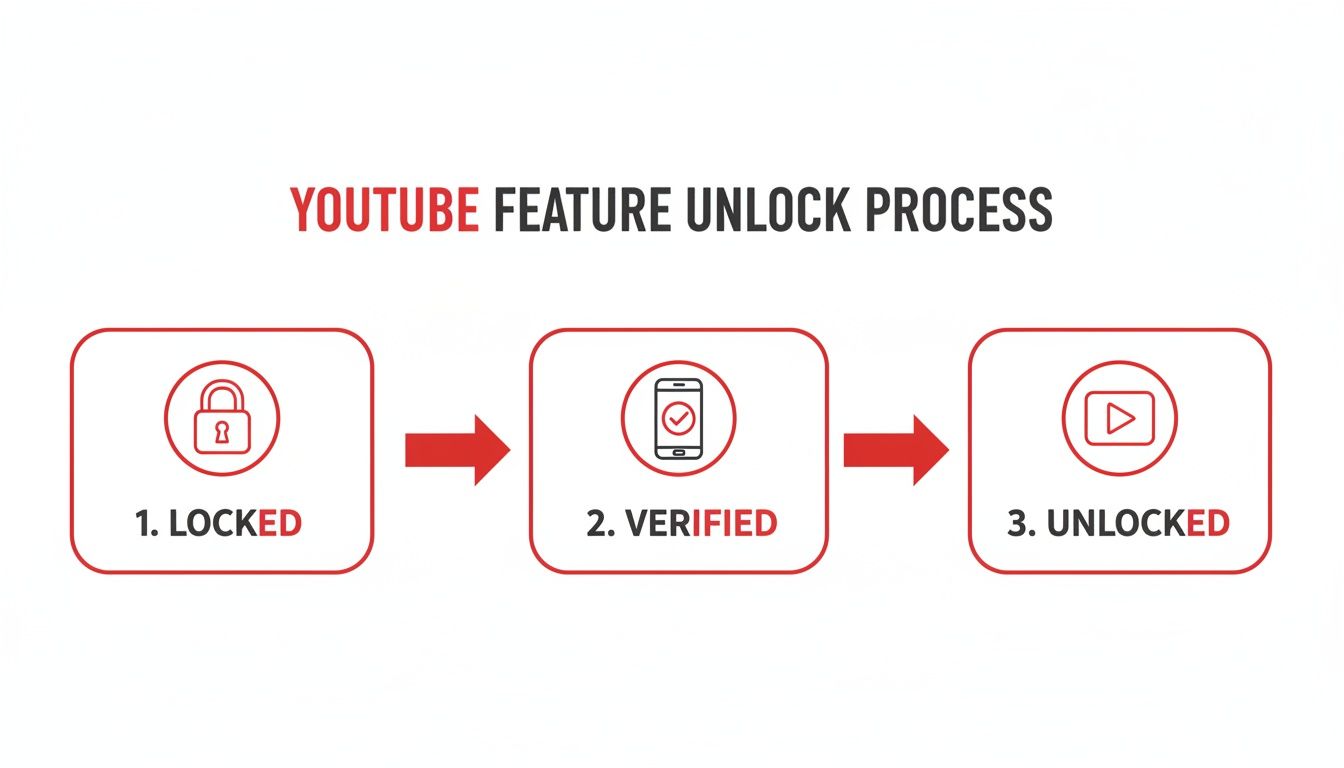
As you can see, that simple phone verification is the bridge from having a basic channel to one with the tools you actually need to grow.
Finding the Right Menu
Once you're in the Channel section, you’ll see three tabs across the top: Basic info, Advanced settings, and Feature eligibility. You want that last one, Feature eligibility. This is where YouTube organizes what you can and can't do based on your verification status.
You'll see a few different levels of features. "Standard features" should already be enabled by default. You're looking for the next tier down, usually called Intermediate features.
This is the good stuff—videos longer than 15 minutes, custom thumbnails, and live streaming. To the right, you'll see a dropdown arrow or a button. Click it to expand the details, and you’ll find the blue Verify phone number button. That’s your target.
Kicking Off the Phone Verification
Clicking that blue button whisks you away from YouTube Studio to a dedicated verification page. This is where you’ll prove you’re a real person by providing a phone number. It's a key step YouTube uses to cut down on spam and bot accounts.
The form itself is simple:
- Pick your country from the dropdown menu.
- Decide how you want the code: an automated text message (SMS) or a voice call. The text is almost always faster.
- Enter your phone number—just the digits, no dashes or spaces.
Hit submit, and the code should arrive almost instantly.
A quick tip from experience: Keep the verification page open! The next screen is where you'll type in the 6-digit code. If it doesn't show up in 30 seconds, don't panic. Sometimes cell networks lag a bit. Give it a full minute before you try requesting a new one.
The Final Step: Entering Your Code
Once that 6-digit code hits your phone, just type it into the box on the page and click Submit. You should immediately see a confirmation screen with a big green checkmark letting you know your YouTube account is officially verified.
And that’s it! You’re done.
If you head back to the Feature eligibility screen in your YouTube Studio settings, you’ll now see that the Intermediate features section is marked as Enabled. You've just unlocked custom thumbnails, longer videos, and live streaming. Go put them to good use.
Using Verified Features to Reach Monetization Faster
Getting your account phone-verified is like being handed the keys to the car. Now, it's time to actually start driving toward your monetization goals. You've just moved from a basic, limited account to one with a professional toolkit, and learning how to use these new tools is what separates struggling creators from successful ones.
You can now use custom thumbnails, upload videos longer than 15 minutes, go live, and add clickable end screens. Each of these is a powerful lever you can pull to get to the YouTube Partner Program much, much faster. Let's break down how to use them.
Driving Clicks with Custom Thumbnails
Before anyone even thinks about watching your video, they have to click on it. That single decision often comes down to your thumbnail. Without verification, you're stuck with a random, often blurry, frame that YouTube picks for you—which does absolutely nothing to entice a click.
Now, you're in complete control.
- Create Intrigue: Your thumbnail should feel like a mini-poster for your video. It needs to spark curiosity or promise a clear benefit. Think compelling visuals and bold, easy-to-read text.
- Build a Brand: Develop a consistent look and feel for your thumbnails. When viewers can spot your content in a crowded feed, you build brand recognition and encourage them to come back for more.
- Design for Mobile: Over 70% of all YouTube views happen on a phone. Your thumbnail's text and images need to be crystal clear even on a small screen.
A fantastic thumbnail has a direct impact on your click-through rate (CTR), which is a major signal to the YouTube algorithm. A higher CTR tells YouTube people are interested, leading to more recommendations, more views, and ultimately, more watch hours.
Racking Up Watch Hours with Longer Videos
That 15-minute video cap is a huge roadblock when you're trying to hit the 4,000 watch hours needed for monetization. With that limit gone, you can finally create the in-depth, valuable content that truly keeps people watching.
Longer videos do more than just add minutes to your total watch time; they show the algorithm your content has substance. For instance, a 20-minute tutorial that keeps someone engaged for 10 minutes is far more valuable to YouTube than a 5-minute clip they watch from start to finish.
The path to monetization is tough. Only about 3% of channels ever reach the required thresholds. Verifying your account gives you a serious advantage. Data shows that creators with verified features hit the 4,000-hour mark 35% faster, largely because those features can boost click-through rates by an average of 22%.
Building a Community with Live Streaming
Live streams are an incredible tool for accumulating watch hours in big chunks. If you get 50 people to tune into your one-hour live session, you’ve just added 50 watch hours to your total in a single go.
But it’s about more than just the numbers. Live streams build a real community. The real-time chat and interaction create a loyal subscriber base that feels connected to you and is more likely to show up for your future uploads. That's a level of engagement pre-recorded videos just can't match.
Chaining Views with End Screens and Cards
Now that your videos can be longer, you can strategically use end screens and cards to keep viewers on your channel. These are interactive pop-ups that guide your audience to other content.
An end screen, which you can add to the last 5-20 seconds of your video, is your last chance to stop a viewer from clicking away. You can suggest another one of your videos, point them to a playlist, or give them a big, bold subscribe button. For anyone running automated or scaled channels, this is a critical tactic for creating binge-watching sessions that skyrocket your channel's total watch time.
Once you've unlocked these features, you can explore more advanced strategies, like figuring out how to monetize YouTube Shorts, to open up even more revenue streams.
By actively using these tools, you're not just waiting to get monetized—you're making it happen. To see what comes next, check out our full guide on how to become monetized on YouTube. Verification is just the starting line; how you use these features will determine how quickly you finish the race.
Solving Common Verification Roadblocks
Even a simple process can hit a snag. When you're trying to verify your YouTube account, seeing an error message can be a real momentum killer. The good news? Most of these issues are pretty common and have straightforward fixes.
Let's get you past these bumps in the road so you can get back to creating. We’ll walk through the most frequent errors one by one and turn those roadblocks into minor speed bumps.
The "Number Used Too Many Times" Error
This is, without a doubt, the most common wall creators run into, especially if you're managing a few different channels. You pop in your phone number, hit submit, and get hit with the dreaded, "This phone number has been used too many times." This isn't a glitch; it's a direct result of YouTube's anti-spam rules.
To keep the platform from being overrun by bots, YouTube has a strict limit: you can only verify two channels per phone number, per year. That limit does reset annually, but that’s little comfort when you need to get a third channel up and running right now.
So, what do you do if you hit this wall? You’ve got a few options:
- Use a Different Phone Number: This is the quickest fix. Ask a trusted friend or family member if you can use their number for the one-time verification. It's a single code, and then they're done.
- Try a Business Line: If you have a separate phone for your business, it's the perfect alternative to get your channel verified.
- Wait It Out: If you aren't in a hurry, you can always just wait a year from your last verification for that number to become available again.
This limit is exactly why agencies and automation pros need a solid plan for sourcing unique phone numbers for every new channel they manage.
Key Takeaway: The two-channel limit is a hard rule. If you plan on running more than two channels in a year, you have to plan your phone number strategy ahead of time.
Dealing with Invalid Number Formats
Sometimes, the system isn't rejecting your number, but how you typed it. If you get an "invalid phone number" error, the solution is usually just a quick formatting check.
First off, make sure you've selected the right country from the dropdown menu. This handles the country code for you, so don't type it in yourself.
From there, just enter the digits of your phone number. The system gets confused by any extra characters.
-
No Dashes: Type
5551234567, not555-123-4567. -
No Spaces: Use
5551234567, not555 123 4567. -
No Parentheses: Enter
5551234567, not(555) 123-4567.
A clean, digits-only entry almost always clears up this specific error and lets you move forward.
Why VoIP and Digital Numbers Get Rejected
Thinking about using a number from a service like Google Voice or another Voice over IP (VoIP) provider? It won't work. YouTube's verification system is specifically designed to sniff out and block these digital numbers. The platform requires a real mobile or landline number tied to a carrier to prove you're an actual person.
This is a core security measure. It prevents spammers from using easily generated digital numbers to create and verify thousands of fake accounts in one go. The system sees a VoIP number as a major red flag, and the verification will fail every single time.
Unfortunately, there's no workaround here. You absolutely have to use a standard phone line. This is a crucial piece of the puzzle for anyone wondering how to verify a YouTube account without a personal cell. You still need a real phone number—it just can't be a virtual one.
Understanding Verification Beyond the Basics
Let's clear up some common confusion. When people talk about getting "verified" on YouTube, they're often thinking about two completely different things. So far, we've walked through the essential phone verification process—the one every single creator needs to do.
But there's also that little grey checkmark you see next to big channel names. It's crucial to understand the difference. One is a basic key to the kingdom; the other is a badge of honor you earn way down the road.
Phone Verification vs. The Official Badge
Think of it like this: phone verification is like getting your driver's license. It proves you're a real person and gives you permission to use all the main features of the road.
The official verification badge, that grey checkmark, is more like being recognized as a pro racer. It’s a status symbol that tells everyone you're the real deal, but it doesn't unlock any new buttons on your dashboard.
Here's a quick table to break it down and end the confusion for good.
Comparing YouTube Verification Types
| Verification Type | Who It's For | What It Unlocks | Key Requirements |
|---|---|---|---|
| Phone Verification | All creators. This is the foundational step to prove you're human, not a bot. | Core features like custom thumbnails, videos over 15 minutes, and live streaming. | A valid mobile or landline phone number. |
| Official Badge | Established channels. It confirms the authenticity of a prominent creator, brand, or public figure. | Mostly credibility and a visual marker of authenticity. It doesn't unlock new platform features. | Typically 100,000+ subscribers and a solid history of following YouTube's rules. |
For anyone running multiple channels, especially automation professionals, the takeaway is simple: phone verification is your immediate priority for every single account. The grey badge is a long-term goal that comes with growth, not a prerequisite for getting started.
Security and Credibility: The Unseen Benefits
Beyond just getting more features, phone verification is your first real security upgrade. As soon as you verify, you can—and absolutely should—set up two-factor authentication (2FA). This simple move puts a massive wall around your account, protecting all your hard work from hackers.
And this isn't just a "what if" scenario. Statistically, verified channels tend to perform better. They can see up to 40% more impressions in recommendations, which directly fuels the watch time or Shorts views needed for the YouTube Partner Program. For entrepreneurs, this verified status is a direct line to AdSense revenue. Plus, 2FA is a lifesaver, as an estimated 12% of unverified accounts face hacking attempts each year.
Verification also sends a strong signal to both YouTube’s algorithm and potential brand partners. It shows you're a serious creator. For those managing multiple channels, a distinct, verifiable identity for each is key. This is especially true when you set up a YouTube Brand Account.
Verification is more than just a technical step; it's a declaration that your channel is a serious project. It builds trust with the platform, which can translate into better visibility and more opportunities down the road.
Verification as a Gateway to Advanced Features
Think of phone verification as the foundation you build everything else on. Once you unlock features like live streaming, a whole new world of creative strategies opens up that unverified accounts simply can't access.
For instance, a lot of new creators assume they need thousands of subscribers to go live and connect with their audience. The truth is, your verified status is the main technical hurdle you need to clear. Understanding how to use that status to your advantage, like learning how to livestream on YouTube without 1000 subscribers, can give you a huge leg up.
This is the real power of getting your account verified. It’s not just about what you can do today, but what it makes possible for your channel tomorrow.
Your Top YouTube Verification Questions, Answered
Alright, so we've walked through the "how" and "why" of getting your YouTube account verified. But let's be real—specific situations always pop up, leaving you scratching your head. This is where we tackle the most common questions I hear from creators who are in the exact same spot you are.
Think of this as your personal FAQ. I've rounded up the questions that come up time and time again so you can get a straight answer and get back to creating.
How Many Channels Can I Verify With One Phone Number?
This is a big one, especially for anyone managing multiple brands or passion projects. To keep spam and bots in check, YouTube is pretty strict about this.
The rule is simple: You can verify a maximum of two channels per phone number, per year.
Try to verify a third channel with the same number within that 12-month window, and you'll hit a roadblock. This isn't something you can talk your way out of; it's a hard-coded part of YouTube's system to maintain platform integrity. For those of you scaling up with automation, this means planning ahead for unique phone numbers is non-negotiable.
What Happens If I Just… Don’t Verify My Account?
Putting off phone verification isn't a small thing. It’s like trying to drive a car with the emergency brake on—you’re not going to get very far. An unverified account is locked out of the core features that are absolutely essential for growth.
Here’s a quick rundown of what you’ll be missing:
- Videos Longer Than 15 Minutes: Forget about posting in-depth tutorials, detailed reviews, or long-form vlogs. You’re stuck in the short-form zone.
- Custom Thumbnails: This is a huge one. You lose the single most important visual tool for getting people to click on your videos. Instead, YouTube just picks a random, often blurry, frame for you.
- Live Streaming: Want to connect with your audience in real-time? Not an option. This cuts off a massive opportunity for community building.
- Content ID Appeals: If someone steals your content, you have no way to formally dispute the claim. You’re left completely unprotected.
Bottom line: an unverified channel just doesn't look legitimate to the YouTube algorithm. It's far less likely to get the momentum needed to hit monetization milestones. If you want to see what those goals look like, check out our guide on how to check your YouTube monetization status.
Can I Use a Google Voice or VoIP Number?
The short answer is almost always no. YouTube's verification system is smart enough to sniff out and reject most digital or VoIP (Voice over IP) phone numbers. The platform wants to see a real mobile number or a physical landline to confirm you're a human, not a bot.
This isn't a glitch; it's a security feature by design. If VoIP numbers were allowed, spammers could spin up thousands of fake channels in a heartbeat. If you’re getting an error message during verification, using a virtual number is one of the first things you should check.
Is Phone Verification the Same as the Grey Checkmark Badge?
This is easily the most common point of confusion for new creators. They hear "verification" and think of the little grey checkmark next to a channel's name. These are two completely different things.
- Phone Verification is a behind-the-scenes, one-time step for every creator. It’s purely functional—it unlocks the basic features we just talked about by proving you're a real person.
- The Verification Badge (the grey checkmark) is a status symbol. It’s a mark of authenticity that YouTube grants to established channels, usually once they blow past 100,000 subscribers, to show they are the official account for a creator, brand, or public figure.
Think of it this way: phone verification is the key that starts your car. The grey badge is the trophy you win after finishing the race.
Ready to skip the grind and start earning immediately? At MonetizedProfiles, we provide monetization-approved YouTube accounts so you can focus on creating great content from day one. Find your ready-to-go channel today.


