


So, you’ve just uploaded a new video and you hit play to make sure everything looks perfect. Does that count as a view? It’s a question every single creator has asked at some point.
The simple answer is: yes, probably. But only for a little bit.
YouTube will likely count your first one or two views. After that, its system quickly figures out the views are coming from the same person (you!) and stops tallying them.
The Real Deal on Watching Your Own Videos
Think of it like this: when you first upload, you're doing a final quality check. You're making sure the audio is crisp, the edits are smooth, and there are no weird glitches. YouTube's algorithm basically gives you a pass for that initial check-up.
But if you put that video on a loop and walk away, hoping to rack up hundreds of views? The system will catch on almost immediately and filter those out. This is all part of YouTube's view validation process—a sophisticated set of rules designed to separate real, authentic viewership from artificial inflation. It's how they keep the analytics fair for everyone, from creators to advertisers.
Why Your First Couple of Views Get a Pass
It makes sense that YouTube lets you check your own work. Your first view is a natural part of the publishing process. But its algorithm is always on the lookout for patterns that don't seem quite right.
Here’s what triggers the system to stop counting:
- Same Device, Same IP: Watching your video over and over from your home computer is the most obvious red flag. The system sees the same IP address hitting the same video repeatedly and knows it's not organic traffic.
- Logged-In Creator Account: If the views are coming from the very same Google account that uploaded the video, they are flagged and filtered out even faster.
- Unusual Behavior: The algorithm is smart. It can tell the difference between a creator doing a quick spot-check and someone trying to artificially boost their numbers.
By filtering out a creator's own repetitive views, YouTube protects the integrity of its platform. This ensures that crucial metrics like watch time and audience retention actually reflect genuine engagement—which is the only way to build a real, sustainable channel.
At the end of the day, this system is in place to help you. It pushes you to focus on what actually grows a channel: making amazing content that people genuinely want to watch and share. Your time is much better spent brainstorming your next video or engaging with your comments than trying to outsmart a system that's built to see right through it.
How YouTube Validates Every Single View
Ever wonder what actually makes a "view" count on YouTube? It's a lot more involved than just someone hitting the play button. YouTube has a sophisticated, ever-changing system working behind the scenes to make sure every view is legit. This is super important for protecting both creators and advertisers from getting duped by fake numbers.
Think of YouTube's validation process like a bouncer at a popular club. Just showing up at the door doesn't guarantee you get in. The bouncer is checking IDs, watching how people act, and looking for any red flags before letting them through. YouTube’s algorithm does the exact same thing, just with data.
The whole point is to tell the difference between a real person genuinely watching your video and a bot designed to artificially inflate the numbers. It sifts through a bunch of different signals to figure this out.
The Anatomy of a Verified View
For a view to be considered official, it has to check a few boxes that scream "real human here!" The algorithm doesn't just register a click; it looks for the story behind that click.
Here are the main things it's looking at:
- Unique Viewer Signals: The system looks at the viewer's IP address, browser cookies, and if they're logged into a Google account. If it sees tons of plays coming from the same source in a very short time, it flags them and usually ignores them.
- Viewer Initiated Play: The view has to be a deliberate choice made by a person. Views from autoplaying playlists or embedded videos that start without a click are looked at much more closely and often don't make the cut.
- Watch Duration: This one's a biggie. A view generally isn't counted unless someone watches for at least 30 seconds. This simple rule is surprisingly effective at weeding out accidental clicks and viewers who bail immediately.
This diagram shows how YouTube handles that first view you make versus any you try to make after.
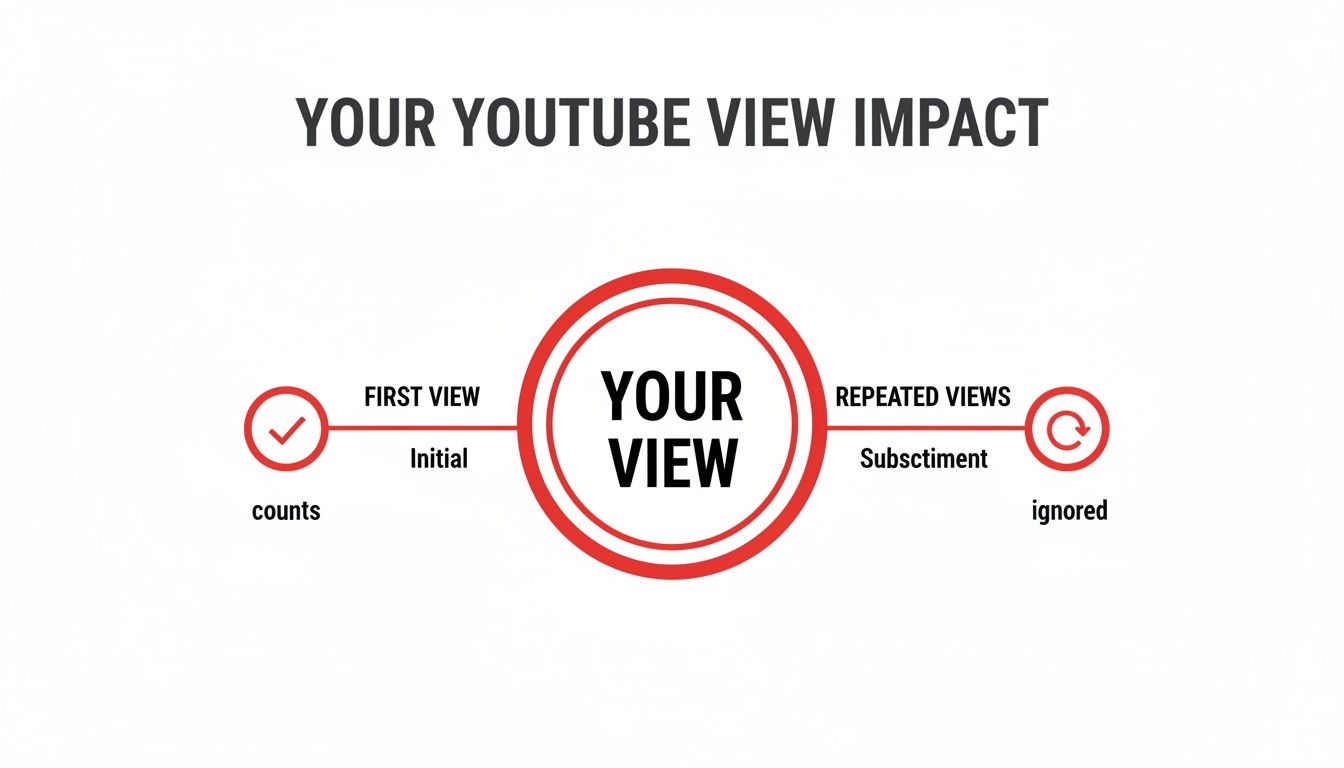
The bottom line is pretty clear: watching your own video once to check it is fine, but trying to game the system by re-watching it over and over is a waste of time. They'll just filter those views out.
The Ghost of the 301 View Freeze
If you want to know just how seriously YouTube has always taken view validation, you only have to look back at its history. Back around 2012, creators would frequently see their new videos get stuck at exactly 301 views. This wasn't a glitch; it was a deliberate feature affectionately known as the "301+ view freeze."
This was essentially a manual checkpoint. When a video reached 301 views, YouTube would pause the public counter to manually review the traffic. This allowed them to verify that the initial burst of viewers was legitimate and not just a swarm of bots.
While the counter was frozen, sometimes for hours, real views were still being tallied in the background. Once the audit was done, the view count would suddenly jump to the correct, verified number. This old-school method really shows YouTube’s long-standing dedication to accurate view counts. You can learn more about this historical feature and how it shaped the platform for early creators.
Thankfully, this whole process is now automated and happens almost instantly, thanks to much smarter AI. The system constantly audits views as they come in, filtering out sketchy activity without ever needing to freeze the counter. This means the numbers you see today are about as close to real-time and accurate as they can get.
How Watching Your Own Videos Can Actually Hurt Your Channel
So, what's the big deal if you watch your own video a few times? It might feel like a harmless way to give your new upload a little nudge, but it can backfire in ways that genuinely stunt your channel's growth. Think of it like being the only person clapping in an empty stadium—it makes a sound, but it doesn't build a real audience.
This habit directly messes with two of the most important stats for any creator: public watch hours and audience retention. For anyone trying to get monetized, this is a serious self-inflicted wound.

Sabotaging Your Monetization Goals
To get into the YouTube Partner Program (YPP), you need to hit 4,000 public watch hours in the last 12 months. It's a steep climb, and many new creators think, "Hey, I'll just leave my videos playing on a loop to get there faster." Unfortunately, it just doesn't work that way.
YouTube's algorithm is smart enough to spot this kind of activity. It quickly figures out that the watch time is coming from you and simply doesn't count it toward your goal. Every hour you spend re-watching your own stuff is an hour wasted that adds zero progress toward your YPP eligibility.
It’s a dead-end strategy. For creators who are serious about earning, the only path forward is authentic growth. This is also why some creators, eager to skip the grind and jump straight into making content that pays, look into options like getting a pre-approved monetized YouTube channel.
And it's not just about long-form content. Understanding the specific YouTube Shorts monetization requirements is just as crucial, as those views and subscribers play into your channel's overall health, too.
Corrupting Your Audience Retention Data
Here's where watching your own videos does the most damage: it completely skews your audience retention data. Every time you watch your video from start to finish, you're telling the algorithm that particular view had a 100% retention rate.
This creates a dangerously misleading picture of how your content is actually performing. If real viewers are clicking away after 30 seconds, but your own views are hiding that fact, you’ll never see the problem.
You might keep making videos with long, boring intros or confusing explanations, totally blind to the fact that you're losing your audience right at the start. You're essentially flying blind because your data is corrupted. You can't fix a problem you don't know you have.
Good data is the bedrock of a successful YouTube channel. Making decisions based on flawed analytics is like trying to navigate a new city with a broken compass. It keeps you from figuring out what your viewers really want, which is the key to building a loyal community and achieving real, long-term success.
Common Myths About Gaming YouTube Views
The promise of fast-tracking your channel's growth can be tempting, and it often leads creators down a rabbit hole of bad advice. As you try to figure out how YouTube counts your views, you'll stumble upon all sorts of "hacks" that claim to skyrocket your numbers. The reality? These shortcuts are almost always based on myths and a fundamental misunderstanding of how YouTube's incredibly smart algorithm actually works.
Trying to game the system isn't just a waste of your precious time—it can seriously damage your channel's reputation with YouTube. Let's pull back the curtain on the most common myths so you can put your energy into strategies that actually get you real, lasting results.
Myth 1: Using a VPN Will Trick YouTube
It's a common theory: use a Virtual Private Network (VPN) to make it look like your views are coming from different people all over the world. By hiding your real IP address, you can just watch your own video over and over, and each play will count as a new, unique view. Right?
Wrong. This idea is fundamentally flawed because an IP address is just one tiny piece of the puzzle for YouTube. The algorithm is also looking at dozens of other signals, like:
- Browser cookies and unique device IDs.
- The Google account you're signed into.
- Predictable, repetitive viewing patterns.
Using a VPN is like changing your hat but wearing the same neon-green jumpsuit. The disguise is thin, and the system is more than smart enough to see right through it, filtering out those artificial views.
Myth 2: Looping Videos Overnight Builds Watch Time
Another popular tactic is to put your video or a whole playlist on a continuous loop and just let it run all night. The thinking here is you can rack up thousands of watch hours while you sleep, pushing you closer to those monetization goals. Unfortunately, this strategy runs into the same wall as the VPN myth.
YouTube's system is specifically built to spot and throw out low-quality watch time. It knows when a single user is just playing the same video repeatedly without any real human interaction.
This kind of activity gets flagged as "inauthentic engagement" almost immediately. The watch hours you think you're gaining won't be added to your channel's official total. You might see a quick bump in your private analytics, but YouTube’s system will audit the data and correct it.
Myth 3: Re-uploading a Video Resets the Algorithm
Some creators believe that if a video bombs, they can just delete it, make a tiny edit, and re-upload it to get a "fresh start" with the algorithm. While this does reset the view count to zero, it does absolutely nothing to fix the real reason the video didn't connect with viewers in the first place.
YouTube’s algorithm is all about viewer satisfaction. If your original video had a terrible click-through rate or people clicked away after 30 seconds, re-uploading it won't magically solve those problems.
A much better approach is to dig into your analytics to figure out why it failed and use those insights to make your next video better. For creators who want to skip the initial grind altogether, investing in a quality aged YouTube channel can offer a much stronger starting point than trying to breathe life into a video that's already failed.
YouTube View Myths vs. Reality
It's easy to get lost in the sea of misinformation. To make things crystal clear, let's break down some of the most persistent myths and compare them to the reality of how YouTube's system operates.
| Common Myth | The Reality |
|---|---|
| Buying views is a safe shortcut to get monetized. | Purchased views are from bots, which provide zero real engagement. YouTube easily detects and removes them, and your channel can be terminated. |
| Telling friends to loop your video will boost watch hours. | Repetitive views from the same few users are flagged as inauthentic. These hours won't count toward the 4,000-hour requirement. |
| Using a VPN lets you view your own video hundreds of times. | YouTube uses cookies, device IDs, and account info—not just your IP address. It knows it's still you. |
| Disabling your watch history hides your activity. | This only affects your personal recommendations. YouTube’s backend servers still track all viewing activity for analytics and fraud detection. |
Ultimately, there are no secret hacks. The algorithm is designed to reward genuine engagement from real viewers, and any attempt to manufacture it will eventually be caught.
How to Analyze Your Video Performance the Right Way
Look, instead of getting hung up on whether your own views count, let's talk about what really moves the needle: understanding your actual audience. The secret to growing a channel isn't about finding little tricks to game the system; it’s about digging into your analytics to see what your viewers truly want.
Making that mental shift—from chasing artificial boosts to doing genuine analysis—is how you build a real community. When you understand your performance data, you can create content that people love, keep them watching longer, and give the algorithm every reason to show your videos to more people.

Think of your YouTube Studio dashboard as mission control. It’s where you get the real story on traffic sources, audience retention, and click-through rates.
Pinpoint Where Your Viewers Come From
Your first stop in YouTube Studio should always be the Traffic Sources report. This is gold. It tells you exactly how people are finding your videos. Are they searching for a specific topic? Clicking on a suggested video? Or coming from a link you shared on Twitter?
Knowing this is a game-changer. For example, if a ton of your traffic is coming from "Suggested Videos," you know you're doing a great job making content that YouTube wants to show alongside other popular videos. If "YouTube Search" is your main driver, your titles and descriptions are on point.
Here's a quick look at what those sources mean:
- YouTube Search: People found you by typing keywords into the search bar. Your SEO is working.
- Suggested Videos: Your video popped up next to or after another one. The algorithm thinks they're a good match.
- Browse Features: Your video appeared on someone's homepage or in their subscription feed.
- External: A viewer clicked a link from another website, a social media post, or even a text message.
Analyzing these sources helps you figure out where to focus your energy. If search is working, keep optimizing. If suggested videos are your bread and butter, you've nailed the art of keeping viewers engaged.
Beyond the basics, many creators use advanced YouTube monitoring tools to get a deeper look at their channel's health and engagement. And if you're serious about growing a successful channel from scratch, our team shares tons of insights over on the Monetized Profiles https://monetizedprofiles.com/blog.
Master Your Audience Retention
If you only look at one metric, make it Audience Retention. Seriously. This graph is your most honest critic, showing you second-by-second when people are getting bored and clicking away.
See a massive drop-off in the first 30 seconds? That's a huge red flag. It usually means your intro was too slow or your title and thumbnail promised something the video didn't deliver right away.
Study these graphs across your videos to spot patterns. Do viewers always leave during a certain segment? Maybe your call-to-action is dragging on, or a topic just isn't landing right. This is direct, unfiltered feedback. Use it to tighten up your editing, improve your pacing, and tell better stories so you can hook people from the start and keep them right to the end.
A Few Lingering Questions About YouTube Views
Even when you know the rules, some situations can still feel a bit murky. It's totally normal for creators to have questions about what counts, what doesn't, and why their view count sometimes does weird things.
Let's clear up some of the most common questions with quick, simple answers. Think of this as your go-to guide for those "wait, what about...?" moments.
If I Watch My Own Video Once to Check It, Will That View Count?
Yep, almost always. YouTube expects you to do a quick quality check after you upload. We all do it—making sure the audio is right, the visuals look sharp, and everything is just as you intended. Your first view from your own account is usually counted.
That's about where it stops, though. If you start hitting the refresh button over and over or looping the video from the same device, YouTube's algorithm will catch on pretty quickly. Those extra plays will be seen as artificial and won't get added to your public view count. If you really want to do a deep dive on quality control, it's much better to use the preview features inside YouTube Studio before you hit publish.
Do Repeated Views from the Same Person Count?
They absolutely do, but there's a big difference between a dedicated fan and a bot. YouTube loves to see repeat viewers because it's a huge sign that people find your content genuinely valuable.
Think about it: if someone rewatches your tutorial three times in a week to learn a new skill, those are legitimate, high-quality views. Same goes for a fan who has your new music video on repeat because they love the song.
The system is smart enough to tell the difference between natural enthusiasm and someone trying to cheat. It looks at the timing and pattern of the views. If one account watches a video 500 times in an hour, that's a massive red flag. That looks robotic, so those views will get filtered out.
Why Does My View Count Look Different in Analytics vs. the Public Page?
This is one of the most common things creators notice, and it’s a completely normal part of how YouTube works. So, don't worry if you see two different numbers.
The number you see in your YouTube Studio real-time analytics is basically a first draft—a raw estimate of who's watching. The public view count on your video's page is the final, verified number. It can take a few hours for YouTube’s system to sift through all the views, remove any junk traffic (like bots or your own obsessive re-watching), and lock in the official count. Because of this, the public number might lag a bit or even go down after the system finishes its audit. Always consider the public-facing count the official source of truth.
Can My Channel Get in Trouble for Watching My Own Videos?
Just watching your video a couple of times to check on it? No, that won't get you in any trouble at all. It’s normal creator behavior and doesn't pose any risk to your channel.
The problem comes when you systematically try to inflate your own views. This is a huge no-no and goes directly against YouTube's Fake Engagement policy. We're talking about using scripts, bots, or just leaving your videos on a loop all day to juice your numbers. If YouTube’s systems detect this, the consequences can be pretty harsh.
Violating this policy can lead to:
- The video with the fake views being removed.
- A formal strike against your channel.
- Getting kicked out of the YouTube Partner Program (YPP), meaning no more ad revenue.
- In serious cases, your entire channel could be terminated.
At the end of the day, it's just not worth it. The only real path to growth is creating awesome content that builds a real, passionate audience.
Ready to skip the slow grind and start earning from your content right away? MonetizedProfiles offers fully approved YouTube accounts that are ready for monetization from day one. Grow your brand faster without the wait.
Explore Monetized YouTube Channels


